




Here's how it works
How to use or fill out New York Support with our platform

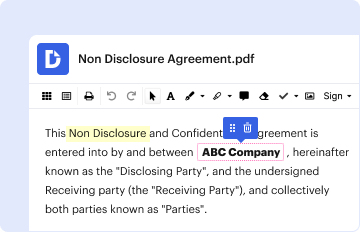
- Click ‘Get Form’ to open the New York Support document in the editor.
- Begin by entering the court details at the top of the form, including the county and date. This establishes the jurisdiction for your order.
- Fill in the plaintiff and defendant information, ensuring that names and addresses are accurate. This is crucial for legal identification.
- In the section for dependents, provide each dependent's name, date of birth, and social security number. This ensures they are recognized under this support order.
- Complete the participant's details (the legally responsible relative), including their name and mailing address. This identifies who is responsible for providing coverage.
- Specify the group health plan details, including its name and address. This connects your order to a specific insurance provider.
- Indicate the type of coverage provided and ensure it includes all necessary medical needs as outlined in the order.
- Finally, review all entries for accuracy before saving or printing your completed form. Ensure you have included an effective date for coverage.
Start using our platform today to easily complete your New York Support form online for free!
It's free
Got questions?
How can I sign my new york support online?
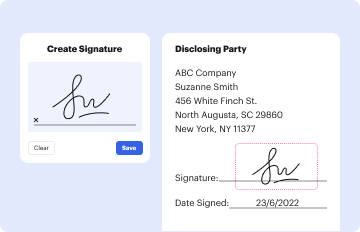
Log in to your DocHub account and add your new york support to our editor using one of its upload options - from your device, cloud storage, secure URL, or your DocHub folders if you have already managed your form before. Open our editor, click the Sign key in the top toolbar, and decide on your signing method. You can use an image of your handwritten signature, draw it, enter your name, or utilize a QR code as an alternative.
Can I print my new york support and finish it by myself?
When you go for analog ways of completing your new york support, it is simple to download your file for printing. Search DocHub’s Forms & Templates catalog to locate the exact file template you require and open it for editing or download it on your device in the format of your liking. It is possible to complete your form electronically and place your handwritten signature on it after printing or eSign your file with DocHub.
What is the number 311 used for?
What can you call 311 for in NYC?
What is the New York Helps Program?
Security and compliance
At DocHub, your data security is our priority. We follow HIPAA, SOC2, GDPR, and other standards, so you can work on your documents with confidence.
Learn more




