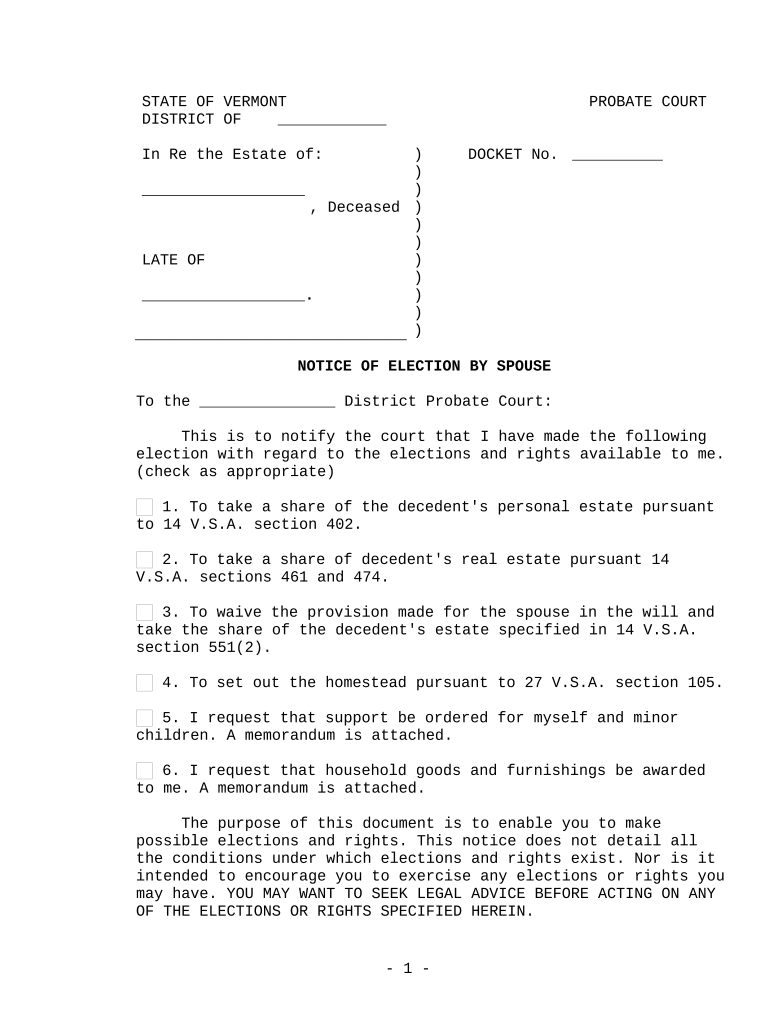
Notice of Election by Spouse - Vermont 2026

Get Form
Notice of Election by Spouse - Vermont Preview on Page 1

Here's how it works

01. Edit your form online
Type text, add images, blackout confidential details, add comments, highlights and more.
02. Sign it in a few clicks
Draw your signature, type it, upload its image, or use your mobile device as a signature pad.
03. Share your form with others
Send it via email, link, or fax. You can also download it, export it or print it out.

How to use or fill out Notice of Election by Spouse - Vermont with our platform

Form edit decoration
9.5
Ease of Setup
DocHub User Ratings on G2
9.0
Ease of Use
DocHub User Ratings on G2
  1. Click ‘Get Form’ to open the Notice of Election by Spouse - Vermont in the editor.
  2. Begin by filling in the 'In Re the Estate of' section with the name of the deceased. This is crucial for identifying the estate in question.
  3. Next, indicate the appropriate district probate court where you are submitting this notice. This ensures that your election is filed correctly.
  4. Carefully review each election option provided. Check the boxes next to the elections you wish to make regarding your rights as a spouse, such as taking a share of personal or real estate.
  5. If applicable, attach any necessary memorandums for support requests or household goods claims, ensuring all relevant details are included.
  6. Sign and date the form at the bottom. Make sure your signature is clear and matches your legal name.

Start using our platform today to fill out your Notice of Election by Spouse - Vermont easily and for free!

be ready to get more

Complete this form in 5 minutes or less

Get form

Got questions?

We have answers to the most popular questions from our customers. If you can't find an answer to your question, please contact us.
Contact us

eSignatures are a great alternative to traditional signing, as they save time, effort, and money people spend on printing, scanning, and paper delivery. You can eSign your Notice of Election by Spouse - Vermont utilizing a trustworthy and powerful online document management tool like DocHub. It complies with primary eSignature policies (ESIGN and UETA), so all documents approved there are legally binding and have the same validity as physically signed ones.

When you choose analog methods of completing your Notice of Election by Spouse - Vermont, it is simple to download your file for printing. Search DocHub’s Forms & Templates catalog to locate the exact document template you need and open it for editing or download it on your gadget in the format of your choice. It is possible to complete your form electronically and put your handwritten signature on it after printing or eSign your document with DocHub.

Security and compliance

At DocHub, your data security is our priority. We follow HIPAA, SOC2, GDPR, and other standards, so you can work on your documents with confidence.

Learn more
ccpa2
pci-dss
gdpr-compliance
hipaa
soc-compliance