Type text, add images, blackout confidential details, add comments, highlights and more.
02. Sign it in a few clicks
Draw your signature, type it, upload its image, or use your mobile device as a signature pad.
03. Share your form with others
Send ct workers comp lookup via email, link, or fax. You can also download it, export it or print it out.
How to use or fill out Notice of Claim for Compensation - Connecticut with DocHub
Ease of Setup
DocHub User Ratings on G2
Ease of Use
DocHub User Ratings on G2
Click ‘Get Form’ to open it in the editor.
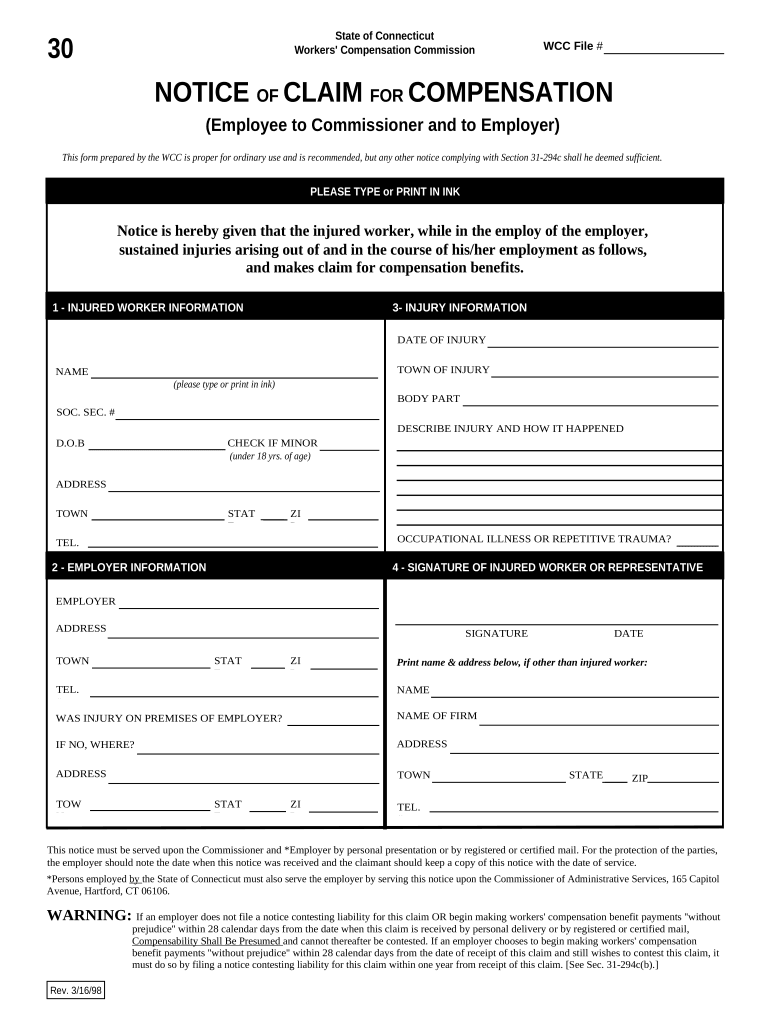
Begin by filling out the 'Injured Worker Information' section. Enter your name, Social Security number, date of birth, address, and contact number. Ensure all details are accurate and clearly typed or printed.
Next, move to the 'Injury Information' section. Specify the date and town of injury, describe the injury and how it occurred, and indicate if you are a minor by checking the appropriate box.
Proceed to the 'Employer Information' section. Fill in your employer's name and address. If applicable, provide details about where the injury occurred if not on employer premises.
Finally, sign the form in the 'Signature of Injured Worker or Representative' section. Print your name and address below if someone else is signing on your behalf.
Start using our platform today to easily complete your Notice of Claim for Compensation!
Fill out Notice of Claim for Compensation - Connecticut online It's free
Notice of Default and Right to Cure. Most contracts for sale require one party to give the other party notice of a material default and a reasonableRead more
An injury report by the employee is NOT an official written notice of claim for workers compensation benefits; the Workers Compensation Commissions Form 30CRead more
This notice must be served upon the Administrative Law Judge and *Employer by personal presentation or by registered or certified mail. For the protection.Read more
Cookie consent notice
This site uses cookies to enhance site navigation and personalize your experience.
By using this site you agree to our use of cookies as described in our Privacy Notice.
You can modify your selections by visiting our Cookie and Advertising Notice.