Type text, add images, blackout confidential details, add comments, highlights and more.
02. Sign it in a few clicks
Draw your signature, type it, upload its image, or use your mobile device as a signature pad.
03. Share your form with others
Send it via email, link, or fax. You can also download it, export it or print it out.
How to use or fill out Last Will and Testament for other Persons - Massachusetts with DocHub
Ease of Setup
DocHub User Ratings on G2
Ease of Use
DocHub User Ratings on G2
Click ‘Get Form’ to open it in the editor.
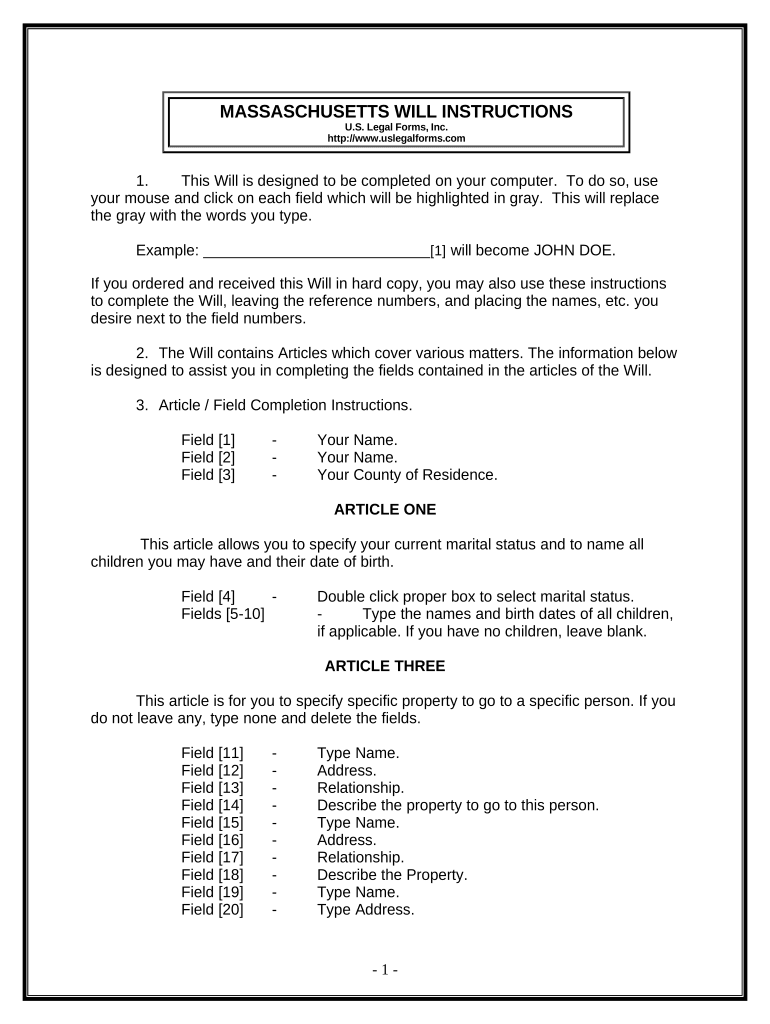
Begin by entering your name and county of residence in the designated fields. This establishes your identity as the testator.
In Article One, select your marital status and list any children along with their birth dates. If you have no children, leave that section blank.
Proceed to Article Three to specify any specific bequests of property. Fill in the names, addresses, relationships, and descriptions of the property you wish to bequeath.
In Article Four, indicate how you want your homestead or primary residence distributed. Choose from options such as leaving it to a spouse or children.
Complete Articles Five through Ten by detailing the distribution of remaining property, appointing a personal representative, and addressing any additional provisions.
Review all entries for accuracy before printing. Ensure you sign in front of two witnesses and consider notarization for a self-proving affidavit.
Start using our platform today to easily complete your Last Will and Testament for free!
Fill out Last Will and Testament for other Persons - Massachusetts online It's free
Last will and testament for other persons massachusetts templateLast will and testament for other persons massachusetts sampleLast will and testament for other persons massachusetts onlineLast will and testament for other persons massachusetts pdfLast will and testament for other persons massachusetts freeMassachusetts last will and testament formCan I write my own will and have it DocHubdMassachusetts will template word
Security and compliance
At DocHub, your data security is our priority. We follow HIPAA, SOC2, GDPR, and other standards, so you can work on your documents with confidence.
Last Wills and Testaments and Trusts [video] - UNH Extension
A last will and testament is a very fancy letter to a probate court judge telling the judge who you want to be in charge of administering your estate and whereRead more
These educational materials support research into these areas mentioned, and include 45 years of publications in areas of vegetarianism (for inquirers, checkRead more
Mar 16, 2026 You can fill out some paperwork and pay a small fee (currently $75), and the court will keep your will safe until notified of your death.Read more
Cookie consent notice
This site uses cookies to enhance site navigation and personalize your experience.
By using this site you agree to our use of cookies as described in our Privacy Notice.
You can modify your selections by visiting our Cookie and Advertising Notice.