Notice hearing 2026

Get Form
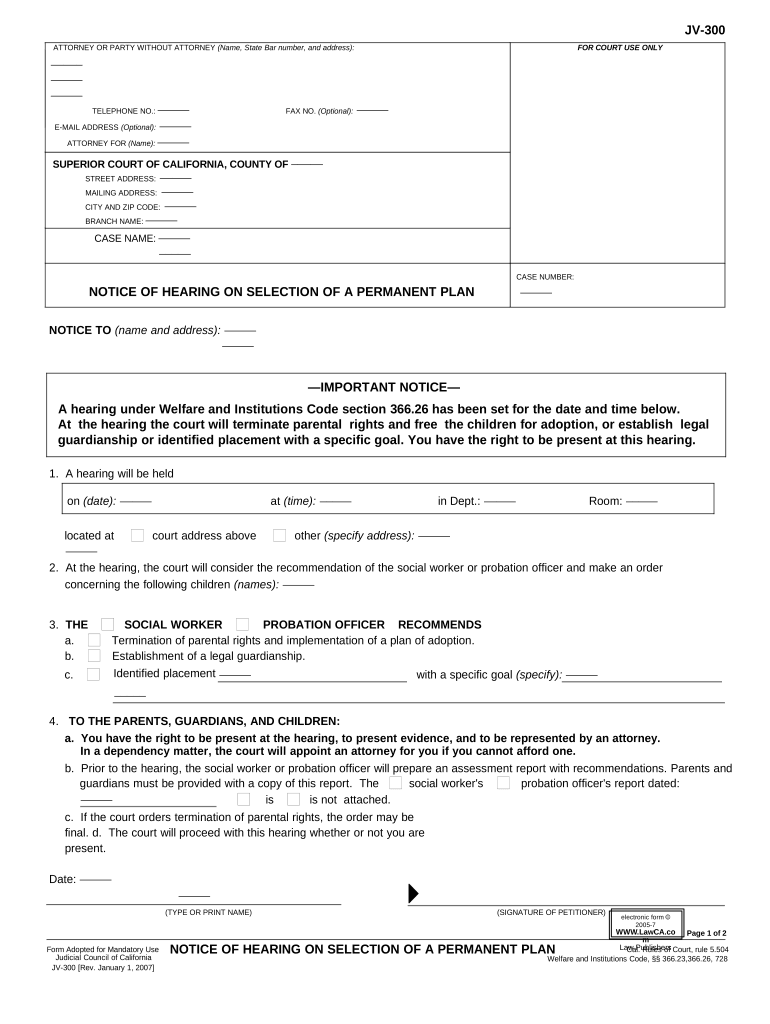
notice hearing Preview on Page 1

Here's how it works

01. Edit your form online
Type text, add images, blackout confidential details, add comments, highlights and more.
02. Sign it in a few clicks
Draw your signature, type it, upload its image, or use your mobile device as a signature pad.
03. Share your form with others
Send it via email, link, or fax. You can also download it, export it or print it out.

How to use or fill out notice hearing with our platform

Form edit decoration
9.5
Ease of Setup
DocHub User Ratings on G2
9.0
Ease of Use
DocHub User Ratings on G2
  1. Click ‘Get Form’ to open the notice hearing document in the editor.
  2. Begin by entering your name, State Bar number, and address in the designated fields for the attorney or party without an attorney. This information is crucial for identification purposes.
  3. Fill in the court's details including the county, city, branch name, and case number. Ensure accuracy as this will direct all correspondence related to your case.
  4. In the 'Notice To' section, input the names and addresses of those being notified about the hearing. This ensures that all relevant parties are informed.
  5. Specify the date and time of the hearing along with its location. Double-check these details to avoid any confusion on the day of the hearing.
  6. Complete sections regarding recommendations from social workers or probation officers. Clearly indicate whether termination of parental rights or legal guardianship is being recommended.
  7. Finally, review all entered information for accuracy before saving or printing your completed form. This step is essential to ensure that no critical details are overlooked.

Start using our platform today to streamline your document editing and ensure a smooth process for your notice hearing!

be ready to get more

Complete this form in 5 minutes or less

Get form

Got questions?

We have answers to the most popular questions from our customers. If you can't find an answer to your question, please contact us.
Contact us
A notice of hearing is a legal document that informs all parties involved about an upcoming court proceeding. It is typically filed by either the plaintiff or the defendant and includes essential details such as the name of the judge, the date and time of the hearing, and the location of the courthouse.
When your hearing is finished, the judge or registrar will tell you when you can leave the courtroom. After the hearing, the following things will happen: The judge will consider all the facts of your case and make a decision.
Notice and Hearing: Proper notice must be served, and a reasonable opportunity to be heard must be provided. Notice must contain sufficient information about the proceedings so that the person affected can adequately prepare a defense.
A hearing is usually shorter and often less formal than a trial but there are some essential differences you should be aware of, especially if you have an upcoming Court date. A hearing can usually determines procedural matters before going to trial.
The notice document is called a Notice of Ruling, and only the party or partys attorney if represented by counsel signs it. However, the actual order which the judge signs is called the Order After Hearing.

Security and compliance

At DocHub, your data security is our priority. We follow HIPAA, SOC2, GDPR, and other standards, so you can work on your documents with confidence.

Learn more
ccpa2
pci-dss
gdpr-compliance
hipaa
soc-compliance

People also ask

The phrase after notice and hearing refers to a legal requirement outlined in the Federal Bankruptcy Code. It indicates that a party must receive appropriate notice and have the opportunity to be heard in court before certain actions can be taken.
What happens at the hearing? The judge will normally want to hear first from the claimant (the person who started the case, or made the application) then the defendant (the per- son disputing it). Seeing a person give evidence helps the judge de- cide whether that person is telling the truth.

Related links