Type text, add images, blackout confidential details, add comments, highlights and more.
02. Sign it in a few clicks
Draw your signature, type it, upload its image, or use your mobile device as a signature pad.
03. Share your form with others
Send it via email, link, or fax. You can also download it, export it or print it out.
How to use or fill out setting pretrial with our platform
Ease of Setup
DocHub User Ratings on G2
Ease of Use
DocHub User Ratings on G2
Click ‘Get Form’ to open the setting pretrial document in the editor.
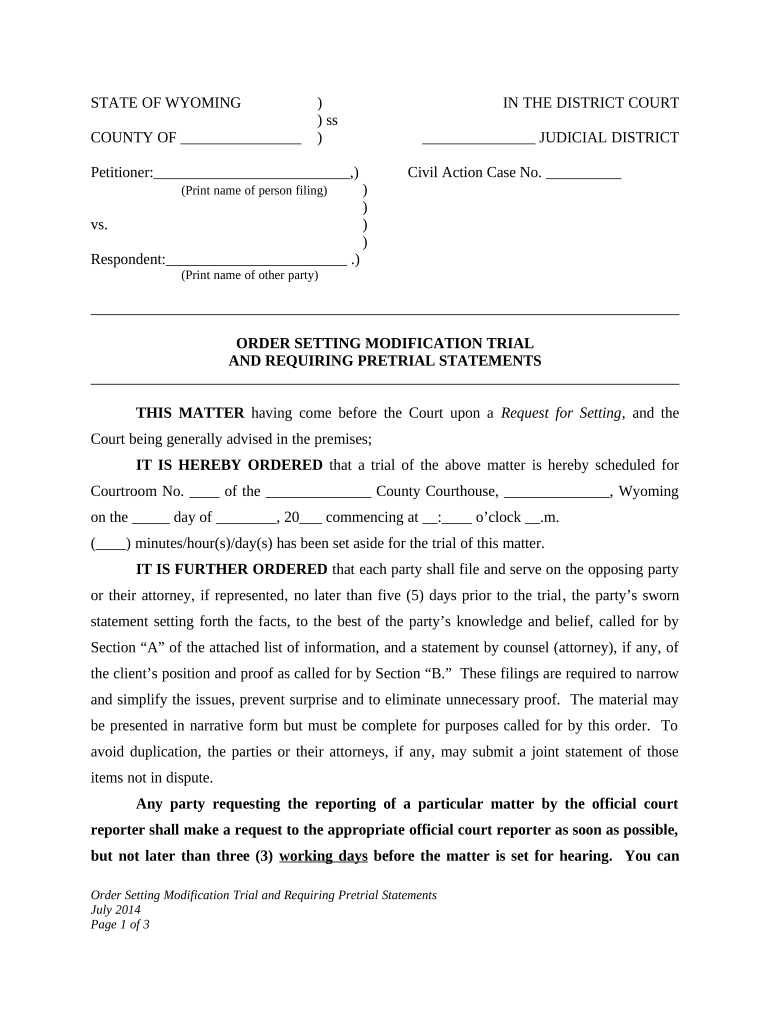
Begin by filling in the petitioner and respondent names at the top of the form. Ensure that you print their names clearly for accurate identification.
Next, specify the civil action case number and the scheduled trial date, time, and courtroom details. This information is crucial for court records.
In Section 'A', provide a sworn statement detailing personal data relevant to your case. Include information such as employment history, income, and any other pertinent facts.
For Section 'B', if you have legal representation, include a statement from your counsel outlining your position on child support and custody modifications, along with a list of witnesses.
Review all entries for accuracy before saving or sharing your completed document. Utilize our platform’s features to ensure everything is correctly formatted.
Start using our platform today to streamline your setting pretrial process for free!
What is the pre trial processWhat is a pretrial for a felonyHow long between pre trial and trialCan a case be dismissed at a pre trial conferenceCan you go to jail at a pre trial hearingPre trial process Flow ChartPretrial definitionWhat is the purpose of pretrial services
Security and compliance
At DocHub, your data security is our priority. We follow HIPAA, SOC2, GDPR, and other standards, so you can work on your documents with confidence.
Introduction. A motion for summary judgement is the most common mechanism by which FOIA cases are resolved. It is a pre-trial motion in which one partyRead more
Nov 5, 2025 The goal of these Guidelines is to promote consistency in procedures relating to the setting of pretrial conditions of release on criminalRead more
Item (4) refers to setting dates for conferences and for trial. Scheduling multiple pretrial conferences may well be desirable if the case is complex and theRead more
Cookie consent notice
This site uses cookies to enhance site navigation and personalize your experience.
By using this site you agree to our use of cookies as described in our Privacy Notice.
You can modify your selections by visiting our Cookie and Advertising Notice.