Type text, add images, blackout confidential details, add comments, highlights and more.
02. Sign it in a few clicks
Draw your signature, type it, upload its image, or use your mobile device as a signature pad.
03. Share your form with others
Send it via email, link, or fax. You can also download it, export it or print it out.
How to use or fill out notice crime with our platform
Ease of Setup
DocHub User Ratings on G2
Ease of Use
DocHub User Ratings on G2
Click ‘Get Form’ to open the notice crime document in the editor.
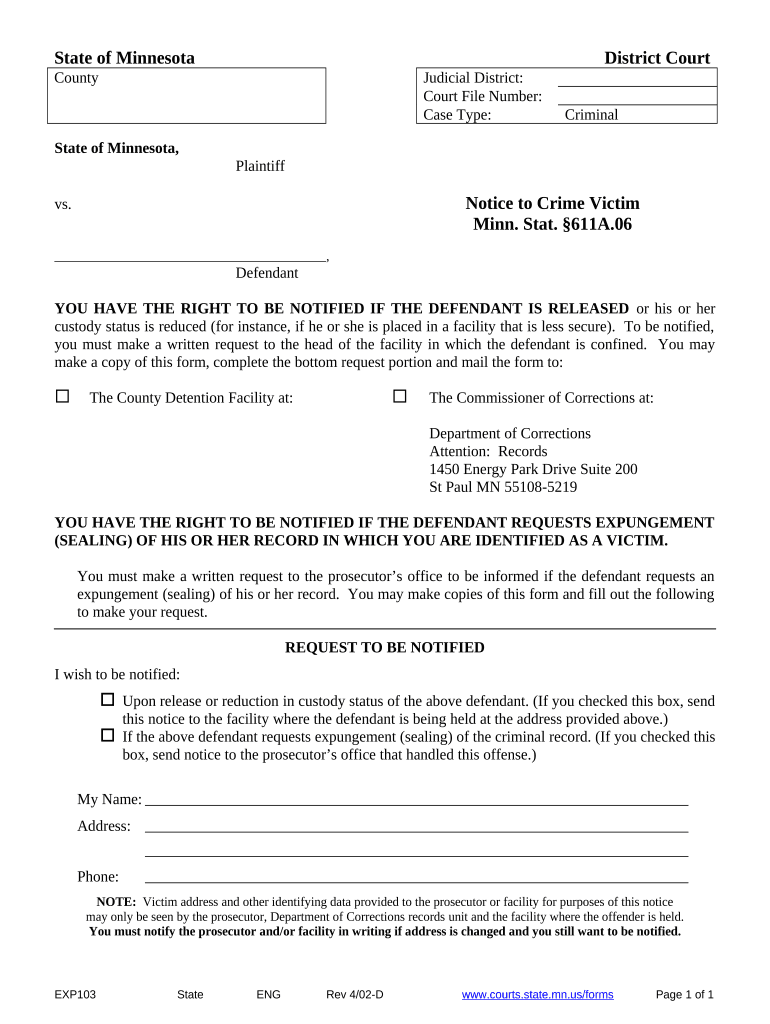
Begin by filling in the 'Judicial District' and 'Court File Number' at the top of the form. This information is essential for identifying your case.
In the 'Request to be Notified' section, select your notification preferences by checking the appropriate boxes regarding release or expungement requests.
Complete your personal details in the fields provided: enter your name, address, and phone number. Ensure that this information is accurate for effective communication.
Once all fields are filled out, review your entries for accuracy. You can easily make edits using our platform's editing tools.
Finally, print or save your completed form. If needed, you can send it directly to the relevant facility or prosecutor’s office as indicated on the form.
Start using our platform today to fill out your notice crime form quickly and efficiently!
Orange Notice INTERPOLInterpol Blue Notice listGreen Notice InterpolINTERPOL Blue Notice searchInterpol notices listBlack Notice INTERPOLINTERPOL top 10 most wantedINTERPOL Red Notice most wanted list
Security and compliance
At DocHub, your data security is our priority. We follow HIPAA, SOC2, GDPR, and other standards, so you can work on your documents with confidence.
Completing the attached form and returning it to the States. Attorneys Office allows you to be notified of all hearings and events related to your case.Read more
Cookie consent notice
This site uses cookies to enhance site navigation and personalize your experience.
By using this site you agree to our use of cookies as described in our Privacy Notice.
You can modify your selections by visiting our Cookie and Advertising Notice.