Type text, add images, blackout confidential details, add comments, highlights and more.
02. Sign it in a few clicks
Draw your signature, type it, upload its image, or use your mobile device as a signature pad.
03. Share your form with others
Send it via email, link, or fax. You can also download it, export it or print it out.
How to use or fill out New York Paternity with our platform
Ease of Setup
DocHub User Ratings on G2
Ease of Use
DocHub User Ratings on G2
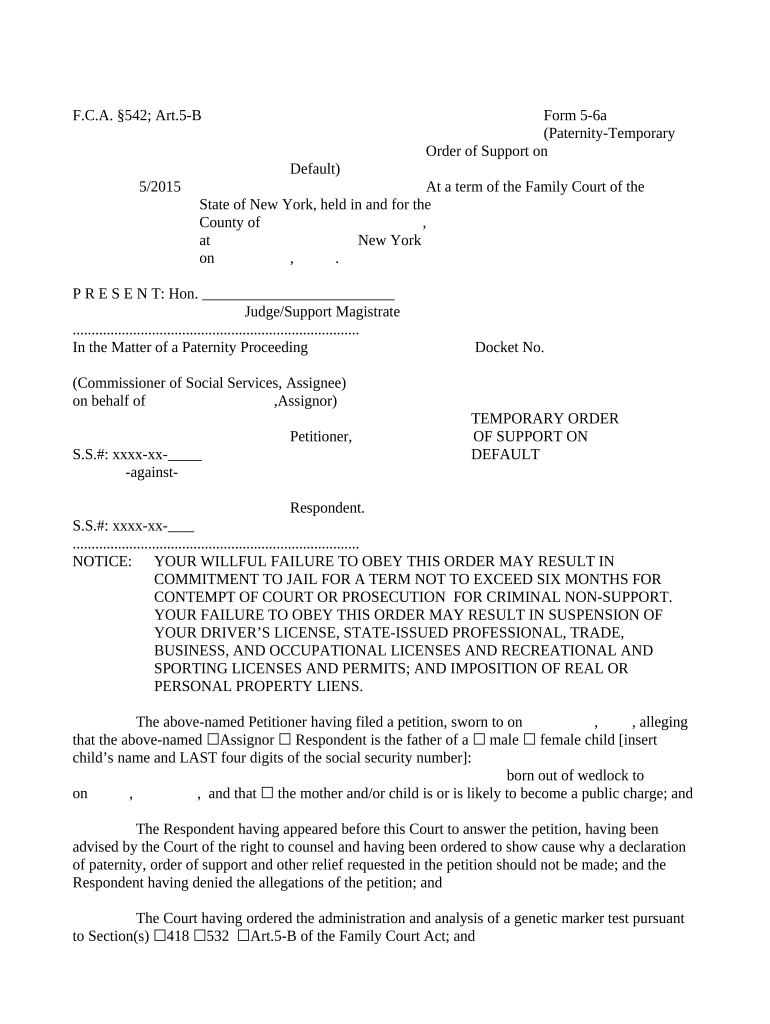
Click ‘Get Form’ to open the New York Paternity form in the editor.
Begin by entering the county and date at the top of the form. This information is crucial for identifying where the case is being filed.
Fill in the docket number and details of the petitioner, including their name and social security number. Ensure accuracy as this will be referenced throughout the process.
Indicate whether you are filing on behalf of an assignor or respondent, and specify the child's name along with their last four digits of their social security number.
Complete sections regarding support payments, specifying amounts and frequency (weekly, bi-weekly, etc.). Make sure to check applicable boxes for payment methods.
Provide employer information for both parties if applicable, ensuring that all contact details are correct for future correspondence.
Review all entered information carefully before submitting to ensure compliance with court requirements.
Start filling out your New York Paternity form online for free today!
How long is Paternity Leave in NYPaternity leave NYFree paternity test NYCHow to get a court-ordered paternity test in NYPaternity petition NYPaternity testing NYCOrder of Filiation nyPaternity leave NJ
Security and compliance
At DocHub, your data security is our priority. We follow HIPAA, SOC2, GDPR, and other standards, so you can work on your documents with confidence.
Paid Family Leave provides eligible employees job-protected, paid time off to: bond with a newly born, adopted or fostered child,; care for a family member withRead more
The Evolution of the Human Pair Bond - The Observatory Wiki
May 21, 2025 Humans, even those with strong cultural proscriptions against adultery, have very similar rates of extra-pair paternityabout 10 percent. WhileRead more
Cookie consent notice
This site uses cookies to enhance site navigation and personalize your experience.
By using this site you agree to our use of cookies as described in our Privacy Notice.
You can modify your selections by visiting our Cookie and Advertising Notice.