Change residence 2026

Get Form
change residence Preview on Page 1

Here's how it works

01. Edit your form online
Type text, add images, blackout confidential details, add comments, highlights and more.
02. Sign it in a few clicks
Draw your signature, type it, upload its image, or use your mobile device as a signature pad.
03. Share your form with others
Send it via email, link, or fax. You can also download it, export it or print it out.

How to use or fill out change residence with our platform

Form edit decoration
9.5
Ease of Setup
DocHub User Ratings on G2
9.0
Ease of Use
DocHub User Ratings on G2
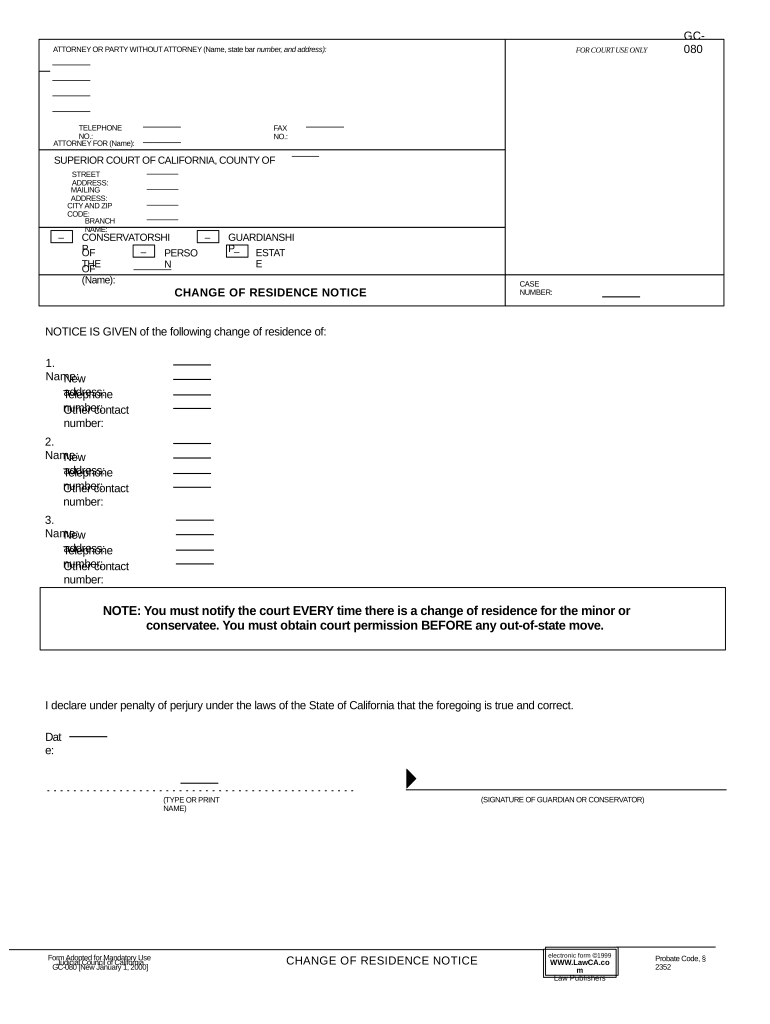
  1. Click ‘Get Form’ to open the Change of Residence Notice in the editor.
  2. Begin by filling in the attorney or party's details at the top, including name, state bar number, address, and telephone number.
  3. Next, provide the name of the person for whom you are filing this notice. Include their new address, telephone number, and any other contact number.
  4. If there are multiple individuals whose residence is changing, repeat step 3 for each person listed.
  5. Ensure you read the note regarding notifying the court about every change of residence and obtaining permission for out-of-state moves.
  6. Finally, sign and date the form at the bottom as a declaration under penalty of perjury.

Start using our platform today to easily complete your Change of Residence Notice online for free!

be ready to get more

Complete this form in 5 minutes or less

Get form

Got questions?

We have answers to the most popular questions from our customers. If you can't find an answer to your question, please contact us.
Contact us
Yes, you can change your residency to a state youve never lived in if you establish a genuine connection and intent to make that state your permanent home. Declare domicile, buy a home, obtain a drivers license, and register to vote in the new location.
Get a new drivers license and relinquish your old drivers license. Change toll passes and parking permits. Update your homeowners insurance policy to reflect the new primary residence. Execute new wills, powers of attorney, and other estate planning documents in the new state.
You can: Go to USPS.com/move to change your address online. You do not need to pay a separate company to change your address. Scammers may charge $40 or more to do what you can do for $1.10 using the Who is moving? Or go to your local post office. Ask for the Movers Guide packet.
Make a list of everything which has your old address as your billing address like your bank account, credit card, store cards, loyalty cards and so on and make as many changes as you can online. A few telephone calls should sort out the rest.
Change of residence is defined as a move from one migration-defining area to another that involves relocating ones usual place of residence.

Security and compliance

At DocHub, your data security is our priority. We follow HIPAA, SOC2, GDPR, and other standards, so you can work on your documents with confidence.

Learn more
ccpa2
pci-dss
gdpr-compliance
hipaa
soc-compliance

People also ask

Go to the Official USPS Change of Address website. Choose an option for either an Individual, Family (where everyone has the same last name), or Business move, and complete the form. Verify your identity: Opt in online to receive a verification code or link on your mobile phone.

Related links