Type text, add images, blackout confidential details, add comments, highlights and more.
02. Sign it in a few clicks
Draw your signature, type it, upload its image, or use your mobile device as a signature pad.
03. Share your form with others
Send it via email, link, or fax. You can also download it, export it or print it out.
How to use or fill out alaska 13 with our platform
Ease of Setup
DocHub User Ratings on G2
Ease of Use
DocHub User Ratings on G2
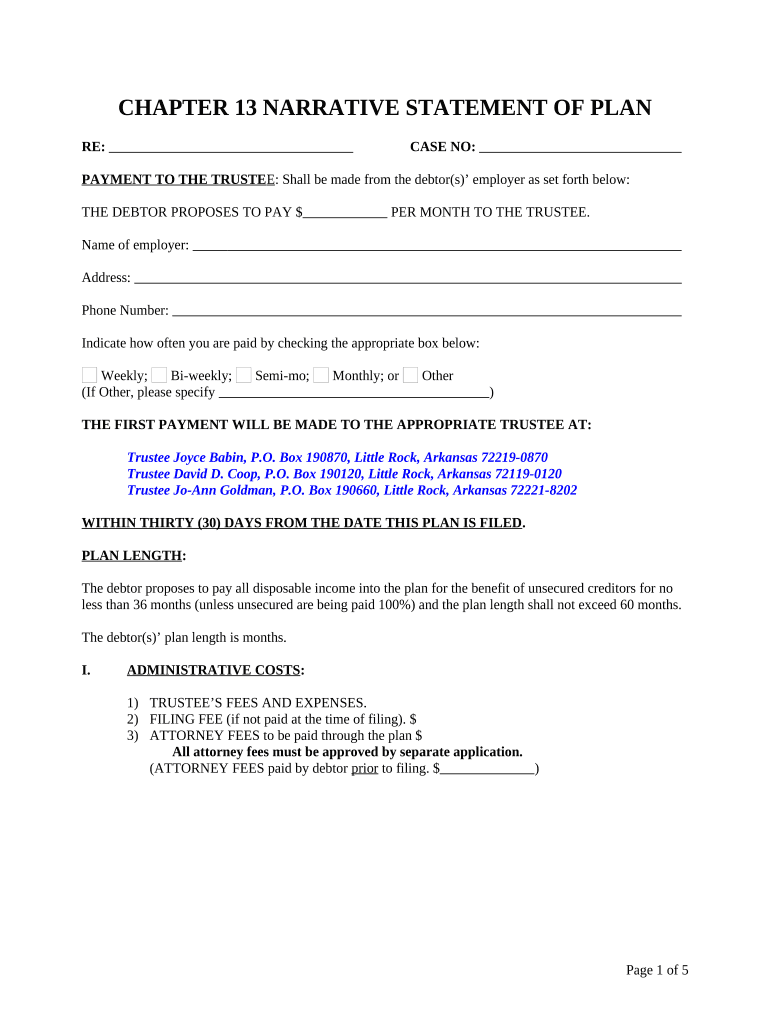
Click ‘Get Form’ to open the alaska 13 document in the editor.
Begin by entering your case number at the top of the form. This is essential for identifying your bankruptcy case.
In the 'Payment to the Trustee' section, specify the amount you propose to pay monthly and provide your employer's name, address, and phone number.
Indicate your payment frequency by checking one of the boxes: Weekly, Bi-weekly, Semi-monthly, Monthly, or Other. If you select 'Other', please specify.
Fill in the plan length by stating how many months you will be making payments. Ensure this aligns with your proposed payment plan.
Complete sections regarding administrative costs and long-term debts by listing creditors and their respective amounts as required.
Review all entries for accuracy before saving or submitting your completed form through our platform.
Start using our platform today to easily fill out and manage your alaska 13 form for free!
Creator: Walker, Ernest P. Published: The Smithsonian Institution, 1943. Subject: History and Culture; Alaska. Topic: United States Local History. Collection:.Read more
Nonresident moose hunters are required to successfully complete a Nonresident Moose Hunter Orientation course prior to hunting, proof of completion is requiredRead more
Cookie consent notice
This site uses cookies to enhance site navigation and personalize your experience.
By using this site you agree to our use of cookies as described in our Privacy Notice.
You can modify your selections by visiting our Cookie and Advertising Notice.