Type text, add images, blackout confidential details, add comments, highlights and more.
02. Sign it in a few clicks
Draw your signature, type it, upload its image, or use your mobile device as a signature pad.
03. Share your form with others
Send it via email, link, or fax. You can also download it, export it or print it out.
How to use or fill out Statement of Informal Administration - Wisconsin with DocHub
Ease of Setup
DocHub User Ratings on G2
Ease of Use
DocHub User Ratings on G2
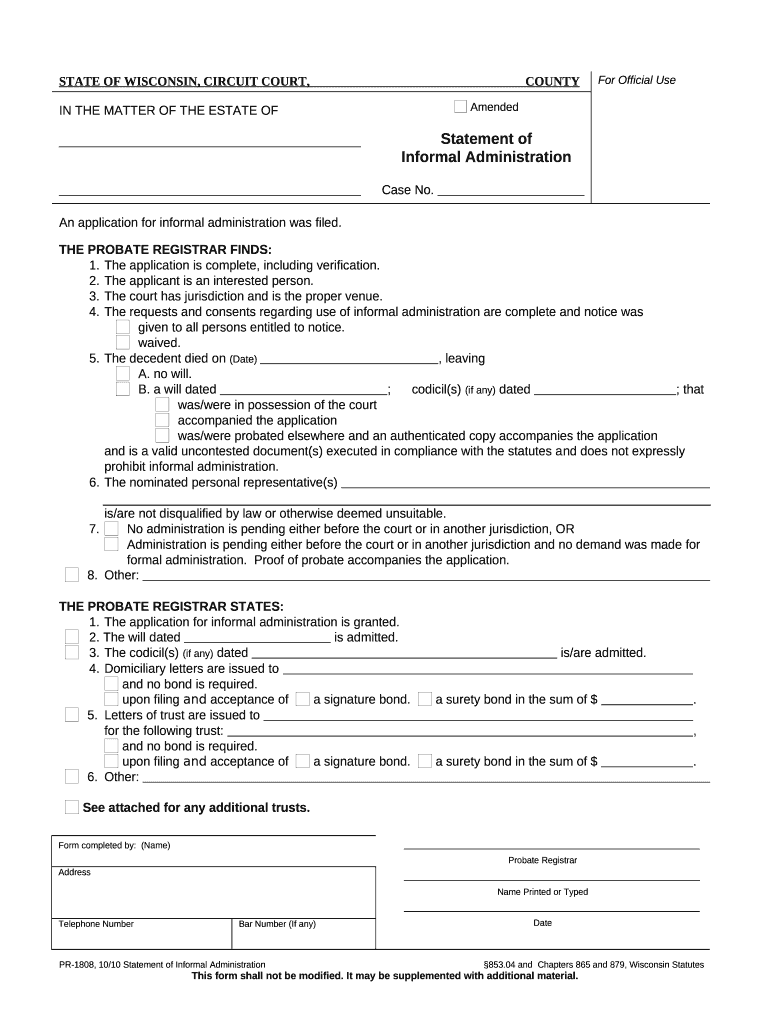
Click ‘Get Form’ to open the Statement of Informal Administration in our editor.
Begin by entering the case number at the top of the form. This is essential for tracking your application.
Fill in the decedent's name and date of death in the designated fields. Ensure accuracy as this information is crucial for legal purposes.
Indicate whether there is a will or codicil by checking the appropriate boxes. If applicable, provide details about the will's date and any accompanying documents.
Complete sections regarding the nominated personal representative(s). Ensure that they are not disqualified by law, as this can affect your application.
Review all entries for completeness and accuracy before submitting. Use our platform’s features to save your progress and make edits as needed.
Start using our editor today to streamline your document completion process for free!
Fill out Statement of Informal Administration - Wisconsin online It's free
PR-1808. Statement of Informal Administration. To grant the application for informal administration. 05/30/2024, Form English Form English Summary English.Read more
PR-1808 Statement of Informal Administration. PR-1810 Domiciliary Letters. Probate Claims Notice (not a court form) - WI DHS form F-13033. Tips for starting aRead more
A Decision Framework for Applying Monitored Natural
by CUN Cu 2010 Established in 1995, the Interstate Technology Regulatory Council (ITRC) is a state-led, national coalition of personnel from the environmental regulatoryRead more
Cookie consent notice
This site uses cookies to enhance site navigation and personalize your experience.
By using this site you agree to our use of cookies as described in our Privacy Notice.
You can modify your selections by visiting our Cookie and Advertising Notice.