Software Equipment Request 2026

Get Form
Software Equipment Request Preview on Page 1

Here's how it works

01. Edit your form online
Type text, add images, blackout confidential details, add comments, highlights and more.
02. Sign it in a few clicks
Draw your signature, type it, upload its image, or use your mobile device as a signature pad.
03. Share your form with others
Send it via email, link, or fax. You can also download it, export it or print it out.

How to use or fill out Software Equipment Request with our platform

Form edit decoration
9.5
Ease of Setup
DocHub User Ratings on G2
9.0
Ease of Use
DocHub User Ratings on G2
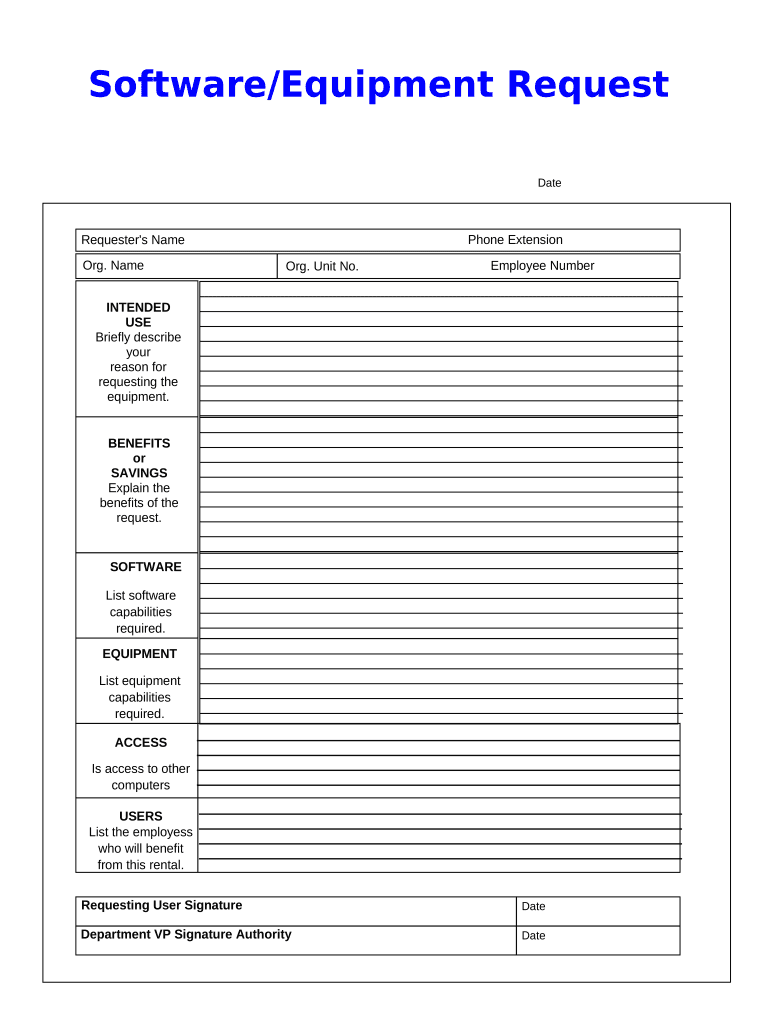
  1. Click ‘Get Form’ to open the Software Equipment Request in the editor.
  2. Begin by entering the date and your phone extension at the top of the form. This information helps identify your request promptly.
  3. Fill in your name, organization name, organization unit number, and employee number. Ensure accuracy as this information is crucial for processing your request.
  4. In the 'INTENDED USE' section, briefly describe why you are requesting the equipment. Be clear and concise to convey your needs effectively.
  5. Next, explain the 'BENEFITS or SAVINGS' of your request. Highlight how this equipment will enhance productivity or save costs for your organization.
  6. List any specific software capabilities required in the 'SOFTWARE' section to ensure compatibility with existing systems.
  7. In the 'EQUIPMENT' section, detail any necessary equipment capabilities that align with your intended use.
  8. Indicate if access to other computers is needed under 'ACCESS'. This helps assess network requirements for your request.
  9. List all employees who will benefit from this rental in the 'USERS' section to provide a comprehensive view of its impact.
  10. Finally, sign and date where indicated for both yourself and the Department VP Signature Authority to complete the request process.

Start using our platform today to streamline your Software Equipment Request process effortlessly!

be ready to get more

Complete this form in 5 minutes or less

Get form

Security and compliance

At DocHub, your data security is our priority. We follow HIPAA, SOC2, GDPR, and other standards, so you can work on your documents with confidence.

Learn more
ccpa2
pci-dss
gdpr-compliance
hipaa
soc-compliance