Type text, add images, blackout confidential details, add comments, highlights and more.
02. Sign it in a few clicks
Draw your signature, type it, upload its image, or use your mobile device as a signature pad.
03. Share your form with others
Send it via email, link, or fax. You can also download it, export it or print it out.
How to use or fill out matrimonial information with our platform
Ease of Setup
DocHub User Ratings on G2
Ease of Use
DocHub User Ratings on G2
Click ‘Get Form’ to open the matrimonial information document in the editor.
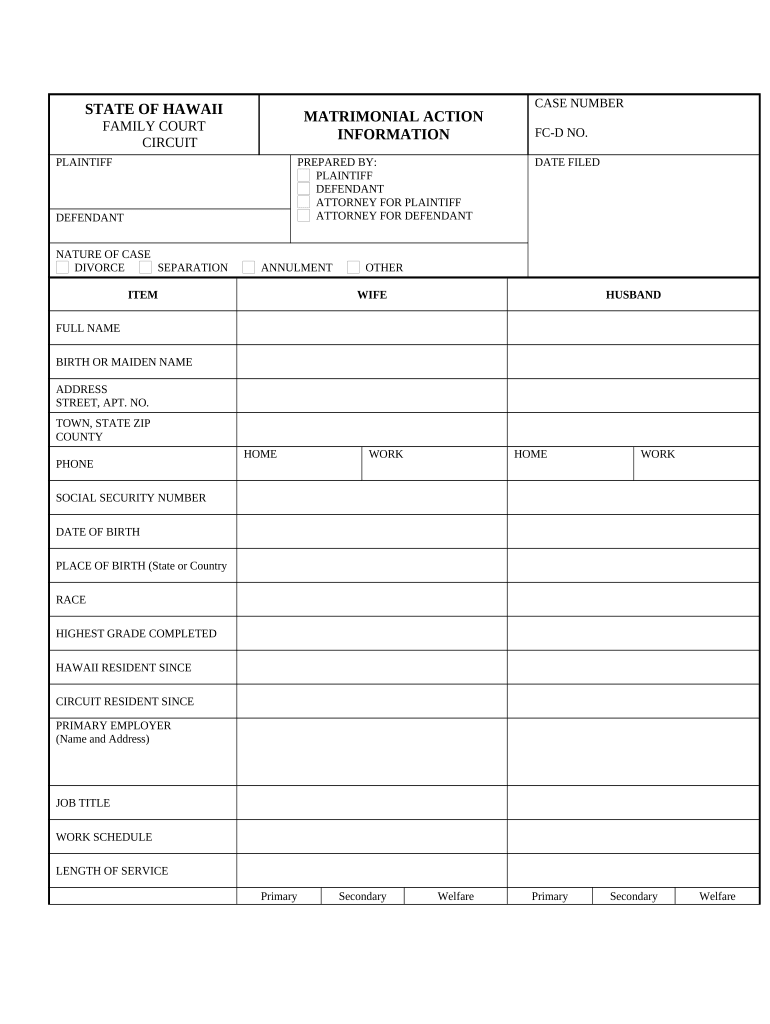
Begin by entering the case number and date filed at the top of the form. This information is crucial for tracking your case.
Fill in personal details for both parties, including full names, birth or maiden names, addresses, and contact numbers. Ensure accuracy as this information is vital for legal identification.
Provide social security numbers, dates of birth, places of birth, race, and educational background. This section helps establish identity and demographic details.
Indicate employment details such as employer name, job title, work schedule, and gross monthly income. This financial information is essential for any support considerations.
Complete sections regarding prior marriages and children. List all children from youngest to oldest along with their custody arrangements.
Finally, review all entries for accuracy before signing and dating the declaration at the end of the form.
Start filling out your matrimonial information today on our platform for free!
Marriage Records Online Request Information. Records are available for marriages where the license was issued in Los Angeles County since 1852.Read more
Cookie consent notice
This site uses cookies to enhance site navigation and personalize your experience.
By using this site you agree to our use of cookies as described in our Privacy Notice.
You can modify your selections by visiting our Cookie and Advertising Notice.