Type text, add images, blackout confidential details, add comments, highlights and more.
02. Sign it in a few clicks
Draw your signature, type it, upload its image, or use your mobile device as a signature pad.
03. Share your form with others
Send it via email, link, or fax. You can also download it, export it or print it out.
How to use or fill out ny claimant with our platform
Ease of Setup
DocHub User Ratings on G2
Ease of Use
DocHub User Ratings on G2
Click ‘Get Form’ to open the ny claimant document in the editor.
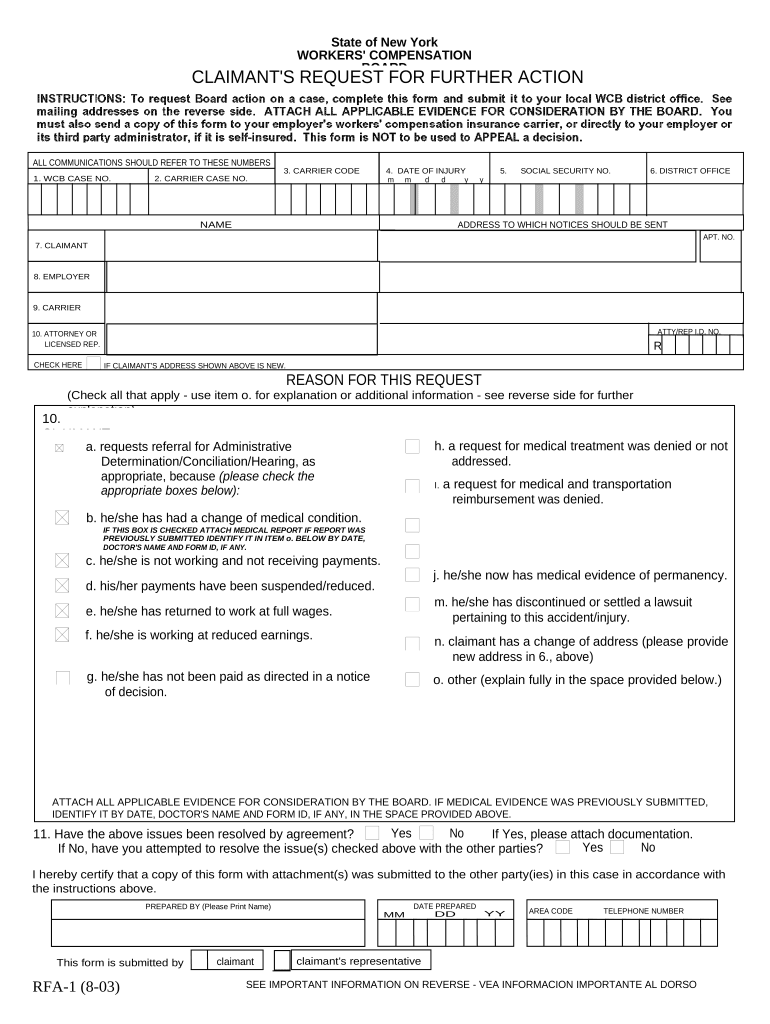
Begin by entering your WCB Case Number, Carrier Case Number, and Carrier Code at the top of the form. This information is crucial for tracking your claim.
Fill in the Date of Injury using the provided format (mm/dd/yyyy). Ensure accuracy as this date is significant for your claim.
Enter your full name and Social Security Number in the designated fields. This personal information is necessary for identification purposes.
Specify your District Office and provide an address where notices should be sent. If you have a new address, check the box indicating this change.
Indicate whether you are requesting further action by checking appropriate boxes under 'Reason for this Request.' Be sure to attach any relevant evidence that supports your request.
Complete the certification section at the bottom of the form, ensuring that all required signatures are included before submission.
Start filling out your ny claimant form today on our platform for free!
NY State Unemployment processes most claims with out any issues. Generally, Unemployment Insurance will pay your first payment in two to three weeks.Read more
Heres Where to Get Help with Unemployment Benefits in New
May 14, 2020 The DOL can also be DocHubed through its telephone claims center (888-209-8124) and Unemployment Insurance Claimant Advocate Office (855-528-5618)Read more
Cookie consent notice
This site uses cookies to enhance site navigation and personalize your experience.
By using this site you agree to our use of cookies as described in our Privacy Notice.
You can modify your selections by visiting our Cookie and Advertising Notice.