Type text, add images, blackout confidential details, add comments, highlights and more.
02. Sign it in a few clicks
Draw your signature, type it, upload its image, or use your mobile device as a signature pad.
03. Share your form with others
Send it via email, link, or fax. You can also download it, export it or print it out.
How to use or fill out ut amended with our platform
Ease of Setup
DocHub User Ratings on G2
Ease of Use
DocHub User Ratings on G2
Click ‘Get Form’ to open the ut amended document in the editor.
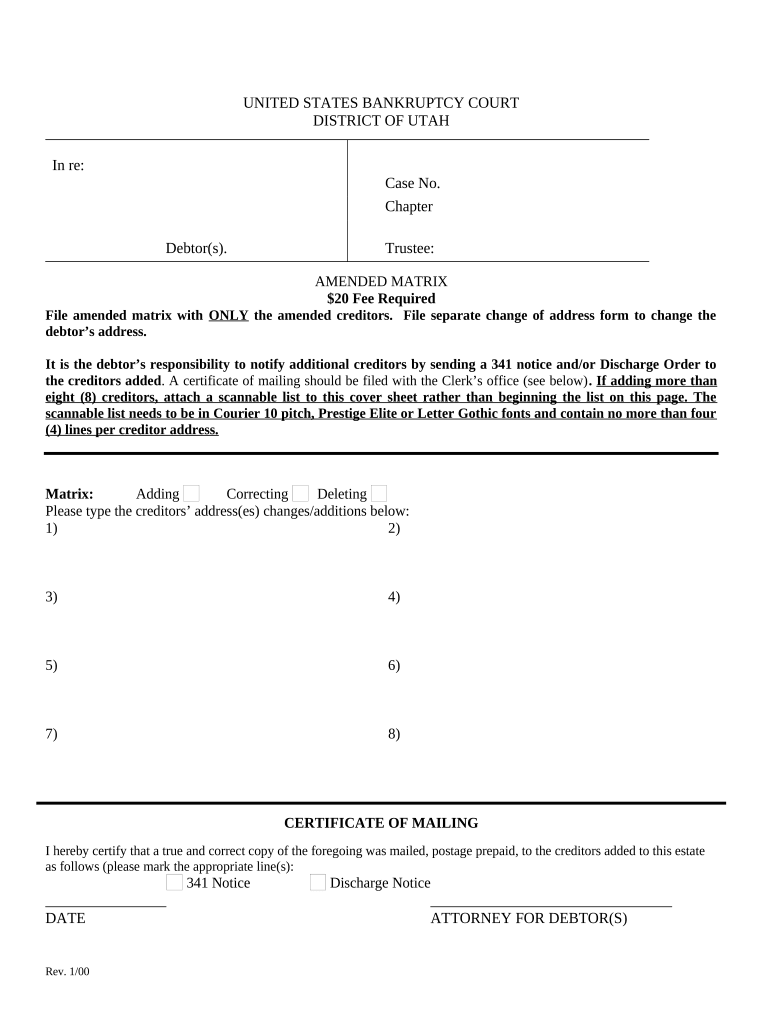
Begin by entering the case number and chapter at the top of the form. This information is crucial for proper identification of your bankruptcy case.
In the 'Matrix' section, specify whether you are adding, correcting, or deleting creditor information. Clearly indicate your choice to avoid confusion.
Type the addresses of creditors you wish to add or modify in the provided fields. Ensure that each entry adheres to formatting guidelines: use Courier 10 pitch, Prestige Elite, or Letter Gothic fonts with no more than four lines per address.
If you have more than eight creditors to list, prepare a scannable list as instructed and attach it to this cover sheet.
Complete the 'Certificate of Mailing' section by certifying that notices were sent to added creditors. Mark the appropriate line for either a 341 Notice or Discharge Notice and include the date.
Start editing your ut amended form online for free today!
Amended tax return statusUtah special session 2025Utah State SenateU.S. House of Representatives UtahAmended tax return online for freeWho is my Utah State RepresentativeUtah legislative session 2026Irs Utah gov login
Security and compliance
At DocHub, your data security is our priority. We follow HIPAA, SOC2, GDPR, and other standards, so you can work on your documents with confidence.
The IRB requires an amendment to note any changes related to an approved study. The Amendment application must describe the modification(s) requested includingRead more
Cookie consent notice
This site uses cookies to enhance site navigation and personalize your experience.
By using this site you agree to our use of cookies as described in our Privacy Notice.
You can modify your selections by visiting our Cookie and Advertising Notice.