Type text, add images, blackout confidential details, add comments, highlights and more.
02. Sign it in a few clicks
Draw your signature, type it, upload its image, or use your mobile device as a signature pad.
03. Share your form with others
Send habitual truancy via email, link, or fax. You can also download it, export it or print it out.
How to use or fill out habitual truancy with our platform
Ease of Setup
DocHub User Ratings on G2
Ease of Use
DocHub User Ratings on G2
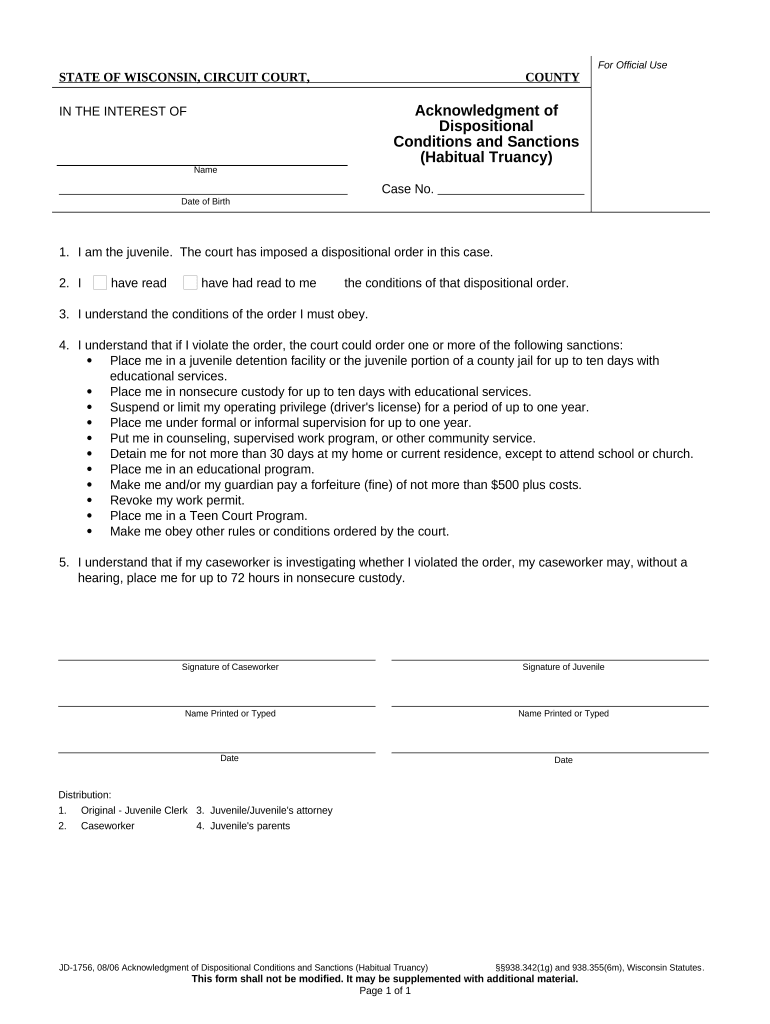
Click ‘Get Form’ to open the habitual truancy document in the editor.
Begin by entering your name and date of birth in the designated fields. This information is crucial for identifying the juvenile involved in the case.
Read through the dispositional conditions carefully. You can highlight or annotate sections that require your attention using our platform's editing tools.
Indicate your understanding of the conditions by checking the appropriate box next to either 'I have read' or 'have had read to me'.
Review the list of potential sanctions if you violate the order. Ensure you understand each consequence, as this is vital for compliance.
Sign and date the form at the bottom, ensuring that both you and your caseworker provide signatures where required.
Start filling out your habitual truancy form online for free today!
Habitual truancy consequencesHabitual truancy examplesHabitual truancy lawHabitual truancy casesHabitual truant drivingWhat happens when you get 3 truancy lettersHow much is a truancy fine in PATruancy ticket
Security and compliance
At DocHub, your data security is our priority. We follow HIPAA, SOC2, GDPR, and other standards, so you can work on your documents with confidence.
7 Miss. Code. R. 3-30.4 - Truancy Rate Definition, Calculation
Habitual Truant - a student who has accumulated twelve (12) or more unlawful absences, excluding suspension and expulsion days, in a school year, which shallRead more
Truancy means any absence of part or all of one or more days from school during which the school attendance officer, principal or teacher has not beenRead more
Cookie consent notice
This site uses cookies to enhance site navigation and personalize your experience.
By using this site you agree to our use of cookies as described in our Privacy Notice.
You can modify your selections by visiting our Cookie and Advertising Notice.