Type text, add images, blackout confidential details, add comments, highlights and more.
02. Sign it in a few clicks
Draw your signature, type it, upload its image, or use your mobile device as a signature pad.
03. Share your form with others
Send it via email, link, or fax. You can also download it, export it or print it out.
How to use or fill out liability computer with our platform
Ease of Setup
DocHub User Ratings on G2
Ease of Use
DocHub User Ratings on G2
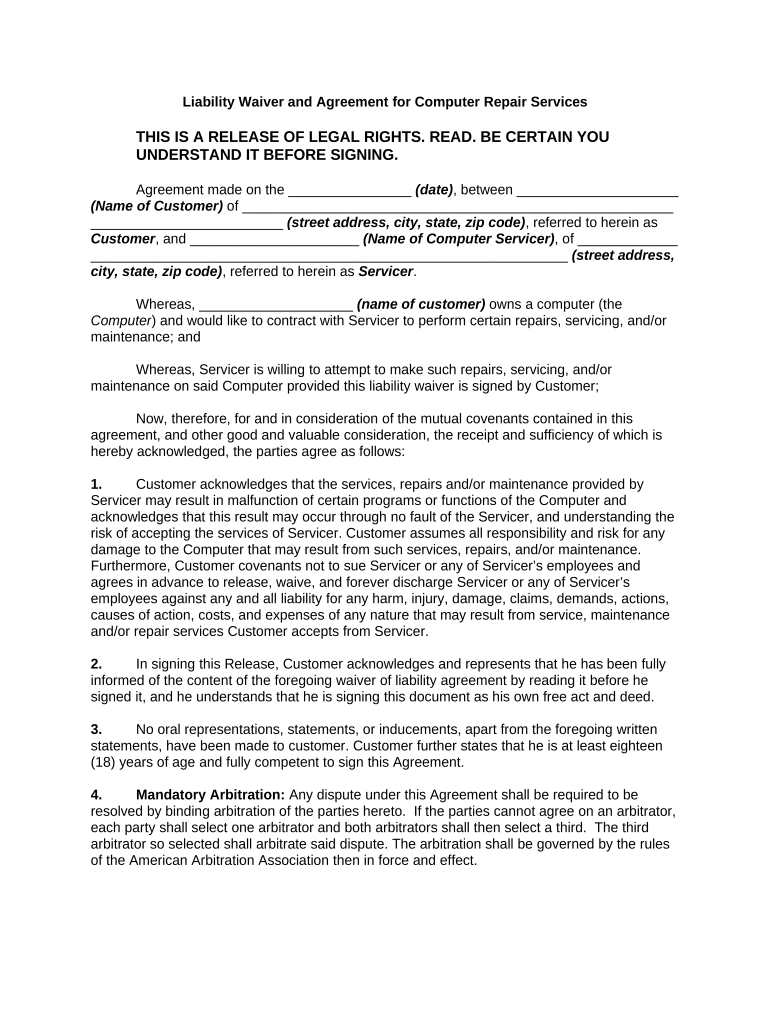
Click ‘Get Form’ to open the liability computer in the editor.
Begin by entering the date of the agreement in the designated field. This is crucial for establishing when the contract takes effect.
Fill in your name as the Customer and provide your complete address, including street, city, state, and zip code.
Next, enter the name of the Computer Servicer along with their address details in the corresponding fields.
Read through each section carefully. Acknowledge your understanding of potential risks associated with repairs by checking any required boxes or signing where indicated.
Confirm that you are at least eighteen years old and fully competent to sign this Agreement by marking or initialing as required.
Finally, provide your printed name and signature at the bottom of the form, along with a witness signature if necessary.
Start using our platform today to easily fill out your liability computer form for free!
Applying Strict Products Liability to Computer Software
by MR Maule 1992 Cited by 38 3 These potential tragedies raise important liability questions. When such computer breakdowns occur, the potential theories of recovery are based on contractRead more
Liability for personal injuries caused by defective medical
by VM Brannigan 1981 Cited by 122 Although the question of liability for personal injuries caused by defective medical computer programs has not been addressed by the courts, it is inevitableRead more
Dec 21, 2019 Controllers liability may be compromised unless controls are effected to ensure that the data handled by computers is correct, and fail-safe.Read more
Cookie consent notice
This site uses cookies to enhance site navigation and personalize your experience.
By using this site you agree to our use of cookies as described in our Privacy Notice.
You can modify your selections by visiting our Cookie and Advertising Notice.