Type text, add images, blackout confidential details, add comments, highlights and more.
02. Sign it in a few clicks
Draw your signature, type it, upload its image, or use your mobile device as a signature pad.
03. Share your form with others
Send it via email, link, or fax. You can also download it, export it or print it out.
How to use or fill out ca withdrawal with our platform
Ease of Setup
DocHub User Ratings on G2
Ease of Use
DocHub User Ratings on G2
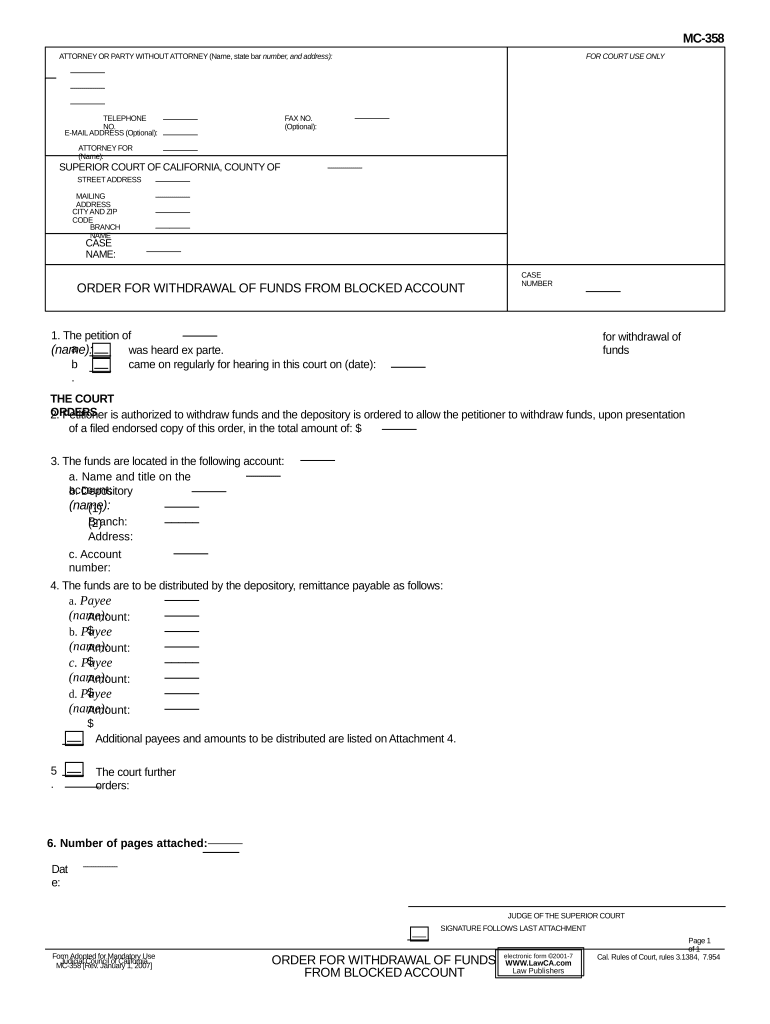
Click ‘Get Form’ to open the CA Withdrawal form in the editor.
Begin by entering your name, state bar number, and address in the designated fields for 'Attorney or Party Without Attorney'. Include your telephone number and optional email address.
Fill in the 'Attorney For' section with the name of the individual you are representing. Ensure all details are accurate.
In the 'Case Name' field, input the relevant case name associated with this withdrawal request.
Provide the case number and specify the total amount of funds you wish to withdraw from the blocked account.
Detail the account information where funds are held, including account holder's name, depository name, branch, address, and account number.
List each payee along with their respective amounts in the distribution section. If there are additional payees, ensure they are noted on Attachment 4.
Finally, review all entries for accuracy before saving or printing your completed form.
Start using our platform today to streamline your CA Withdrawal process for free!
Notice of WITHDRAWAL of attorney formPetition to withdraw funds from blocked accountCertificate of withdrawal californiaWhat does notice of withdrawal of attorney of record meanNotice of Withdrawal of MOTION Los Angeles SUPERIOR CourtCalifornia Bar exam withdrawalMotion to withdraw as counsel CaliforniaCalifornia bar exam withdrawal deadline
Security and compliance
At DocHub, your data security is our priority. We follow HIPAA, SOC2, GDPR, and other standards, so you can work on your documents with confidence.
The Withdrawal was released as an early access mission on July 2nd, 2025 and was officially released on August 30th, 2025. Overview. Lets see if youre readyRead more
Request for Withdrawal from Saint Marys College of
An enrolled student may request to withdraw from Saint Marys College at any point prior to the end of the semester in which they are enrolled.Read more
Upon filing Form LP-102, the person withdraws from future participation as an owner of the LP to the extent permitted by California Corporations. Code sectionRead more
Cookie consent notice
This site uses cookies to enhance site navigation and personalize your experience.
By using this site you agree to our use of cookies as described in our Privacy Notice.
You can modify your selections by visiting our Cookie and Advertising Notice.