Type text, add images, blackout confidential details, add comments, highlights and more.
02. Sign it in a few clicks
Draw your signature, type it, upload its image, or use your mobile device as a signature pad.
03. Share your form with others
Send it via email, link, or fax. You can also download it, export it or print it out.
How to use or fill out co custodial with our platform
Ease of Setup
DocHub User Ratings on G2
Ease of Use
DocHub User Ratings on G2
Click ‘Get Form’ to open the co custodial document in the editor.
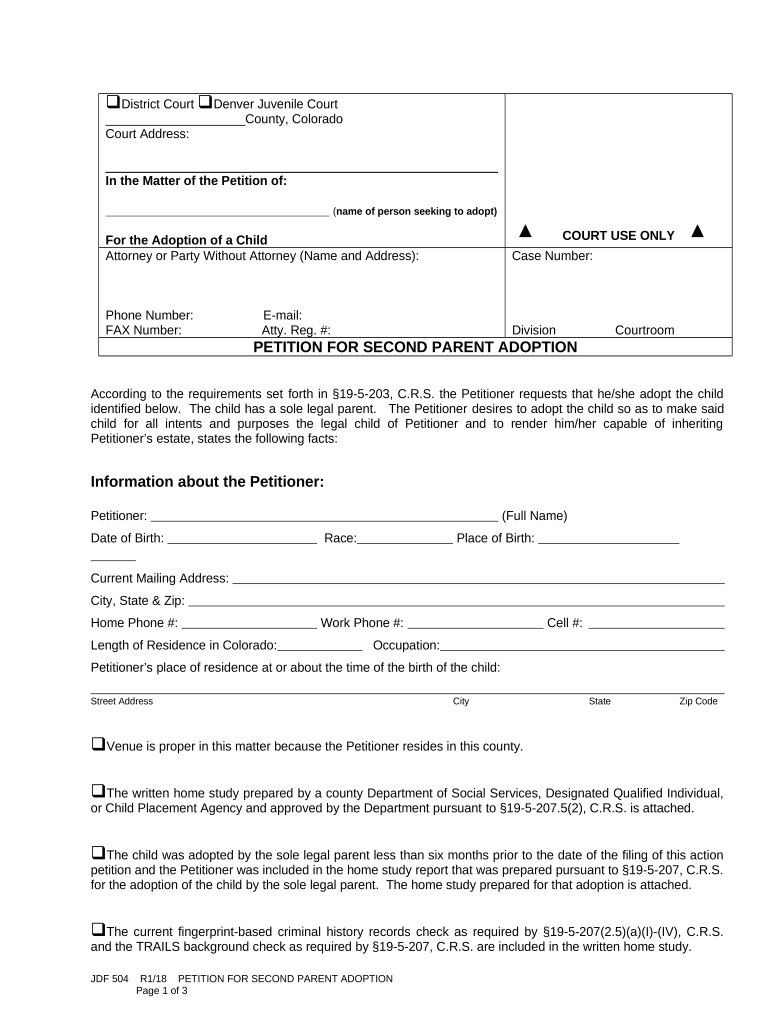
Begin by entering your name and contact information in the 'Information about the Petitioner' section. Ensure you provide accurate details such as your date of birth, race, and current mailing address.
In the 'Facts concerning the child to be adopted' section, fill in the child's full name, date of birth, and place of residence. Indicate whether the child is under or over twelve years old.
Complete the 'Information about the Sole Legal Parent' section by providing their full name and current mailing address. Specify how they became the sole legal parent.
Review all sections for accuracy. If you made any changes to the original content, check the appropriate box before finalizing.
Finally, sign and date the verification section to confirm that all information provided is true and correct.
Start using our platform today for free to streamline your co custodial form completion!
Joint physical custody meaningSole custody vs joint custody DMVChild Custody San Bernardino CountyChild custody Ventura CountyChild custody Riverside CountyChild custody near meChild custody court Los AngelesList of co parenting boundaries
Security and compliance
At DocHub, your data security is our priority. We follow HIPAA, SOC2, GDPR, and other standards, so you can work on your documents with confidence.
by SJ Bailey Cited by 3 In Montana joint custody is usually granted unless there is a legal or documentable reason for one parent to have sole custody of the children. According toRead more
Joint legal custody: both parents share the rights and responsibilities for making important decisions about the children. Sole legal custody: only one parentRead more
Cookie consent notice
This site uses cookies to enhance site navigation and personalize your experience.
By using this site you agree to our use of cookies as described in our Privacy Notice.
You can modify your selections by visiting our Cookie and Advertising Notice.