Type text, add images, blackout confidential details, add comments, highlights and more.
02. Sign it in a few clicks
Draw your signature, type it, upload its image, or use your mobile device as a signature pad.
03. Share your form with others
Send it via email, link, or fax. You can also download it, export it or print it out.
How to use or fill out Alaska Estate with DocHub
Ease of Setup
DocHub User Ratings on G2
Ease of Use
DocHub User Ratings on G2
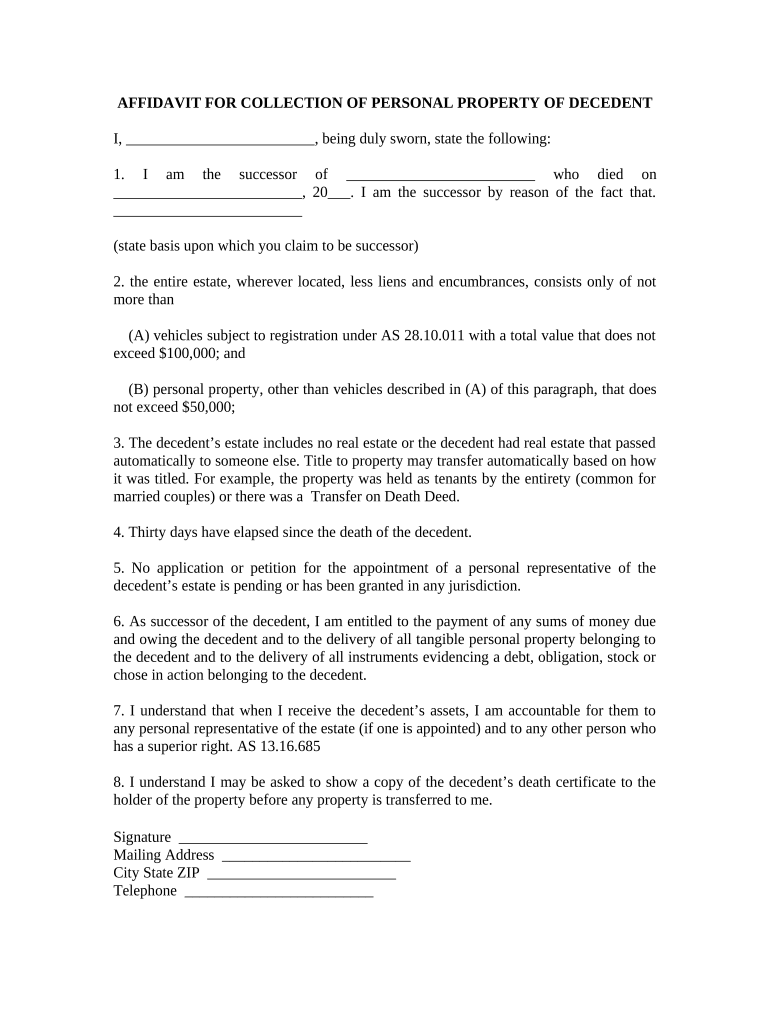
Click ‘Get Form’ to open the Alaska Estate document in our editor.
Begin by filling in your name as the successor of the decedent in the first blank space. Next, provide the name of the deceased and their date of death.
In section two, indicate whether the estate consists of vehicles and personal property, ensuring that you do not exceed the specified values of $100,000 for vehicles and $50,000 for other personal property.
Confirm that no real estate is included in the estate or that it has passed automatically to another party. This is crucial for clarity on asset distribution.
Complete sections regarding elapsed time since death and any pending applications for a personal representative. This ensures compliance with state regulations.
Finally, sign and date the affidavit at the bottom, providing your mailing address and contact information for further correspondence.
Start using our platform today to easily complete your Alaska Estate form online for free!
About Probate: Estates ▸ Background Information ▸ Steps after Someone Dies ▸ Getting Started ▸ Informal Probate ▸ Formal Probate ▸ Small EstateRead more
New Alaska Law Will Enhance Nationwide Estate Planning
by JG Blattmachr 2013 Cited by 1 Alaska has been one of the most progressive states in revising and clarifying its laws to permit more efficient estate planning.Read more
Cookie consent notice
This site uses cookies to enhance site navigation and personalize your experience.
By using this site you agree to our use of cookies as described in our Privacy Notice.
You can modify your selections by visiting our Cookie and Advertising Notice.