Type text, add images, blackout confidential details, add comments, highlights and more.
02. Sign it in a few clicks
Draw your signature, type it, upload its image, or use your mobile device as a signature pad.
03. Share your form with others
Send vpass visiting via email, link, or fax. You can also download it, export it or print it out.
How to use or fill out ca visitation with our platform
Ease of Setup
DocHub User Ratings on G2
Ease of Use
DocHub User Ratings on G2
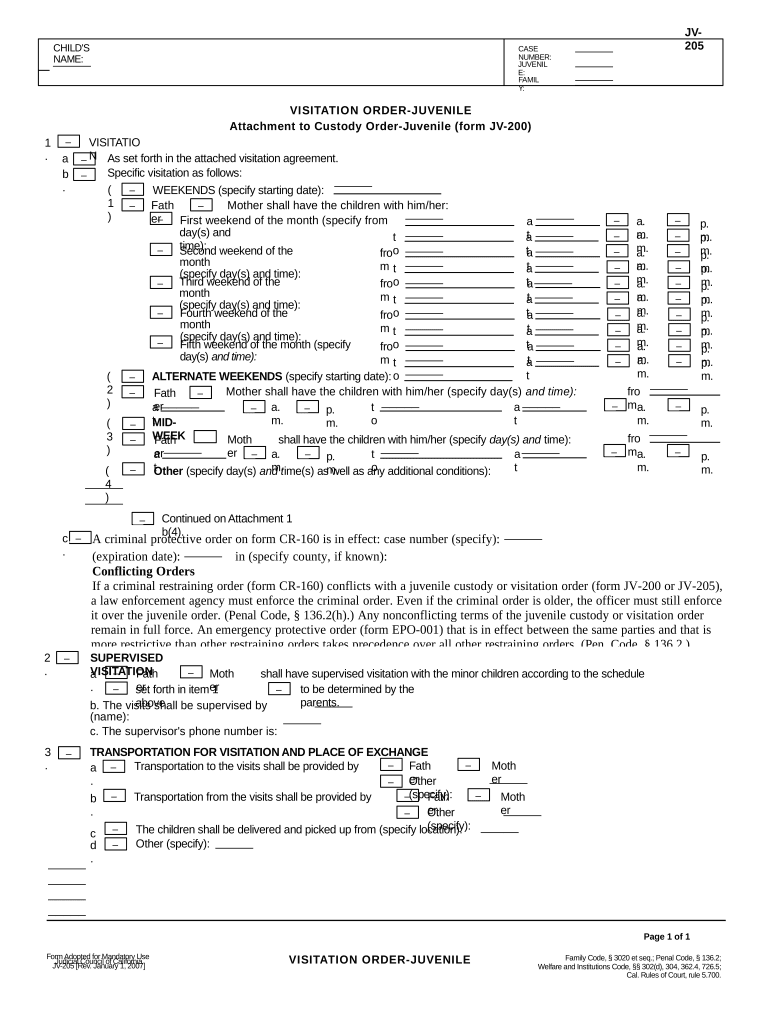
Click ‘Get Form’ to open the ca visitation document in the editor.
Begin by entering the child's name and case number at the top of the form. This information is crucial for identifying the specific visitation order.
In Section 1, specify the visitation schedule. Indicate which parent will have custody on weekends, detailing specific days and times for each weekend of the month.
If applicable, fill out any alternate weekend arrangements in Section 2, ensuring clarity on which parent has custody during these times.
Section 3 requires you to outline transportation details for visits. Specify who will provide transportation and where exchanges will occur.
Review all entries for accuracy before saving or sharing your completed form. Our platform allows you to easily modify any section as needed.
Start using our platform today to streamline your ca visitation form completion for free!
UC Davis Medical Center has a 24-hour visitation policy. We understand your desire to have family and friends visit, and it is also important that we have anRead more
Pontormo: Miraculous Encounters - Archaeology Wiki
Recent conservation has created the extraordinary opportunity for the work to travel for the first time from Carmignano (near Florence) to the United States.Read more
Cookie consent notice
This site uses cookies to enhance site navigation and personalize your experience.
By using this site you agree to our use of cookies as described in our Privacy Notice.
You can modify your selections by visiting our Cookie and Advertising Notice.