Type text, add images, blackout confidential details, add comments, highlights and more.
02. Sign it in a few clicks
Draw your signature, type it, upload its image, or use your mobile device as a signature pad.
03. Share your form with others
Send it via email, link, or fax. You can also download it, export it or print it out.
How to use or fill out proceed forma with our platform
Ease of Setup
DocHub User Ratings on G2
Ease of Use
DocHub User Ratings on G2
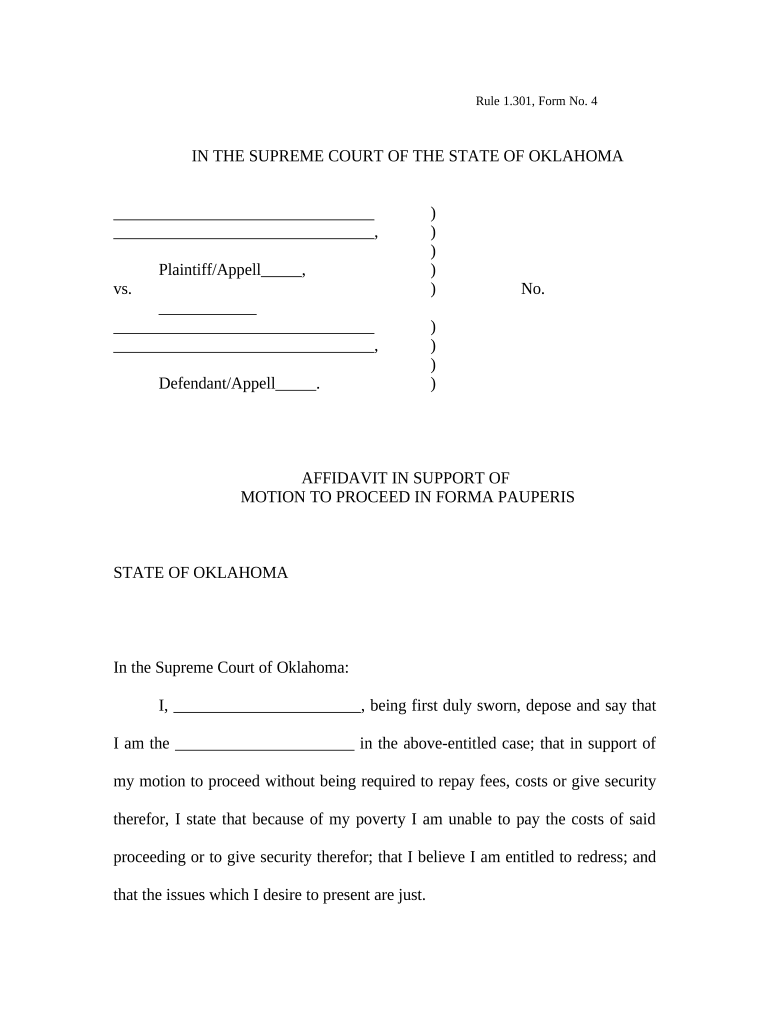
Click ‘Get Form’ to open the proceed forma in the editor.
Begin by filling in your name in the designated space for the Affiant. Ensure that you provide your full legal name as it appears on official documents.
Next, indicate your role in the case by completing the section labeled 'I am the _______ in the above-entitled case.' This helps clarify your position.
In the statement regarding your financial situation, clearly articulate your inability to pay fees due to poverty. Use concise language to express your circumstances.
Date and sign the affidavit at the bottom of the form. Make sure to include both your signature and printed name.
Finally, leave space for a Notary Public's signature and seal, which is required for validation of your affidavit.
Start using our platform today for free to complete your proceed forma efficiently!
Motion to proceed in forma pauperis formFORMA PAUPERIS form PDFIn Forma Pauperis form PaPetition to proceed In Forma PauperisPetition to proceed in forma pauperis ifpIn forma pauperis Form federal courtIn forma pauperis pronunciationForma Pauperis divorce
Security and compliance
At DocHub, your data security is our priority. We follow HIPAA, SOC2, GDPR, and other standards, so you can work on your documents with confidence.
Rule 24. Proceeding in Forma Pauperis - Law.Cornell.Edu
A party may file a motion to proceed on appeal in forma pauperis in the court of appeals within 30 days after service of the notice prescribed in Rule 24(a)(4).Read more
Cookie consent notice
This site uses cookies to enhance site navigation and personalize your experience.
By using this site you agree to our use of cookies as described in our Privacy Notice.
You can modify your selections by visiting our Cookie and Advertising Notice.