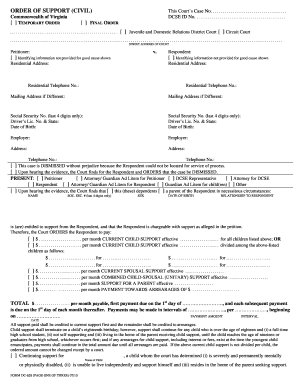
Interrogatories 2026

Get Form
interrogatories Preview on Page 1

Here's how it works

01. Edit your form online
Type text, add images, blackout confidential details, add comments, highlights and more.
02. Sign it in a few clicks
Draw your signature, type it, upload its image, or use your mobile device as a signature pad.
03. Share your form with others
Send it via email, link, or fax. You can also download it, export it or print it out.

How to use or fill out interrogatories with our platform

Form edit decoration
9.5
Ease of Setup
DocHub User Ratings on G2
9.0
Ease of Use
DocHub User Ratings on G2
  1. Click 'Get Form' to open the interrogatories in the editor.
  2. Begin by filling in the attorney or party information at the top of the form, including name, address, and contact details.
  3. In Section 1, review the instructions carefully. Ensure you understand your obligations regarding time limitations and service requirements.
  4. Proceed to Section 2. Insert the names of the EMPLOYEE and EMPLOYER as specified. Check each interrogatory that applies to your case.
  5. For Section 3, if you are the answering party, ensure you provide complete responses within 30 days. Attach any relevant documents as exhibits where necessary.
  6. Finally, verify your answers by signing and dating at the end of your responses to affirm their accuracy under penalty of perjury.

Start using our platform today for free to streamline your document editing and form completion!

be ready to get more

Complete this form in 5 minutes or less

Get form

Got questions?

We have answers to the most popular questions from our customers. If you can't find an answer to your question, please contact us.
Contact us
You use different types of discovery requests to get different kinds of information: To ask the other side to answer a set of questions, you can use Interrogatories. To ask the other side to admit that certain facts are true or certain items are authentic, you can use Request for Admission.
In California, you have 30 days to respond to an interrogatory. If you do not respond within this time, the opposing side can file a motion to compel with the court. The court may require them to first consult with you about your failure to respond before officially filing a motion to compel.
Limitations and Challenges In some cases, a party might object to certain interrogatories, arguing they are too broad, irrelevant, or burdensome. The court may have to intervene to resolve such disputes.
Interrogatories are essentially written questions. The purpose of interrogatories is to formally uncover the facts of the case, gather witnesses and experts knowledge of the underlying facts, learn the opposing partys position and arguments given the fats at issue, and identify relevant documents and other evidence.
Response/Answer - You must respond to interrogatories. You must serve your response/answer within 30 days after service of the interrogatories or within 15 days after the date on which your initial pleading or motion is required, whichever is later.

Security and compliance

At DocHub, your data security is our priority. We follow HIPAA, SOC2, GDPR, and other standards, so you can work on your documents with confidence.

Learn more
ccpa2
pci-dss
gdpr-compliance
hipaa
soc-compliance

People also ask

An interrogatory is a set of written questions sent to the other side. You typically have a few weeks to respond to interrogatories in writing. A deposition, by contrast, takes place in person, where youre asked questions aloud and a court reporter documents your answers. Interrogatories vs. Depositions: Whats the Difference? justice4you.com blog depositions-vs-inte justice4you.com blog depositions-vs-inte
Each interrogatory must be answered separately and fully in writing under oath or affirmation, unless it is objected to. If the answering party objects to any interrogatory, the party must state the reasons for the objection in lieu of an answer. The answers and objections must be signed by the person making them. 5.2 - Written Interrogatories - Department of Justice justice.gov eoir ocaho chapter-5 justice.gov eoir ocaho chapter-5
Interrogatories are a form of written questions posed by one party to the other party in an effort to obtain information without the fullness and formality of an examination for discovery.

Related links