Type text, add images, blackout confidential details, add comments, highlights and more.
02. Sign it in a few clicks
Draw your signature, type it, upload its image, or use your mobile device as a signature pad.
03. Share your form with others
Send it via email, link, or fax. You can also download it, export it or print it out.
How to use or fill out employment term with our platform
Ease of Setup
DocHub User Ratings on G2
Ease of Use
DocHub User Ratings on G2
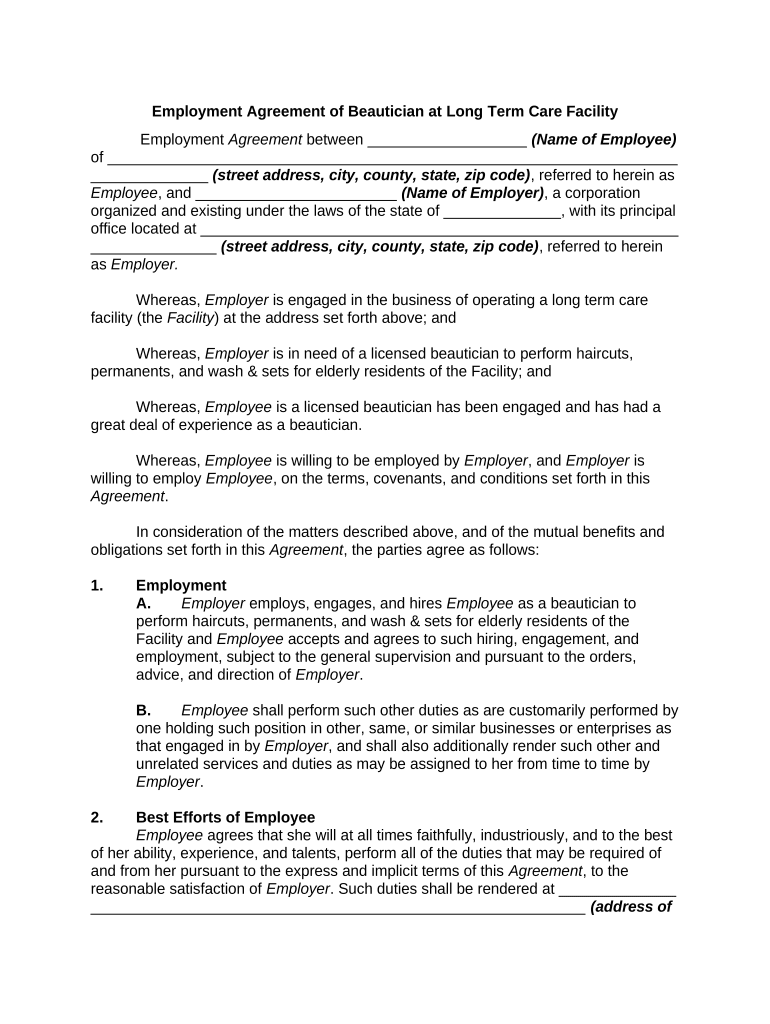
Click ‘Get Form’ to open the Employment Agreement in the editor.
Begin by filling in the name of the Employee and their complete address in the designated fields. This ensures clarity on who is entering into the agreement.
Next, input the Employer's name and address. This identifies the corporation engaging the beautician.
In Section 1, specify the duties of the Employee as a beautician. Clearly outline any additional responsibilities that may be assigned.
For Section 3, indicate the term of employment by filling in both start and end dates, ensuring to note any renewal terms if applicable.
Complete Section 4 by entering the annual compensation amount and ensure it aligns with payment frequency outlined in this section.
Review all sections for accuracy before saving your changes. Utilize our platform’s features to sign and distribute your completed document seamlessly.
Start using our platform today to streamline your employment agreements for free!
Employment term exampleEmployment term templateEmployment terms meaningEmployment term sampleTerms and conditions of employment PDFTerms of Employment notice WalmartEmployment term pdfTerms of employment contract
Security and compliance
At DocHub, your data security is our priority. We follow HIPAA, SOC2, GDPR, and other standards, so you can work on your documents with confidence.
An agency may make a term appointment for a period of more than 1 year but not more than 4 years to positions where the need for an employees services is notRead more
Cookie consent notice
This site uses cookies to enhance site navigation and personalize your experience.
By using this site you agree to our use of cookies as described in our Privacy Notice.
You can modify your selections by visiting our Cookie and Advertising Notice.