Type text, add images, blackout confidential details, add comments, highlights and more.
02. Sign it in a few clicks
Draw your signature, type it, upload its image, or use your mobile device as a signature pad.
03. Share your form with others
Send charge dispute form kotak mahindra bank via email, link, or fax. You can also download it, export it or print it out.
How to use or fill out charge dispute form kotak mahindra bank with our platform
Ease of Setup
DocHub User Ratings on G2
Ease of Use
DocHub User Ratings on G2
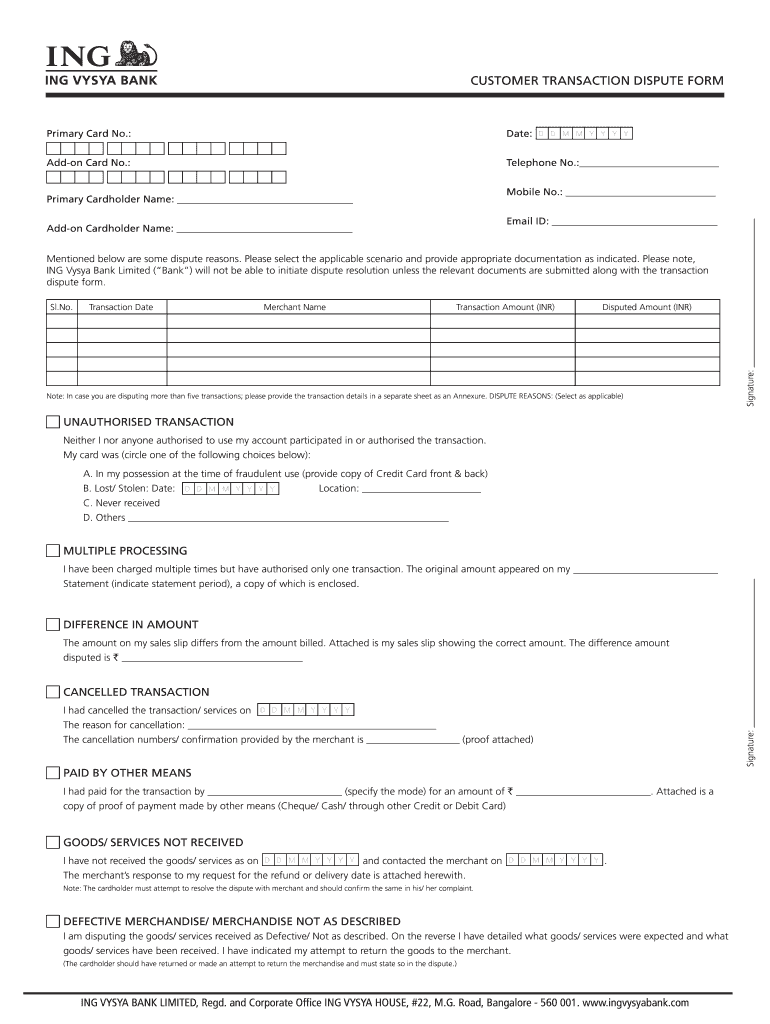
Click ‘Get Form’ to open the charge dispute form in the editor.
Begin by entering your Primary Card Number and Date at the top of the form. Ensure that you also provide your Add-on Card Number and Telephone Number for easy contact.
Fill in your Email ID and Add-on Cardholder Name. This information is crucial for communication regarding your dispute.
Select the applicable dispute reason from the provided options, such as Unauthorized Transaction or Goods/Services Not Received. Be sure to attach any necessary documentation as indicated.
For each disputed transaction, enter details including Transaction Date, Merchant Name, Transaction Amount, and Disputed Amount. If disputing more than five transactions, include additional details on a separate sheet.
Sign the form at the bottom and ensure all required signatures are included before submitting it via email or mail as instructed.
Start using our platform today to fill out your charge dispute form easily and for free!
Fill out charge dispute form kotak mahindra bank online It's free
Charge dispute form kotak mahindra bank onlineCharge dispute form kotak mahindra bank pdfCharge dispute form kotak mahindra bank pdf downloadKotak dispute onlineKotak Credit Card dispute email IDCharge dispute form kotak mahindra bank downloadKotak dispute statusRaise dispute Kotak bank
Security and compliance
At DocHub, your data security is our priority. We follow HIPAA, SOC2, GDPR, and other standards, so you can work on your documents with confidence.
Supporting Case and conclusion: In context of given facts of the case, supreme court in. Kotak Mahindra Bank Limited Vs. Girnar Corrugators. Pvt. Ltd.Read more
Cookie consent notice
This site uses cookies to enhance site navigation and personalize your experience.
By using this site you agree to our use of cookies as described in our Privacy Notice.
You can modify your selections by visiting our Cookie and Advertising Notice.