




Here's how it works



How to use or fill out 5336 with our platform

- Click ‘Get Form’ to open it in the editor.
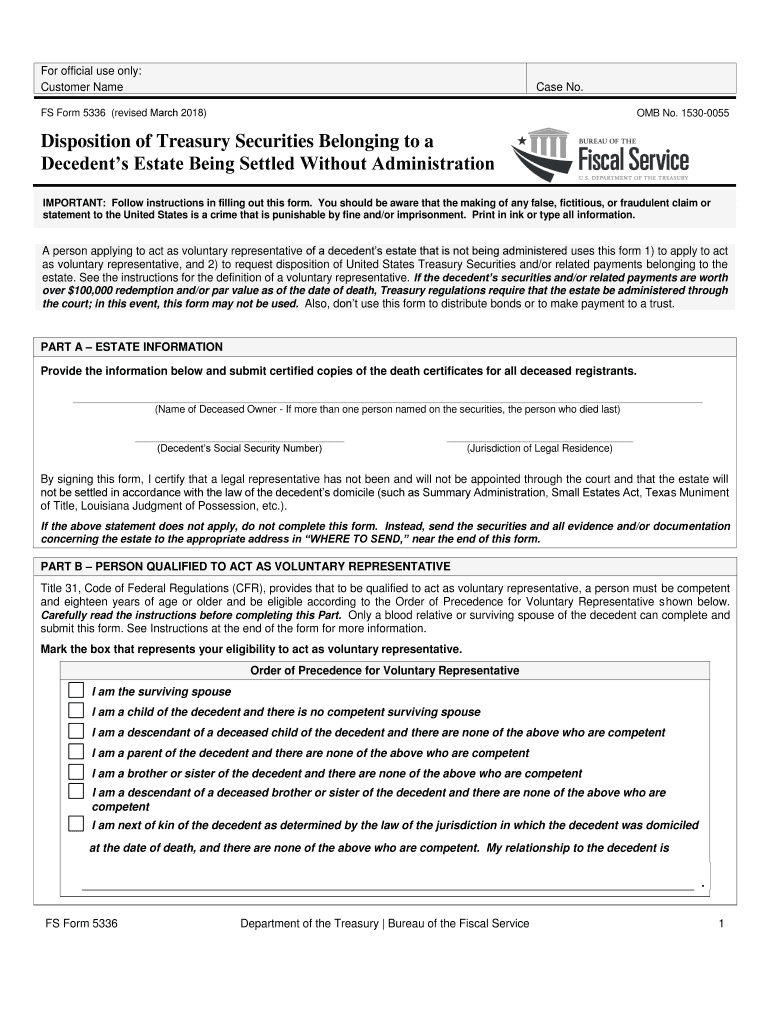
- In Part A, provide the decedent's name, Social Security Number, and jurisdiction of legal residence. Ensure you submit certified copies of death certificates for all deceased registrants.
- Move to Part B and mark the box that represents your eligibility to act as a voluntary representative. Only blood relatives or surviving spouses can complete this section.
- In Part C, select the type of disposition you are requesting: payment, transfer of securities, or distribution. Follow the prompts based on your selection.
- Complete Parts D, E, or F as applicable based on your previous selections. Provide detailed information about securities and payment instructions.
- Finally, sign in Part G in the presence of a certifying officer and ensure all required information is accurate before submission.
Start using our platform today for free to streamline your form completion process!
It's free
Got questions?
How do I sign my fs 5336 form for free?
Most eSignature solutions require users to have a paid subscription. With DocHub, there are two options for you to create an electronic signature to your fs 5336 form free of charge:
- You can do it during a 7-day trial period;
- You can sign up for a free plan.
The second option, though, has restrictions on the number of signatures, sign requests, emails, and forms for adjusting available per month. You can check for full information here.
How do you edit form fs 5336 from Google Drive?
If you store your papers in Google Drive, there is no need to download your form fs 5336 on your computer and upload it back to our editor. A significantly simpler way is to install a browser extension created by DocHub to simplify this flow. The extension allows editing PDFs in your browser. Alternatively, you can integrate your DocHub and Gmail accounts for more efficient modifying.
Security and compliance
At DocHub, your data security is our priority. We follow HIPAA, SOC2, GDPR, and other standards, so you can work on your documents with confidence.
Learn more


