Type text, add images, blackout confidential details, add comments, highlights and more.
02. Sign it in a few clicks
Draw your signature, type it, upload its image, or use your mobile device as a signature pad.
03. Share your form with others
Send cvtc sis via email, link, or fax. You can also download it, export it or print it out.
How to use or fill out cvtc academic appeal with our platform
Ease of Setup
DocHub User Ratings on G2
Ease of Use
DocHub User Ratings on G2
Click ‘Get Form’ to open the cvtc academic appeal in the editor.
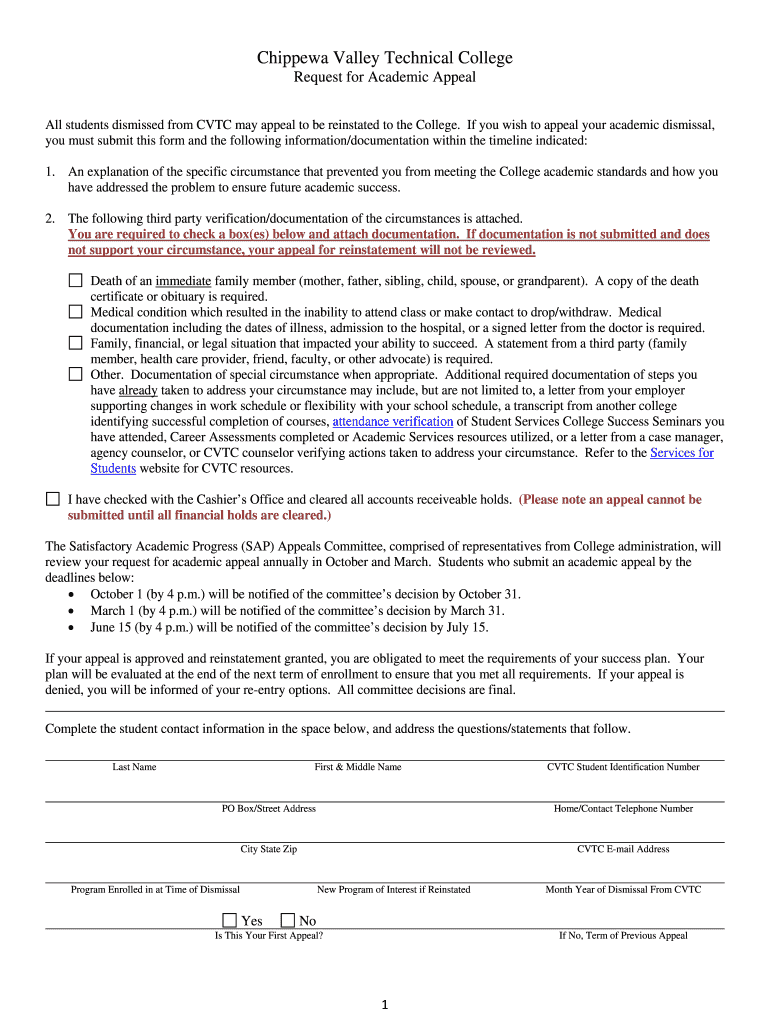
Begin by filling out your personal information, including your last name, first and middle name, CVTC student identification number, and contact details. Ensure accuracy as this information is crucial for processing your appeal.
In the 'Obstacles' section, reflect on barriers that affected your academic performance. Use the provided categories to identify specific challenges you faced over the past semesters.
Next, address the 'Solutions' section by listing actionable steps you plan to take to overcome these obstacles. This demonstrates your commitment to improving your academic standing.
Finally, complete the self-evaluation questions thoroughly. Describe your circumstances and how they impacted your studies, along with any documentation that supports your claims.
Start using our platform today for free to streamline your cvtc academic appeal process!
Academic Appeals. If you were dismissed from CVTC for academic reasons or from financial aid, you must appeal to be reinstated to the College. // LearnRead more
Chippewa Valley Technical College, WERC MA-11331 (
The Association appealed the matter to arbitration. Hearing in the matter was held by the Arbitrator on June 4 and June 5, 2001 at the College in. Eau Claire,Read more
Cookie consent notice
This site uses cookies to enhance site navigation and personalize your experience.
By using this site you agree to our use of cookies as described in our Privacy Notice.
You can modify your selections by visiting our Cookie and Advertising Notice.