

Actomin 2026

Get Form
actomin Preview on Page 1

Here's how it works

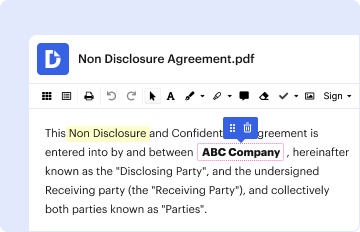
01. Edit your actomin online
Type text, add images, blackout confidential details, add comments, highlights and more.
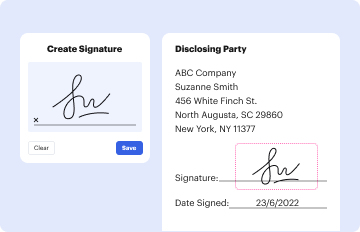
02. Sign it in a few clicks
Draw your signature, type it, upload its image, or use your mobile device as a signature pad.
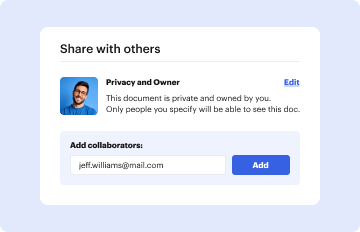
03. Share your form with others
Send it via email, link, or fax. You can also download it, export it or print it out.

How to use or fill out actomin with our platform

Form edit decoration
9.5
Ease of Setup
DocHub User Ratings on G2
9.0
Ease of Use
DocHub User Ratings on G2
  1. Click ‘Get Form’ to open the actomin document in the editor.
  2. Begin by reviewing the introductory section of the form, which outlines the purpose and key components of actomin. This will help you understand what information is required.
  3. Proceed to fill out personal details in the designated fields. Ensure that all information is accurate and up-to-date, as this will facilitate smoother processing.
  4. Next, navigate to any sections requiring specific data inputs, such as financial information or project details. Use our platform’s tools to easily input and modify text as needed.
  5. Once all fields are completed, review your entries for accuracy. Utilize the editing features to make any necessary adjustments before finalizing your submission.

Start using our platform today for free and streamline your actomin form completion!

be ready to get more

Complete this form in 5 minutes or less

Get form

Got questions?

We have answers to the most popular questions from our customers. If you can't find an answer to your question, please contact us.
Contact us

Of course, electronically drawing your signature is acceptable, but only if you utilize a tool that complies with industry regulations and policies. Try DocHub, which ensures eSignature validity under ESIGN and UETA requirements. All you need to eSign your actomin is an account with DocHub and an internet connection. After you open your paperwork in our editor, click Sign and select the Draw tool.

If you are searching for a state-specific actomin sample, you can find it in our DocHub Forms & Templates catalog. Use the search field, key in your form’s name, and search through the results for your state. You can also filter out irrelevant results while searching our catalog by categories.



