01. Edit your city of san diego tax exempt form online
Type text, add images, blackout confidential details, add comments, highlights and more.
02. Sign it in a few clicks
Draw your signature, type it, upload its image, or use your mobile device as a signature pad.
03. Share your form with others
Send san diego tax exemption form via email, link, or fax. You can also download it, export it or print it out.
How to use or fill out San Diego Tax Exempt Form with DocHub
Ease of Setup
DocHub User Ratings on G2
Ease of Use
DocHub User Ratings on G2
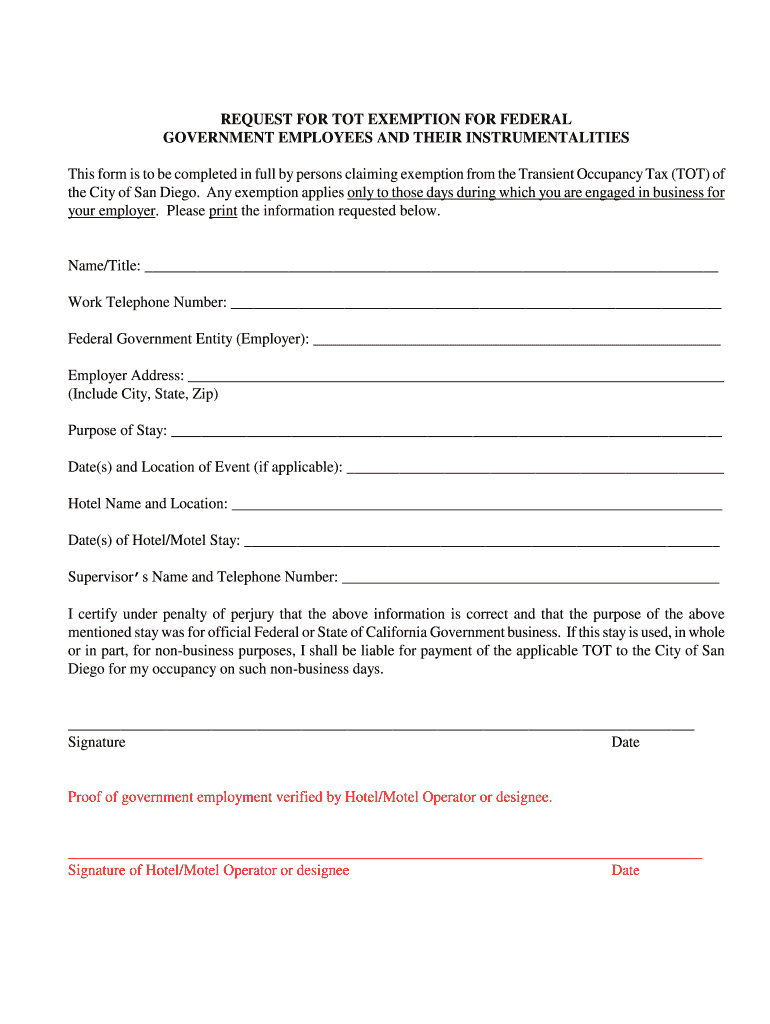
Click ‘Get Form’ to open the San Diego Tax Exempt Form in our platform's editor.
Begin by entering your Name and Title in the designated fields. Ensure that this information is accurate as it identifies you as the claimant.
Next, provide your Work Telephone Number. This allows for any necessary follow-up regarding your exemption request.
Fill in the Federal Government Entity (Employer) field with the name of your employer, followed by their complete address including City, State, and Zip code.
Indicate the Purpose of Stay clearly. This should reflect the official business reason for your visit.
If applicable, specify the Date(s) and Location of Event related to your stay.
Enter the Hotel Name and Location where you will be staying, along with the Date(s) of Hotel/Motel Stay.
Provide your Supervisor’s Name and Telephone Number for verification purposes.
Finally, review all entered information for accuracy before signing and dating the form at the bottom. Remember to certify under penalty of perjury that all information is correct.
Start filling out your San Diego Tax Exempt Form online for free today!
Fill out san diego tax exempt form online It's free
San diego tax exempt form pdfSan diego tax exempt form onlineLodging tax exemption form government travelers PDFRental Unit Business Tax Exemption formProperty tax exemption application formOccupancy tax exempt formProperty tax exemption San DiegoSan Diego property tax reduction
Security and compliance
At DocHub, your data security is our priority. We follow HIPAA, SOC2, GDPR, and other standards, so you can work on your documents with confidence.
Dec 19, 2025 For all other purposes, use UC San Diego FEIN numbers located on Form W-9. Learn more information regarding UCs exempt status. Find answers,Read more
I am requesting that my property, or a portion thereof, be exempt from the City of San Diegos Rental Unit Business Tax for the reason(s) marked. UnderRead more
Applicability. General scope and relation to Exemption 6. Like Exemption 6, Exemption 7(C) requires an agency to weigh the privacy interest in withholdingRead more
Cookie consent notice
This site uses cookies to enhance site navigation and personalize your experience.
By using this site you agree to our use of cookies as described in our Privacy Notice.
You can modify your selections by visiting our Cookie and Advertising Notice.