




Here's how it works

01. Edit your nursing transcript certificate online
Type text, add images, blackout confidential details, add comments, highlights and more.

02. Sign it in a few clicks
Draw your signature, type it, upload its image, or use your mobile device as a signature pad.

03. Share your form with others
Send transcript certificate via email, link, or fax. You can also download it, export it or print it out.
How to use or fill out transcript certificate for nursing gnm with our platform

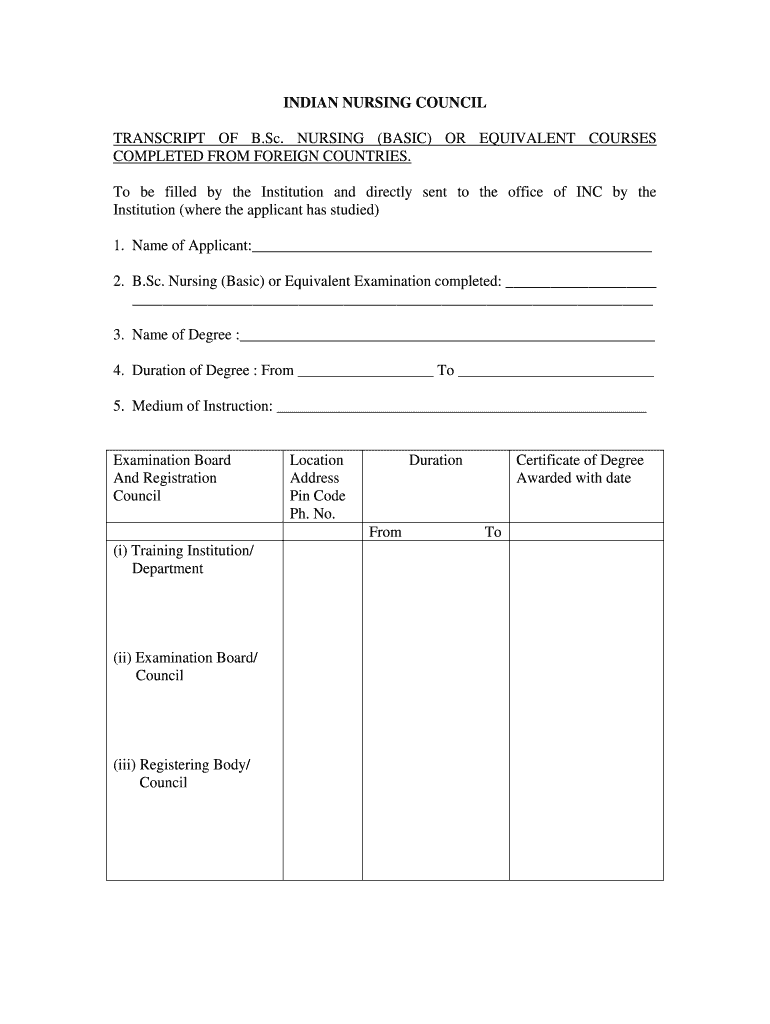
- Click ‘Get Form’ to open the transcript certificate in the editor.
- Begin by entering the 'Name of Applicant' in the designated field. Ensure that the name matches official documents for accuracy.
- Fill in the 'B.Sc. Nursing (Basic) or Equivalent Examination completed' section with the relevant details of your examination.
- In the 'Name of Degree' field, specify the exact title of your degree as awarded by your institution.
- Indicate the 'Duration of Degree' by filling in both start and end dates to provide a clear timeline of your studies.
- Complete the 'Medium of Instruction' section by stating the language used during your coursework.
- For 'Details of Courses and Hours of Instruction', list each study area along with corresponding hours for theory and practical experience, ensuring all data is accurate and complete.
- Finally, have the form signed by the Head of Department and include the date to validate your submission before sending it directly to INC.
Start using our platform today to easily fill out your transcript certificate for nursing gnm online, for free!
Fill out transcript certificate for nursing gnm online
It's free
It's free
Security and compliance
At DocHub, your data security is our priority. We follow HIPAA, SOC2, GDPR, and other standards, so you can work on your documents with confidence.
Learn more




