




Here's how it works

01. Edit your police after action report template online
Type text, add images, blackout confidential details, add comments, highlights and more.

02. Sign it in a few clicks
Draw your signature, type it, upload its image, or use your mobile device as a signature pad.

03. Share your form with others
Send after action report template word via email, link, or fax. You can also download it, export it or print it out.
How to use or fill out after action report template with our platform

- Click ‘Get Form’ to open the After Action Report template in the editor.
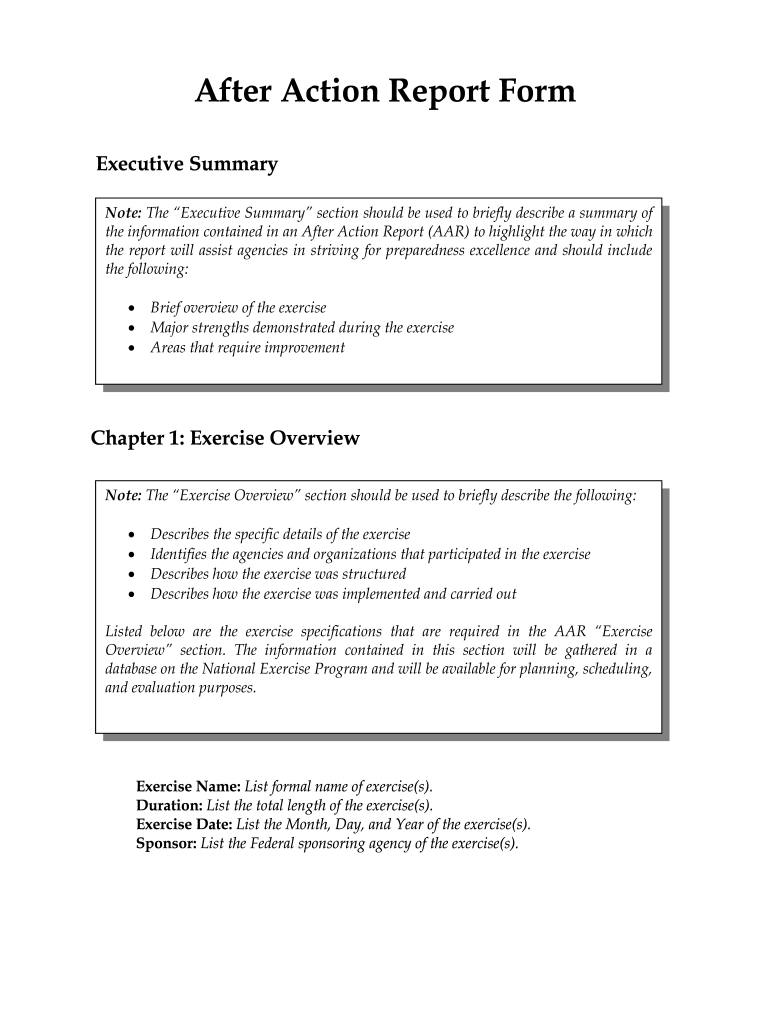
- Begin with the 'Executive Summary' section. Provide a brief overview of the exercise, highlighting major strengths and areas for improvement.
- Move to 'Chapter 1: Exercise Overview'. Fill in details such as the exercise name, duration, date, sponsor, type of exercise, funding source, and location.
- In 'Chapter 2: Exercise Goals and Objectives', list each goal followed by its corresponding objective to define the scope of your report.
- Proceed to 'Chapter 3: Exercise Events Synopsis'. Outline the scenario and actions taken during the exercise in chronological order.
- For 'Chapter 4: Analysis of Mission Outcomes', analyze how well agencies addressed mission outcomes based on defined goals.
- 'Chapter 5: Analysis of Critical Task Performance' requires you to review individual tasks performed during the exercise and provide recommendations for improvement.
- Conclude with a summary in the 'Conclusions' section, emphasizing capabilities demonstrated and lessons learned for future improvements.
Start using our platform today to streamline your After Action Report process for free!
Fill out after action report template online
It's free
It's free
Security and compliance
At DocHub, your data security is our priority. We follow HIPAA, SOC2, GDPR, and other standards, so you can work on your documents with confidence.
Learn more




