Get and handle Ownership Transfer Legal Documents online

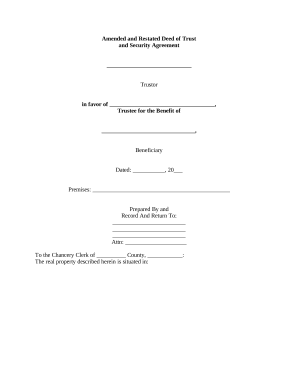
Accelerate your document managing using our Ownership Transfer Legal Documents category with ready-made templates that suit your requirements. Access your form template, modify it, complete it, and share it with your contributors without breaking a sweat. Begin working more efficiently together with your documents.

The best way to use our Ownership Transfer Legal Documents:

  1. Open our Ownership Transfer Legal Documents and look for the form you need.
  2. Preview your document to ensure it’s what you want, and click Get Form to start working on it.
  3. Modify, add new text, or highlight important information with DocHub features.
  4. Complete your form and save the adjustments.
  5. Download or share your form template with other recipients.

Explore all the opportunities for your online document administration with the Ownership Transfer Legal Documents. Get your free free DocHub account right now!


Video Guide on Ownership Transfer Legal Documents management

video background

Commonly Asked Questions about Ownership Transfer Legal Documents

Change owners in a Docs, Sheets, Slides or Vids file On your computer, open Google Drive. Open a Google Docs, Sheets, Slides or Vids file. In the upper-right corner, click Share. Next to the recipients name, click the down arrow. Transfer ownership.
Common Methods of Property Transfer in California Grant Deeds. A Grant Deed is a crucial tool in California property transfers. Quitclaim Deeds. Quitclaim Deeds take a different approach to property transfers. Warranty Deeds. Warranty Deeds provide a robust layer of protection for property buyers.
How to Transfer Ownership of a Google Form (2024 Update) Click on the three vertical dots at the top right corner. Choose the Add Collaborators option. Enter the email of the person you want as the new owner. Ensure the persons role is set to Editor. Press Send to share the form with them.
Step 2: Obtain a No Objection Certificate (NOC) from the RTO if the vehicle is registered in another state. Step 3: Fill out Form 29 and Form 30 with the necessary details. Step 4: Get the required documents verified by the RTO. Step 5: Pay the applicable transfer fee as required by the RTO.
Change owners in Google Drive On your computer, open Google Drive. Find the file you want to transfer then right-click. Click Share click Share . Next to the recipients name, click the Down arrow. Transfer ownership.
A deed is a signed legal document that transfers ownership of an asset to a new owner. Deeds are most commonly used to transfer ownership of property or vehicles between two parties.
How to take ownership of a file folder Sign in to your administrator account. Navigate to the security option of the file or folder. Locate the file or folder owner. Find your account. Navigate to the Advanced Permissions menu. Select your account. Choose permissions. Verify your permissions.
Open a Google Docs, Sheets, Slides, or Vids file. At the upper right corner, click Share. Next to the recipients name, click the Down arrow. Transfer ownership.