
Create your Business using income Balance Sheet Template from scratch

Start Building Now
Title decoration

Here's how it works

01. Start with a blank Business using income Balance Sheet Template
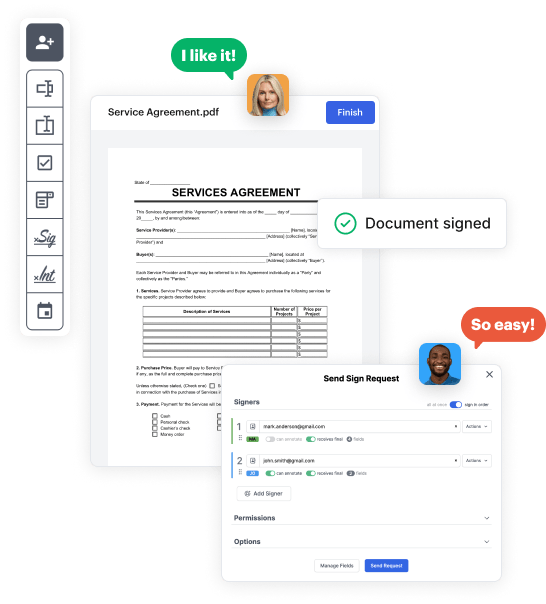
Open the blank document in the editor, set the document view, and add extra pages if applicable.
02. Add and configure fillable fields
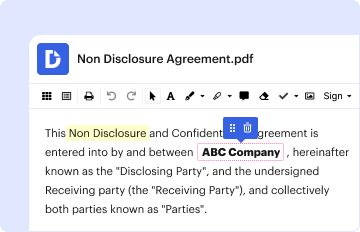
Use the top toolbar to insert fields like text and signature boxes, radio buttons, checkboxes, and more. Assign users to fields.
03. Distribute your form
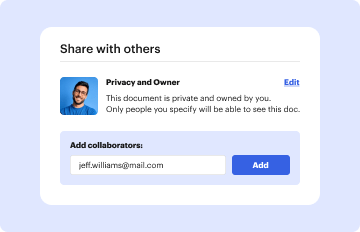
Share your Business using income Balance Sheet Template in seconds via email or a link. You can also download it, export it, or print it out.

Design your Business using income Balance Sheet Template in a matter of minutes

Form edit decoration

Step 1: Access DocHub to set up your Business using income Balance Sheet Template.

Start signining into your DocHub account. Try out the pro DocHub functionality at no cost for 30 days.

Step 2: Go to the dashboard.

Once signed in, head to the DocHub dashboard. This is where you'll create your forms and manage your document workflow.

Step 3: Create the Business using income Balance Sheet Template.

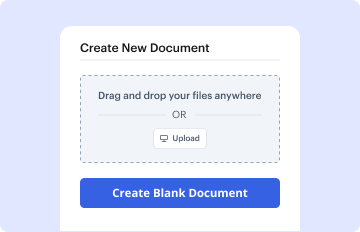
Click on New Document and choose Create Blank Document to be redirected to the form builder.

Step 4: Set up the form layout.

Use the DocHub tools to insert and configure form fields like text areas, signature boxes, images, and others to your form.

Step 5: Insert text and titles.

Include needed text, such as questions or instructions, using the text field to assist the users in your form.

Step 6: Customize field properties.

Modify the properties of each field, such as making them mandatory or formatting them according to the data you expect to collect. Designate recipients if applicable.

Step 7: Review and save.

After you’ve managed to design the Business using income Balance Sheet Template, make a final review of your form. Then, save the form within DocHub, send it to your chosen location, or share it via a link or email.


be ready to get more

Build your Business using income Balance Sheet Template in minutes

Start creating now

Got questions?

We have answers to the most popular questions from our customers. If you can't find an answer to your question, please contact us.
Contact us
How to make a balance sheet in 8 steps Step 1: Pick the balance sheet date. Step 2: List all of your assets. Step 3: Add up all of your assets. Step 4: Determine current liabilities. Step 5: Calculate long-term liabilities. Step 6: Add up liabilities. Step 7: Calculate owners equity.
If you need to create a projected balance sheet for your company, here are some steps to follow to do so: Create a format for the projected balance sheet. Gather past financial statements. Review your past and ongoing assets and liabilities. Project your fixed assets. Estimate the companys debt. Forecast your equity.
Steps to Prepare an Income Statement Pick a Reporting Period. Generate a Trial Balance Report. Calculate Your Revenue. Determine the Cost of Goods Sold. Calculate the Gross Margin. Include Operating Expenses. Calculate Your Income. Include Income Taxes.
The balance sheet contains everything that wasnt detailed on the income statement and shows you the financial status of your business. But the income statement needs to be tallied first because the numbers on that doc show the companys profit and loss, which are needed to show your equity.
Once youve prepared your income statement, you can use the net income figure to start creating your balance sheet. Using a balance sheet template will streamline the next step of the process, so that you dont have to manually insert all of the fields yourself.
be ready to get more

Build your Business using income Balance Sheet Template in minutes

Start creating now

Related Q&A to Business using income Balance Sheet Template

The balance sheet shows the cumulative effect of the income statement over time. It is just like your bank balance.
How to Reconcile Balance Sheet Accounts: 6 Key Steps Step 1: Identify the accounts to be reconciled. Step 2: Gather the necessary account information. Step 3: Compare the information. Step 4: Investigate any differences. Step 5: Make adjustments to the general ledger. Step 6: Complete account reconciliation and document.
Creating Your Balance Sheet Select a Reporting Date. Prepare the Income Statement and Statement of Retained Earnings. List Your Assets. List Your Liabilities. Calculate Shareholders Equity. Compare Total Assets with Total Liabilities Plus Owners Equity.

Additional resources on building your forms


