Discover the ultimate Vascular surgeons signature Creator for hassle-free document signing

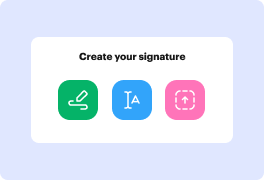
Draw signature
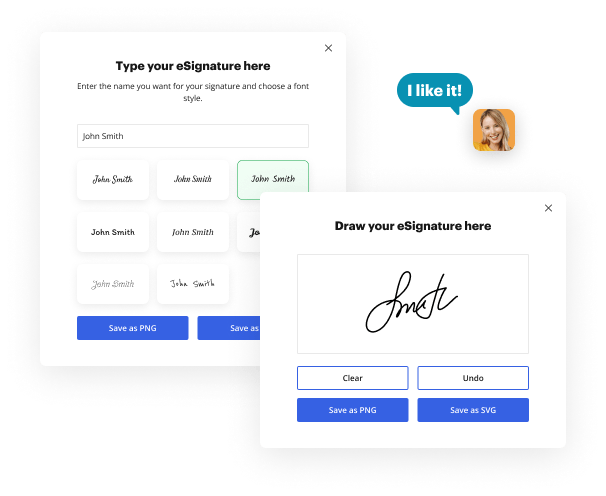
Draw your signature on the spot using your mouse, trackpad, or the screen of your tablet.
Draw signature
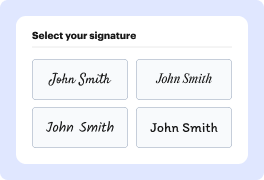
Type signature
Type your name or initials into the signature generator, and personalize its appearance to match your preferred style.
Type signature
Aug 6th, 2022
forms filled out
0
forms filled out
forms signed
0
forms signed
forms sent
0
forms sent
Service screenshot
01. Pick a method to create your signature: Draw, Type, or Upload a file.
Service screenshot
02. Customize your signature style.
Service screenshot
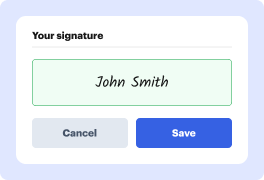
03. Save your eSignature.
Service screenshot
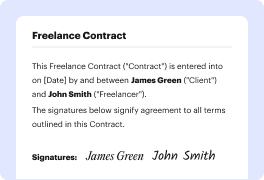
04. eSign your document in one click.

Need a document signed?

Drag and drop document here to upload or

Upload documents of up to 31 MB in PDF, DOC, DOCX, RTF, PPT, PPTX, JPEG, PNG, or TXT

video background

What does your signature say about you?

Every signature tells a story. The lines, the composition, and the strokes present your personality every time you leave your autograph on paper. This story is always unique, and it is yours to write. Use our electronic signature generator to tell your story.

Signature example

Large letters:

Extroverted and confident

Signature example

No underlined letters:

Proactive and result-oriented

Signature example

Lucid and clear:

Intelligence and wit

Signature example

Bold and strong lines:

Strong sense of individuality

Signature example

Sharp-lined:

Impatient and assertive

Signature example

Slanted writing:

Friendly and outgoing

Signature example

Scribbled:

Sharp intelligence and busy lifestyle

Signature example

Illegible letters:

Impressionable and creative

Signature example

Underlined signature:

Proud and vain character

The signatures behind big success

photo

Elon Musk

Tesla, SpaceX

Bold and futuristic, with a sharp slant to the right. Innovative and forward-thinking, always pushing boundaries and challenging the status quo.

Signature example
Photo

Beyoncé

Singer, Entrepreneur

Elegant and cursive, with a dramatic flair. Confident and charismatic, with a strong sense of self-expression and creativity.

Signature example
photo

Howard Schultz

Starbucks

Strong and angular, with a distinctive "H" initial. Decisive and action-oriented, with a passion for building and leading successful teams.
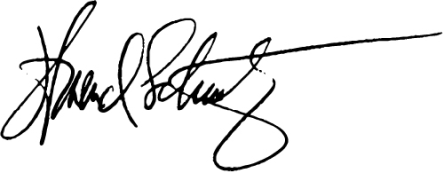
Signature example
photo

Serena Williams

Tennis Superstar

Bold and dynamic, with a strong slant to the right. Confident and determined, with a fierce competitive spirit and a commitment to excellence.

Signature example
photo

Tim Cook

Apple

Simple and understated, with a focus on clarity. Humble and down-to-earth, with a strong sense of integrity and a commitment to values-driven leadership.
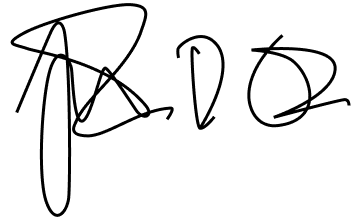
Signature example
photo

Arianna Huffington

HuffPost, Thrive Global

Elegant and cursive, with a flowing style. Sophisticated and empathetic, with a strong sense of purpose and a commitment to well-being.
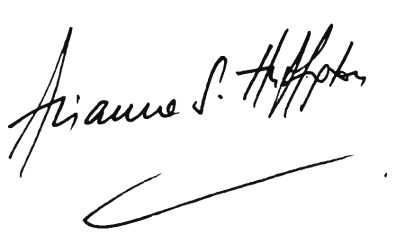
Signature example
photo

Michael Jordan

NBA Legend, Entrepreneur

Strong and bold, with a distinctive "MJ" initial. Inspired, competitive, and confident, which shows in broadness of the lines in both initial letters.

Signature example
photo

Sara Blakely

Spanx

Playful and creative, with a colorful flair. Innovative and entrepreneurial, with a strong sense of self-expression and a commitment to empowering others.
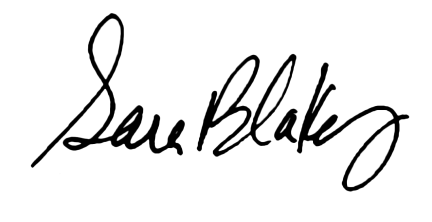
Signature example
photo

Lin-Manuel Miranda

Creator, Hamilton

Artistic and expressive, with a mix of print and cursive. Creative and imaginative, with a strong sense of storytelling and a commitment to using art to inspire and uplift.

Signature example

How to enhance your paperwork with Sales officers Signature Generator

section decoration

Using a powerful document editor, a sleek document management resource, and a swift signature generator in a single can do miracles for your efficiency. With all the tools in one tab, you may complete whole document lifecycles. Using DocHub, you may create, modify, annotate, or work collectively on documents, and then share them with dedicated individuals immediately. Additionally, it is simple to approve these documents with this Sales officers Signature Generator, and it only takes a couple of clicks.

  • Medical papers
  • Sales agreements
  • NDAs
  • IRS forms
  • Hiring contracts
  • Rental agreements

How to quickly create your DocHub’s Sales officers Signature Generator

  1. Visit the signature generation page.
  2. Select how you’d like to create your signature by inputting or drawing it.
  3. Check the signature and adjust the settings.
  4. Save the signature to your device.

How to sign a document with DocHub

  1. Sign in to your DocHub account to start.
  2. Choose the document you need to sign from your device or drag and drop it.
  3. Use your mouse or touchpad to draw your signature, or type your name to create a signature style.
  4. Place the created signature to the desired location on the form.
  5. Thoroughly review the whole form to make sure all parts of it are accurate and your signature is placed correctly.
  6. Click to save the signed paperwork to your device.

With DocHub, it is simple to generate a digital signature in seconds and keep your focus on efficiency. Create your account now and see how easy the work is with our Sales officers Signature Generator!

Online signature generator benefits

icon
Simplicity
Regardless of the method you choose, generating your signature online only takes a minute. Scribble it on your device, upload a picture of your handwritten signature, or type your name in, and it will be generated in that instant.
icon
Personalization options
Whether it is a signature PNG, a generated image, or an autograph you draw yourself, you have options to customize it to perfection for every document you sign in the future. Easily adjust its color and style in the signature configurations.
icon
Access from any device
Once you've created your signature, you can use it on any device. Just log in to your account and open the document you wish to sign. Stay on track with your paperwork, even on the go.
icon
Signature in one click
When you set up and customize your signature, you can place it in a single click next time you need to sign a document. Modify or change your default signature at any time or add a new one just as easily.
icon
Document editing features
Enjoy the electronic signature as a part of your well-rounded document management toolkit by DocHub. Create, edit, fill out, sign, and collaborate on your Word files and PDFs online wherever you are.
icon
Accessibility & collaboration
Work on your documents with your teammates and exchange live signatures easily with the set of tools by DocHub. Stay in the loop of changes and handle digital group projects easily with our collaboration capabilities.

Frequently Asked Questions about Vascular surgeons Signature Creator

Have questions about creating an electronic signature? Here are some common queries and our expert answers to help make your signature creation process as smooth as possible.
Contact us

DocHub is a cloud-based document editing platform that streamlines document-focused workflows. Quickly generate, edit, and eSign your documents and forms, deliver them, and securely store complete forms in your profile. DocHub is an easy-to-use and intuitive solution that doesn’t require installations and configurations, or extra software. Check out DocHub right now and alleviate your day-to-day document workflows!

With Vascular surgeons Signature Creator, you can draw, type, or transfer your signature. Pick your signature style, modify it, or upload an image of the signature from your device. Complete changes and download the signature.

You can produce 3 signatures for free and download them for future use. However, if you want an unlimited amount of signatures, you can join our flexible subscription plan. Sign up and discover how DocHub simplifies your document workflows right now!

A vascular doctor has the expertise to do everything from minimally invasive procedures to complex surgeries. After completing medical school, a vascular surgeon spends another five to seven years training for the vascular specialty.
Vascular Surgeon Salary in California Annual SalaryHourly Wage Top Earners $394,761 $190 75th Percentile $390,800 $188 Average $336,802 $162 25th Percentile $309,900 $149
Rudolph Matas of New Orleans, a charter member, was made an Honorary member in 1950. He has been called the Father of Modern Vascular Surgery.
Vein doctors and phlebologists can treat some cases of varicose veins. However, a vascular surgeon has superior training and experience, allowing them to offer expert diagnosis concerning the cause of your malfunctioning veins.

What other users say about DocHub's eSignature

Great solution for PDF docs with very little pre-knowledge required.
"Simplicity, familiarity with the menu and user-friendly. It's easy to navigate, make changes and edit whatever you may need. Because it's used alongside Google, the document is always saved, so you don't have to worry about it."
Pam Driscoll F
Teacher
A Valuable Document Signer for Small Businesses.
"I love that DocHub is incredibly affordable and customizable. It truly does everything I need it to do, without a large price tag like some of its more well known competitors. I am able to send secure documents directly to me clients emails and via in real time when they are viewing and making alterations to a document."
Jiovany A
Small-Business
I can create refillable copies for the templates that I select and then I can publish those.
"I like to work and organize my work in the appropriate way to meet and even exceed the demands that are made daily in the office, so I enjoy working with PDF files, I think they are more professional and versatile, they allow..."
Victoria G
Small-Business
be ready to get more

eSign documents in a blink

Get started now!