Discover the ultimate Merchandise associates signature Creator for hassle-free document signing

Draw signature
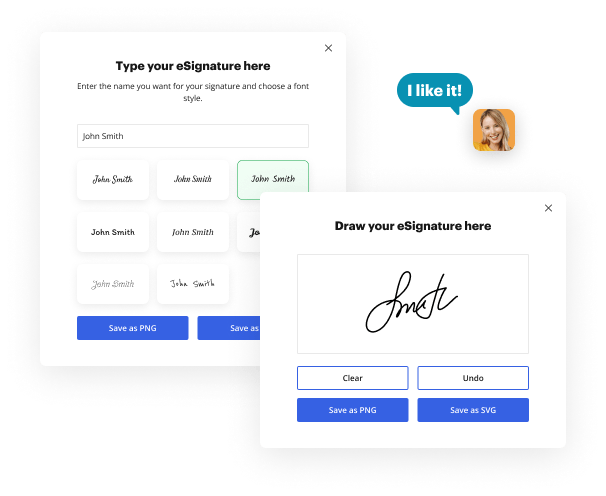
Draw your signature on the spot using your mouse, trackpad, or the screen of your tablet.
Draw signature
Type signature
Type your name or initials into the signature generator, and personalize its appearance to match your preferred style.
Type signature
Aug 6th, 2022
forms filled out
0
forms filled out
forms signed
0
forms signed
forms sent
0
forms sent
Service screenshot
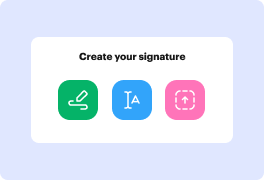
01. Pick a method to create your signature: Draw, Type, or Upload a file.
Service screenshot
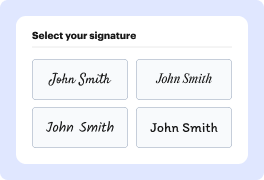
02. Customize your signature style.
Service screenshot
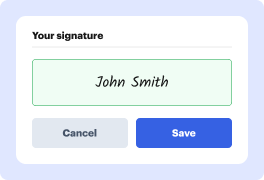
03. Save your eSignature.
Service screenshot
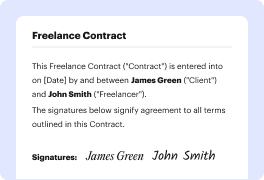
04. eSign your document in one click.

Need a document signed?

Drag and drop document here to upload or

Upload documents of up to 31 MB in PDF, DOC, DOCX, RTF, PPT, PPTX, JPEG, PNG, or TXT

video background

What does your signature say about you?

Every signature tells a story. The lines, the composition, and the strokes present your personality every time you leave your autograph on paper. This story is always unique, and it is yours to write. Use our electronic signature generator to tell your story.

Signature example

Large letters:

Extroverted and confident

Signature example

No underlined letters:

Proactive and result-oriented

Signature example

Lucid and clear:

Intelligence and wit

Signature example

Bold and strong lines:

Strong sense of individuality

Signature example

Sharp-lined:

Impatient and assertive

Signature example

Slanted writing:

Friendly and outgoing

Signature example

Scribbled:

Sharp intelligence and busy lifestyle

Signature example

Illegible letters:

Impressionable and creative

Signature example

Underlined signature:

Proud and vain character

The signatures behind big success

photo

Elon Musk

Tesla, SpaceX

Bold and futuristic, with a sharp slant to the right. Innovative and forward-thinking, always pushing boundaries and challenging the status quo.

Signature example
Photo

Beyoncé

Singer, Entrepreneur

Elegant and cursive, with a dramatic flair. Confident and charismatic, with a strong sense of self-expression and creativity.

Signature example
photo

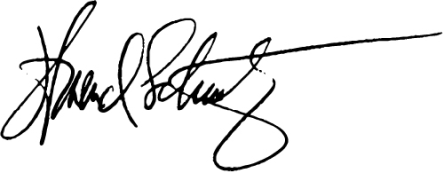
Howard Schultz

Starbucks

Strong and angular, with a distinctive "H" initial. Decisive and action-oriented, with a passion for building and leading successful teams.
Signature example
photo

Serena Williams

Tennis Superstar

Bold and dynamic, with a strong slant to the right. Confident and determined, with a fierce competitive spirit and a commitment to excellence.

Signature example
photo

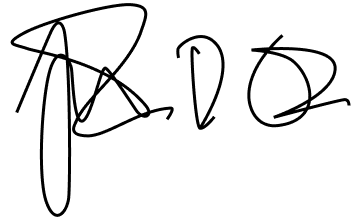
Tim Cook

Apple

Simple and understated, with a focus on clarity. Humble and down-to-earth, with a strong sense of integrity and a commitment to values-driven leadership.
Signature example
photo

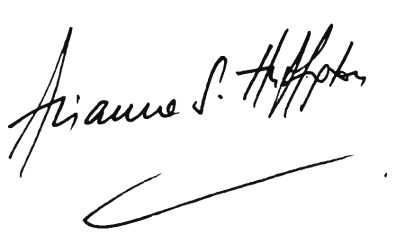
Arianna Huffington

HuffPost, Thrive Global

Elegant and cursive, with a flowing style. Sophisticated and empathetic, with a strong sense of purpose and a commitment to well-being.
Signature example
photo

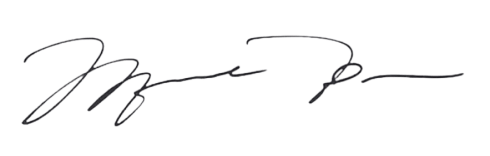
Michael Jordan

NBA Legend, Entrepreneur

Strong and bold, with a distinctive "MJ" initial. Inspired, competitive, and confident, which shows in broadness of the lines in both initial letters.
Signature example
photo

Sara Blakely

Spanx

Playful and creative, with a colorful flair. Innovative and entrepreneurial, with a strong sense of self-expression and a commitment to empowering others.
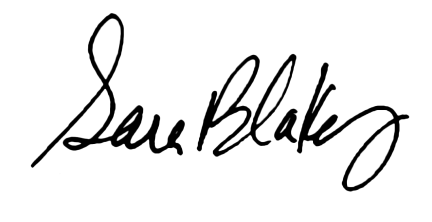
Signature example
photo

Lin-Manuel Miranda

Creator, Hamilton

Artistic and expressive, with a mix of print and cursive. Creative and imaginative, with a strong sense of storytelling and a commitment to using art to inspire and uplift.

Signature example

How to improve your paperwork with Insurance customer service representatives Signature Maker

section decoration

Using a powerful document editor, a sleek document management resource, and a swift signature generator in one place will do miracles for your efficiency. With all the tools in one tab, you can complete whole document lifecycles. Using DocHub, you can create, edit, annotate, or work together on documents, and then share them with specified individuals on the spot. On top of that, you can easily approve these documents with this Insurance customer service representatives Signature Maker, and it only takes a few clicks.

  • Medical documents
  • Sales agreements
  • NDAs
  • IRS forms
  • Hiring agreements
  • Rental contracts

How to quickly create your DocHub’s Insurance customer service representatives Signature Maker

  1. Go to the signature generation page.
  2. Choose how you’d like to generate your signature by inputting or sketching it.
  3. Verify the signature and change the settings.
  4. Download the signature to your device.

How to sign a document with DocHub

  1. Log in to the DocHub editor to start.
  2. Choose the form you want to sign from your computer or drag and drop it.
  3. Use your mouse or touchpad to draw your signature, or enter your name to create a signature style.
  4. Drag and drop the generated signature to the preferred location on the document.
  5. Thoroughly review the entire document to ensure all parts of it are correct and your signature is placed correctly.
  6. Choose to save the completed paperwork to your computer.

With DocHub, you can easily use this signature generator and keep your focus on efficiency. Register your account now and see how straightforward the work is with our Insurance customer service representatives Signature Maker!

Online signature generator benefits

icon
Simplicity
Regardless of the method you choose, generating your signature online only takes a minute. Scribble it on your device, upload a picture of your handwritten signature, or type your name in, and it will be generated in that instant.
icon
Personalization options
Whether it is a signature PNG, a generated image, or an autograph you draw yourself, you have options to customize it to perfection for every document you sign in the future. Easily adjust its color and style in the signature configurations.
icon
Access from any device
Once you've created your signature, you can use it on any device. Just log in to your account and open the document you wish to sign. Stay on track with your paperwork, even on the go.
icon
Signature in one click
When you set up and customize your signature, you can place it in a single click next time you need to sign a document. Modify or change your default signature at any time or add a new one just as easily.
icon
Document editing features
Enjoy the electronic signature as a part of your well-rounded document management toolkit by DocHub. Create, edit, fill out, sign, and collaborate on your Word files and PDFs online wherever you are.
icon
Accessibility & collaboration
Work on your documents with your teammates and exchange live signatures easily with the set of tools by DocHub. Stay in the loop of changes and handle digital group projects easily with our collaboration capabilities.

Frequently Asked Questions about Merchandise associates Signature Creator

Have questions about creating an electronic signature? Here are some common queries and our expert answers to help make your signature creation process as smooth as possible.
Contact us

Digital and electronic signatures are methods for signing documents digitally, but there are some key distinctions between the two. A digital signature is a type of electronic signature that uses coding technology to ensure the authenticity of a document. It works by making a unique code for each document that is approved. On the other hand, an electronic signature may be any form of mark or sign used to sign a document in electronic format.

You can use Merchandise associates Signature Creator for documents like contracts, NDAs, agreements and other legal forms. Send and get documents for approval without delays. However, make sure you speak with your legal team or representative prior to using signatures.

Merchandise associates Signature Creator adheres to AWS security standards, PCI DSS v3.2.1, and Google Security Assessment criteria. Each and every bit of information our online signature maker takes care of undergoes encryption and stringent protection steps. To learn more, please visit our security page.

Merchandise associates maintain the front-end operations of a store. They are responsible for organizing the merchandise as well as maintaining a clean environment. Merchandise associates interact with customers on a daily basis by answering their inquiries and assisting with tasks as needed.
A Merchandise Associate focuses on putting out stock, organizing the store shelves and keeping the sales floor visually appealing for customers. Their efforts can help boost sales by making products easy for customers to find, but theyre not directly responsible for generating sales.
A Merchandiser, or Retail Merchandiser, handles a stores inventory levels and product displays. Their main duties include submitting warehouse inventory reports, clearing any unwanted products from displays and monitoring the sales performances of products.
What does a Merchandiser do? A Merchandiser ensures that the shelves of a retail store are stocked with products and displays them ingly for customers. They also track inventory levels, report any issues or shortages to management and clean up unwanted items from flagrant violations in-store decorum.

What other users say about DocHub's eSignature

Great solution for PDF docs with very little pre-knowledge required.
"Simplicity, familiarity with the menu and user-friendly. It's easy to navigate, make changes and edit whatever you may need. Because it's used alongside Google, the document is always saved, so you don't have to worry about it."
Pam Driscoll F
Teacher
A Valuable Document Signer for Small Businesses.
"I love that DocHub is incredibly affordable and customizable. It truly does everything I need it to do, without a large price tag like some of its more well known competitors. I am able to send secure documents directly to me clients emails and via in real time when they are viewing and making alterations to a document."
Jiovany A
Small-Business
I can create refillable copies for the templates that I select and then I can publish those.
"I like to work and organize my work in the appropriate way to meet and even exceed the demands that are made daily in the office, so I enjoy working with PDF files, I think they are more professional and versatile, they allow..."
Victoria G
Small-Business
be ready to get more

eSign documents in a blink

Get started now!