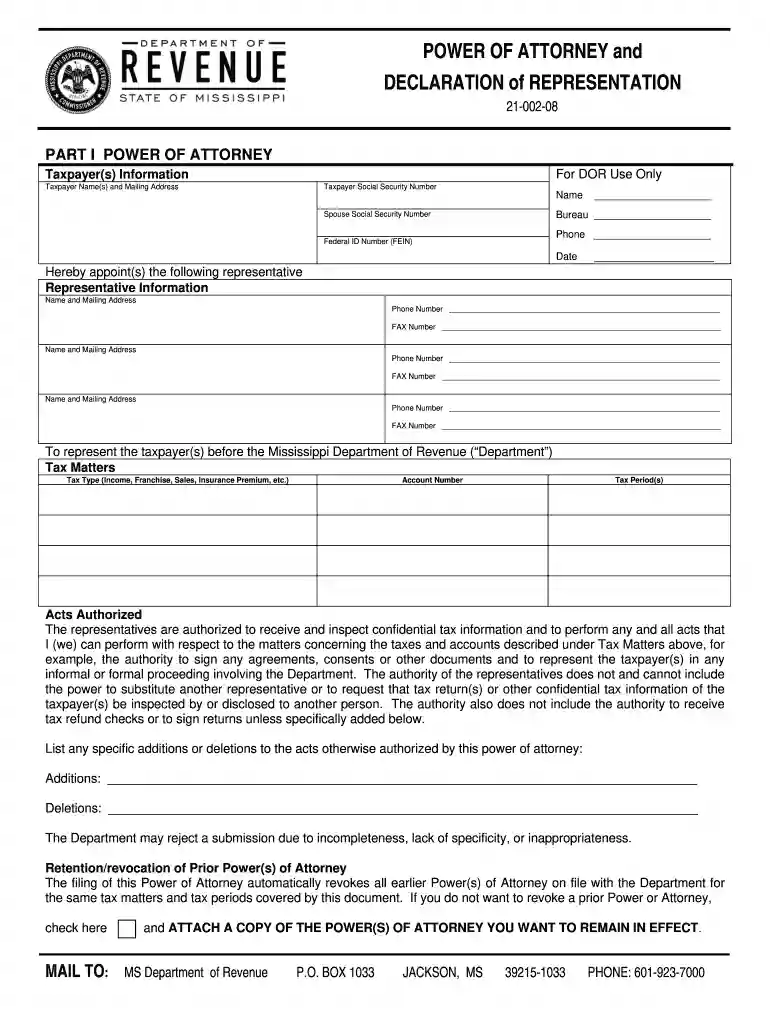
Dept of revenue ms 2008 form-2026

Get Form
department of revenue ms Preview on Page 1

Here's how it works

01. Edit your department of revenue ms online
Type text, add images, blackout confidential details, add comments, highlights and more.

02. Sign it in a few clicks
Draw your signature, type it, upload its image, or use your mobile device as a signature pad.

03. Share your form with others
Send dept of revenue ms via email, link, or fax. You can also download it, export it or print it out.

How to use or fill out dept of revenue ms 2008 form with DocHub

Form edit decoration
9.5
Ease of Setup
DocHub User Ratings on G2
9.0
Ease of Use
DocHub User Ratings on G2
  1. Click ‘Get Form’ to open the dept of revenue ms 2008 form in our editor.
  2. Begin by filling out the Taxpayer(s) Information section. Enter the names, mailing address, and Social Security Numbers for both the taxpayer and spouse if applicable.
  3. In the Representative Information section, provide details for each representative you wish to appoint. Include their names, addresses, phone numbers, and fax numbers.
  4. Specify the Tax Matters by selecting the type of tax (e.g., Income, Franchise) and entering the relevant account number and tax periods.
  5. Review the Acts Authorized section carefully. If there are any specific additions or deletions to be made regarding authority granted to your representatives, list them clearly.
  6. Ensure that all required signatures are provided in the Signature of Taxpayer(s) section. If applicable, include titles and contact information.
  7. Finally, complete the Acknowledgment section by having a notary public sign and date it as required.

Start using our platform today to fill out your dept of revenue ms 2008 form online for free!

See more dept of revenue ms 2008 form versions

We've got more versions of the dept of revenue ms 2008 form form. Select the right dept of revenue ms 2008 form version from the list and start editing it straight away!
Versions Form popularity Fillable & printable
2013 4.8 Satisfied (80 Votes)
2008 4.4 Satisfied (264 Votes)
be ready to get more

Complete this form in 5 minutes or less

Get form

Got questions?

We have answers to the most popular questions from our customers. If you can't find an answer to your question, please contact us.
Contact us
Each employee must provide you with a completed and signed Form 89-350, Mississippi Employees Withholding Exemption Certificate. You should use these forms along with the tax tables to determine how much income tax should be withheld from each employees paycheck.
The Department of Revenue is the primary agency for collecting tax revenues that support state and local governments in Mississippi. This website provides information about the various taxes administered, access to online filing, and forms.
Form 80-105 is the Mississippi Resident Individual Income Tax Return used to report your income earned and taxes owed to the state of Mississippi for the 2024 tax year.
House Bill 531 was signed into law by Governor Reeves in 2022 and returned half a billion dollars to taxpayers. The new legislation, House Bill 1, cuts the individual income tax rate to 3% by calendar year 2030, with future annual decreases until it ultimately falls to 0%.
Governor Tate Reeves today signed historic legislation that eliminates the individual income tax in Mississippi.

People also ask

You may check the status of your Mississippi tax refund by visiting the TAP online refund tool: . You do not need to register.
E-file your Mississippi personal income tax return online with 1040.com. These 2023 forms and more are available: Mississippi Form 80-105 Resident Return. Mississippi Form 80-205 Nonresident and Part-Year Resident Return.

ms dept of revenue