




01. Edit your form online
Type text, add images, blackout confidential details, add comments, highlights and more.

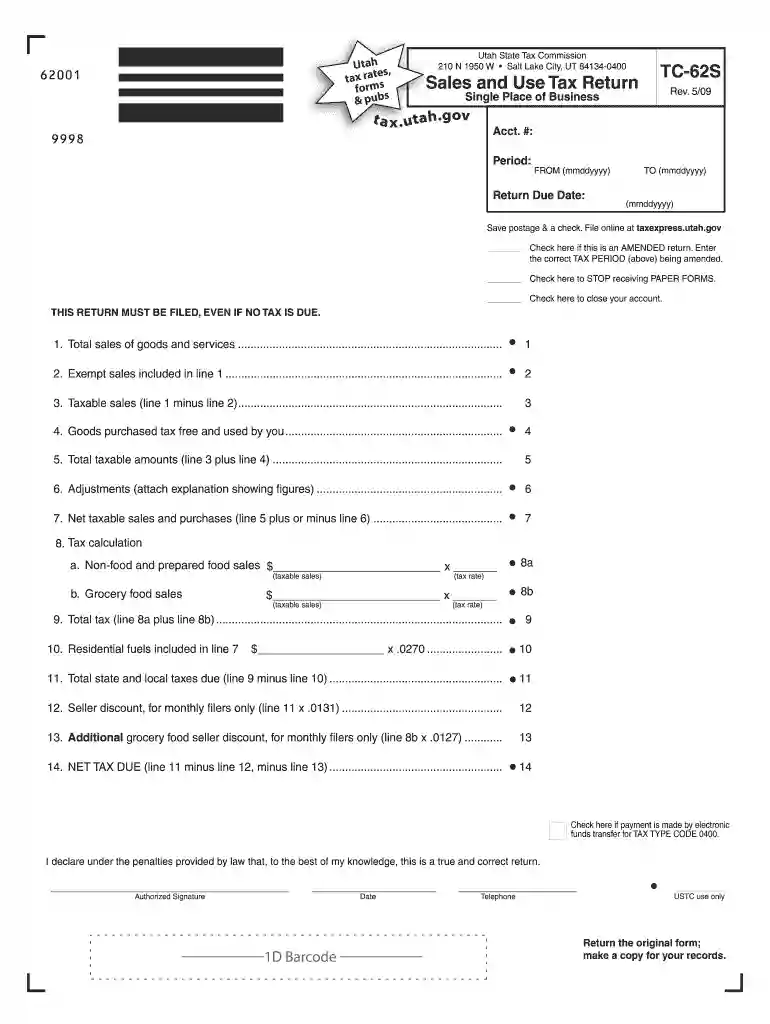
Type text, add images, blackout confidential details, add comments, highlights and more.

Draw your signature, type it, upload its image, or use your mobile device as a signature pad.

Send it via email, link, or fax. You can also download it, export it or print it out.

Start using our platform today to simplify your TC-62S form completion!
We've got more versions of the tc 62s form 2009 form. Select the right tc 62s form 2009 version from the list and start editing it straight away!
At DocHub, your data security is our priority. We follow HIPAA, SOC2, GDPR, and other standards, so you can work on your documents with confidence.
by AIR FORCE 2023 Cited by 1 This Guide established the occupation structure of the Air Force officer force and implements Air Force Policy. Directive (AFPD) 36-21,Read more
Jul 7, 2011 Newcomer Robertson has been steadily making his way up the leader board setting some fantastic times, held back only.Read more
Nov 7, 2023 Resolution retroactively approving the County Mayors actions in applying for four Resilient Florida grants from the Florida Department.Read more


