




Here's how it works

01. Edit your multiple worksite report online
Type text, add images, blackout confidential details, add comments, highlights and more.

02. Sign it in a few clicks
Draw your signature, type it, upload its image, or use your mobile device as a signature pad.

03. Share your form with others
Send multiple worksite report mandatory states via email, link, or fax. You can also download it, export it or print it out.
How to use or fill out Multiple Worksite Report, BLS 3020 MWR - Bureau of Labor Statistics - bls with DocHub

- Click ‘Get Form’ to open it in the editor.
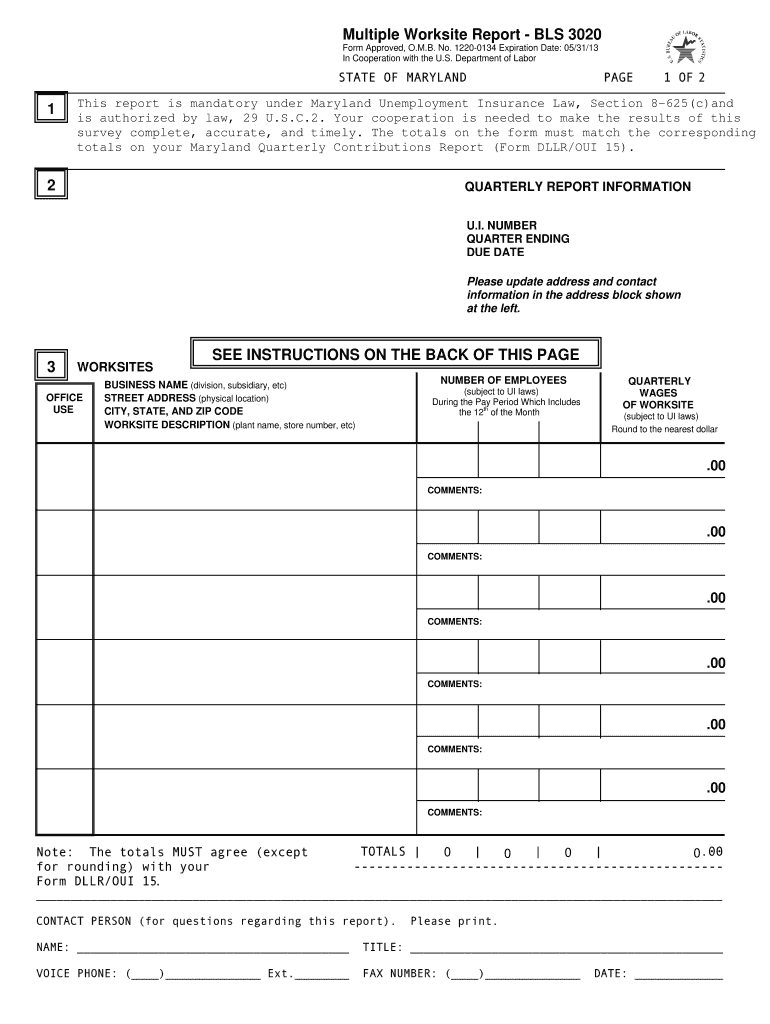
- Review the business name, contact name, and mailing address in Section 2. Make any necessary corrections to ensure accuracy.
- In Section 3, check the list of worksites. Verify the name, address, and description for each worksite. If needed, enter a unique identifier for any missing descriptions.
- Enter the number of employees for each month of the quarter. This includes all full-time and part-time employees who worked during or received pay for the pay period that includes the 12th of the month.
- Input quarterly wages paid during the quarter that are subject to State Unemployment Insurance laws. Round these figures to the nearest dollar.
- Use the Comments section to explain any significant changes in employment or wages due to events like store closings or seasonal fluctuations.
- Complete the Totals section at the end by summing up employees and wages across all worksites. Ensure these totals match your Quarterly Contributions Report.
Start using our platform today to streamline your form completion process for free!
Fill out Multiple Worksite Report, BLS 3020 MWR - Bureau of Labor Statistics - bls online
It's free
It's free
See more Multiple Worksite Report, BLS 3020 MWR - Bureau of Labor Statistics - bls versions
We've got more versions of the Multiple Worksite Report, BLS 3020 MWR - Bureau of Labor Statistics - bls form. Select the right Multiple Worksite Report, BLS 3020 MWR - Bureau of Labor Statistics - bls version from the list and start editing it straight away!
Security and compliance
At DocHub, your data security is our priority. We follow HIPAA, SOC2, GDPR, and other standards, so you can work on your documents with confidence.
Learn more


