Fl supplemental statement 2026

Get Form
fl supplemental statement Preview on Page 1

Here's how it works

01. Edit your form online
Type text, add images, blackout confidential details, add comments, highlights and more.
02. Sign it in a few clicks
Draw your signature, type it, upload its image, or use your mobile device as a signature pad.
03. Share your form with others
Send it via email, link, or fax. You can also download it, export it or print it out.

How to use or fill out fl supplemental statement with our platform

Form edit decoration
9.5
Ease of Setup
DocHub User Ratings on G2
9.0
Ease of Use
DocHub User Ratings on G2
  1. Click ‘Get Form’ to open the fl supplemental statement in the editor.
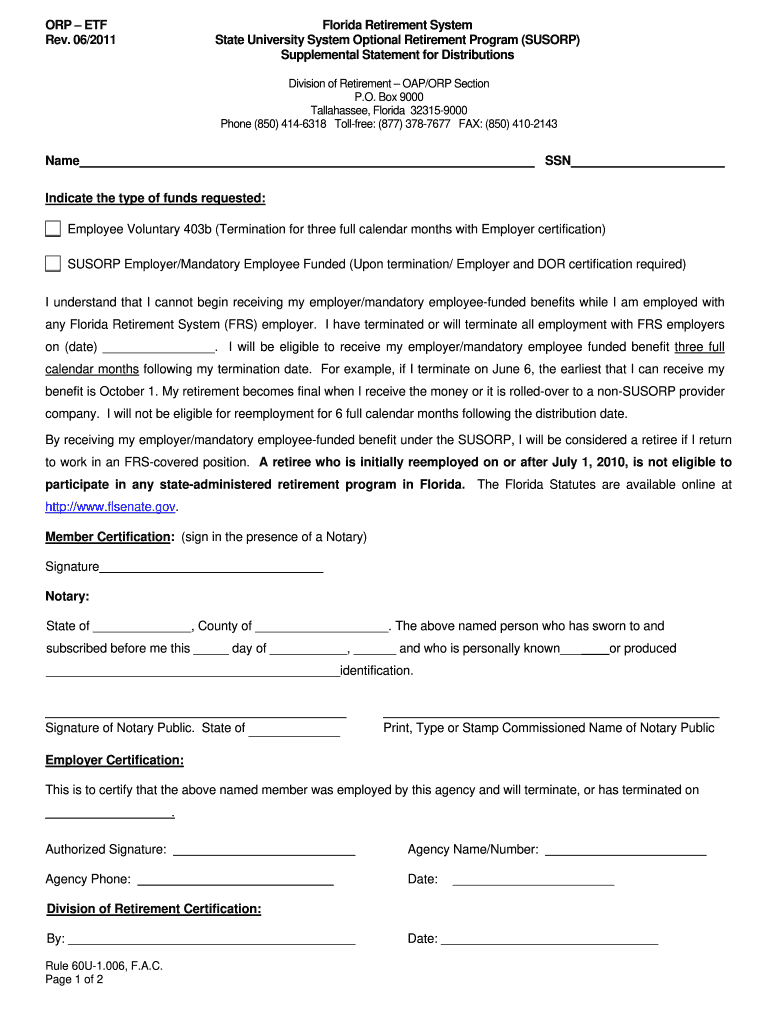
  2. Begin by entering your name and Social Security Number (SSN) at the top of the form.
  3. Indicate the type of funds you are requesting by checking one of the two boxes: 'Employee Voluntary 403(b)' or 'SUSORP Employer/Mandatory Employee Funded'.
  4. Provide your termination date in the designated field, ensuring it aligns with eligibility requirements for accessing funds.
  5. Sign the form in front of a notary public, who will also complete their section to validate your signature.
  6. If applicable, complete any additional information required on the second page regarding employer/mandatory contributions.
  7. Return the completed form via fax, email, or regular mail as instructed, and request a copy for your records if desired.

Start using our platform today to easily fill out your fl supplemental statement for free!

See more fl supplemental statement versions

We've got more versions of the fl supplemental statement form. Select the right fl supplemental statement version from the list and start editing it straight away!
Versions Form popularity Fillable & printable
2011 4.8 Satisfied (161 Votes)
be ready to get more

Complete this form in 5 minutes or less

Get form

Got questions?

We have answers to the most popular questions from our customers. If you can't find an answer to your question, please contact us.
Contact us
If you disagree with our decision on your claim, you can file a Supplemental Claim to add new evidence thats relevant to your case or identify new evidence for review.
(b) Supplemental claim means a claim for additional loss or damage from the same peril which the insurer has previously adjusted or for which costs have been incurred while completing repairs or replacement pursuant to an open claim for which timely notice was previously provided to the insurer.
This form should be used when you are asking the court to change a current court-ordered child support obligation. The court can change a child support order or judgment if the judge finds that there has been a substantial change in the circumstances of the parties and the change is in the child(ren)s best interests.
Complete the UF Supplement. This includes a few additional short-answer questions so that we can learn more about you when reviewing your application.
A supplemental claim is for new or additional damages not previously disclosed or adjusted in an insurance claim.

Security and compliance

At DocHub, your data security is our priority. We follow HIPAA, SOC2, GDPR, and other standards, so you can work on your documents with confidence.

Learn more
ccpa2
pci-dss
gdpr-compliance
hipaa
soc-compliance
be ready to get more

Complete this form in 5 minutes or less

Get form

People also ask

Supplemental Claims (Florida Statute 627.70132) Deadline: These must be filed within 18 months of the loss date. Supplemental claims enable homeowners to report overlooked damages or further damage that is discovered after initial repairs.
Supplemental property insurance claims are secondary claims made by insured property owners (both home owners and business owners) to request additional money to make repairs to your property in the event that additional repairs are necessary to after you have settled the initial claim with your property insurance

Related links