Type text, add images, blackout confidential details, add comments, highlights and more.

02. Sign it in a few clicks
Draw your signature, type it, upload its image, or use your mobile device as a signature pad.

03. Share your form with others
Send inz1242 via email, link, or fax. You can also download it, export it or print it out.

How to use or fill out inz1200 with our platform
Ease of Setup
DocHub User Ratings on G2
Ease of Use
DocHub User Ratings on G2
Click ‘Get Form’ to open the inz1200 in the editor.
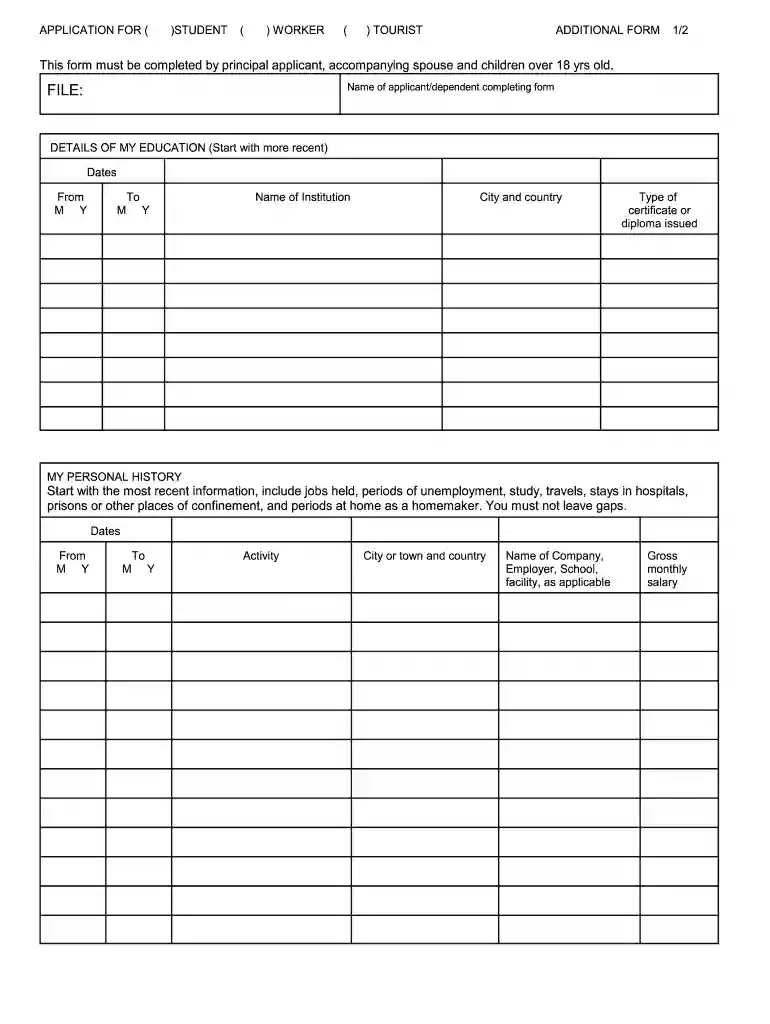
Begin by entering your name in the designated field for the applicant or dependent completing the form.
In the 'Details of My Education' section, list your educational history starting with the most recent. Fill in the dates, institution name, city and country, and type of certificate or diploma issued.
Proceed to 'My Personal History.' Document your work experience and any gaps in employment. Include dates, activities, locations, and gross monthly salary for each entry.
Continue filling out 'Addresses' by listing all places you have lived without leaving gaps. Provide dates, street addresses, cities, and countries.
Finally, review your entries for accuracy and completeness before signing at the bottom of the form.
Start using our platform today to fill out your inz1200 form easily and for free!
Cookie consent notice
This site uses cookies to enhance site navigation and personalize your experience.
By using this site you agree to our use of cookies as described in our Privacy Notice.
You can modify your selections by visiting our Cookie and Advertising Notice.