




Here's how it works

01. Edit your choicea online
Type text, add images, blackout confidential details, add comments, highlights and more.

02. Sign it in a few clicks
Draw your signature, type it, upload its image, or use your mobile device as a signature pad.

03. Share your form with others
Send it via email, link, or fax. You can also download it, export it or print it out.
How to use or fill out WASHINGTON SELLER DISCLOSURES 1. 2. - 1 - - ChoiceA with our platform

- Click ‘Get Form’ to open it in the editor.
- Begin with the Seller's Disclosure Statement section. Here, provide all known issues regarding the property. Be thorough to minimize future claims from buyers.
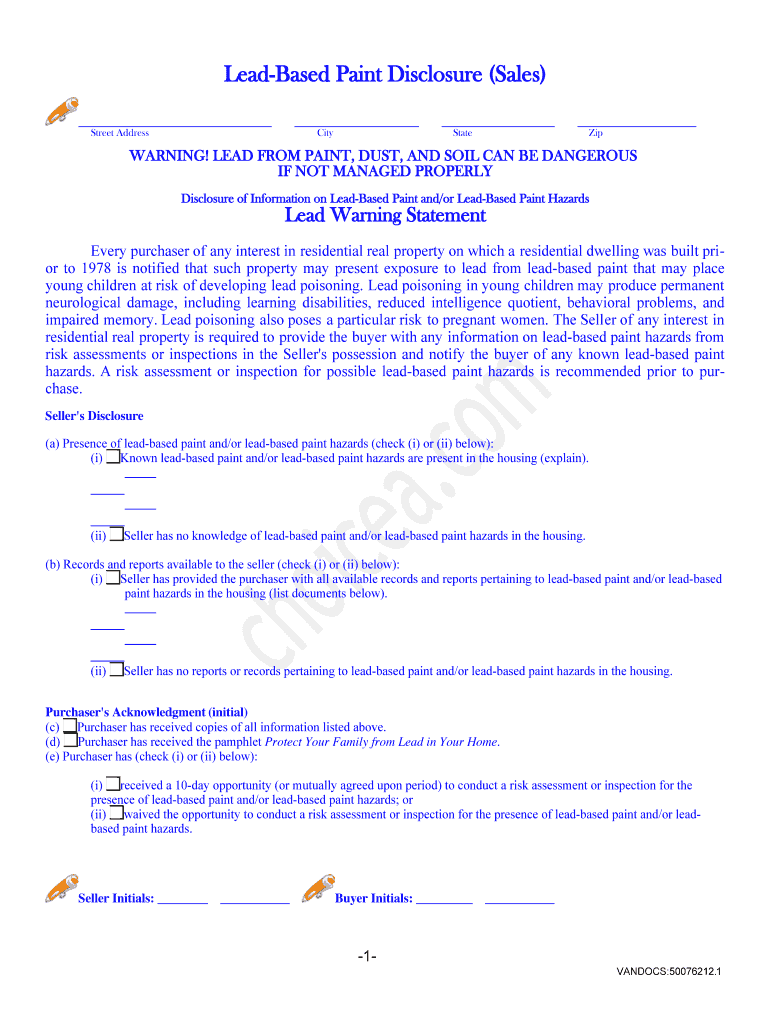
- Next, complete the Lead-Based Paint Disclosure if applicable. If your property was built before 1978, ensure you disclose any lead-based paint hazards and provide the required pamphlet.
- Fill out each question in the form carefully, marking 'Yes', 'No', or 'Don't Know' as appropriate. If you answer 'Yes' to any starred items, attach explanations on separate sheets.
- Sign and date each page of the disclosure statement at the footer to validate your responses.
- Finally, ensure that you deliver this completed document to potential buyers within five business days after mutual acceptance of a purchase contract.
Start using our platform today for free to streamline your document editing and signing process!
Fill out WASHINGTON SELLER DISCLOSURES 1. 2. - 1 - - ChoiceA online
It's free
It's free
Security and compliance
At DocHub, your data security is our priority. We follow HIPAA, SOC2, GDPR, and other standards, so you can work on your documents with confidence.
Learn more




