




Here's how it works

01. Edit your action taken sample online
Type text, add images, blackout confidential details, add comments, highlights and more.

02. Sign it in a few clicks
Draw your signature, type it, upload its image, or use your mobile device as a signature pad.

03. Share your form with others
Send adverse action letter via email, link, or fax. You can also download it, export it or print it out.
How to use or fill out blank notice of action taken with our platform

- Click ‘Get Form’ to open the blank notice of action taken in the editor.
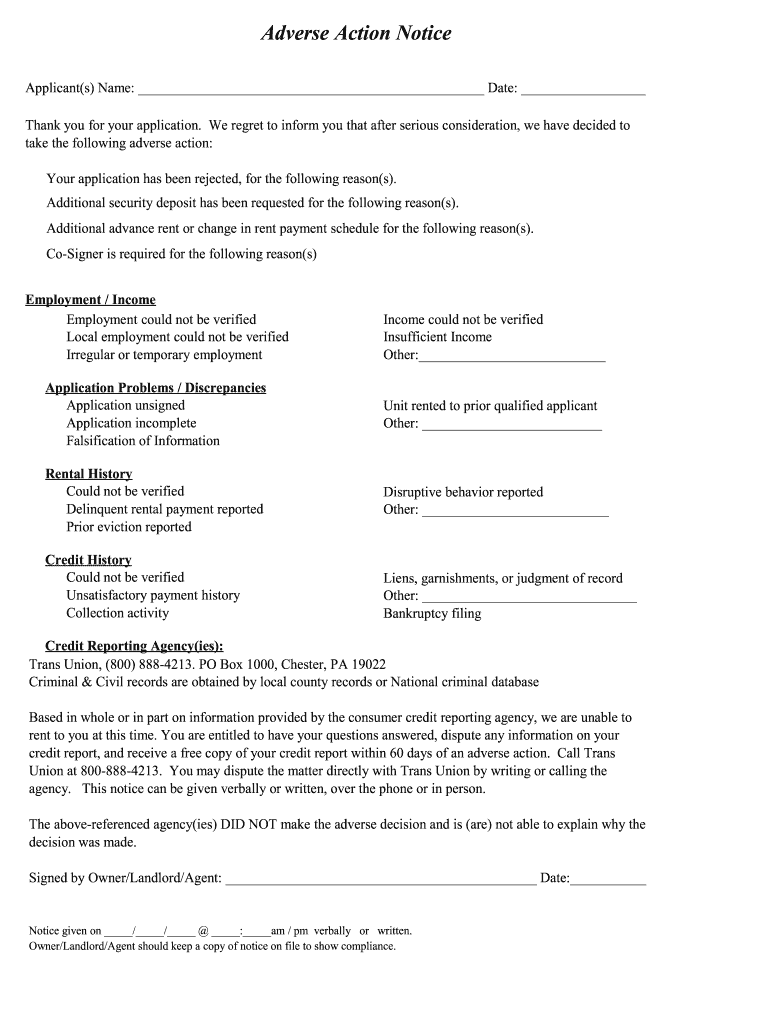
- Begin by entering the applicant(s) name and the date at the top of the form. This personalizes the notice and ensures clarity.
- In the section detailing the adverse action, clearly state whether the application was rejected or if additional requirements are needed, such as a co-signer or increased deposit.
- For each reason listed (e.g., employment verification issues, rental history discrepancies), provide specific details. Use our platform's text fields to elaborate on each point.
- Fill in the contact information for the credit reporting agency that provided your report, ensuring compliance with FCRA requirements.
- Sign and date the notice at the bottom, confirming that you have completed all necessary sections before distributing it to the applicant.
Start using our platform today to streamline your document editing and ensure compliance effortlessly!
Fill out blank notice of action taken online
It's free
It's free
Got questions?
We have answers to the most popular questions from our customers. If you can't find an answer to your question, please contact us.
Contact us
What is a notice of action taken?
A creditor must notify an applicant of action taken (favorable or unfavorable) within 30 days after receiving a completed application, or taking adverse action on an incomplete application.
What is the description of action taken?
An adverse action notice is to inform you that you have been denied credit, employment, insurance, or other benefits based on information in a credit report.
Security and compliance
At DocHub, your data security is our priority. We follow HIPAA, SOC2, GDPR, and other standards, so you can work on your documents with confidence.
Learn more


