Type text, add images, blackout confidential details, add comments, highlights and more.
02. Sign it in a few clicks
Draw your signature, type it, upload its image, or use your mobile device as a signature pad.
03. Share your form with others
Send dmv 349 via email, link, or fax. You can also download it, export it or print it out.
How to use or fill out DMV-349 (Rev. 112005) THIS REPORT 15 FOR THE USE OF THE ... with DocHub
Ease of Setup
DocHub User Ratings on G2
Ease of Use
DocHub User Ratings on G2
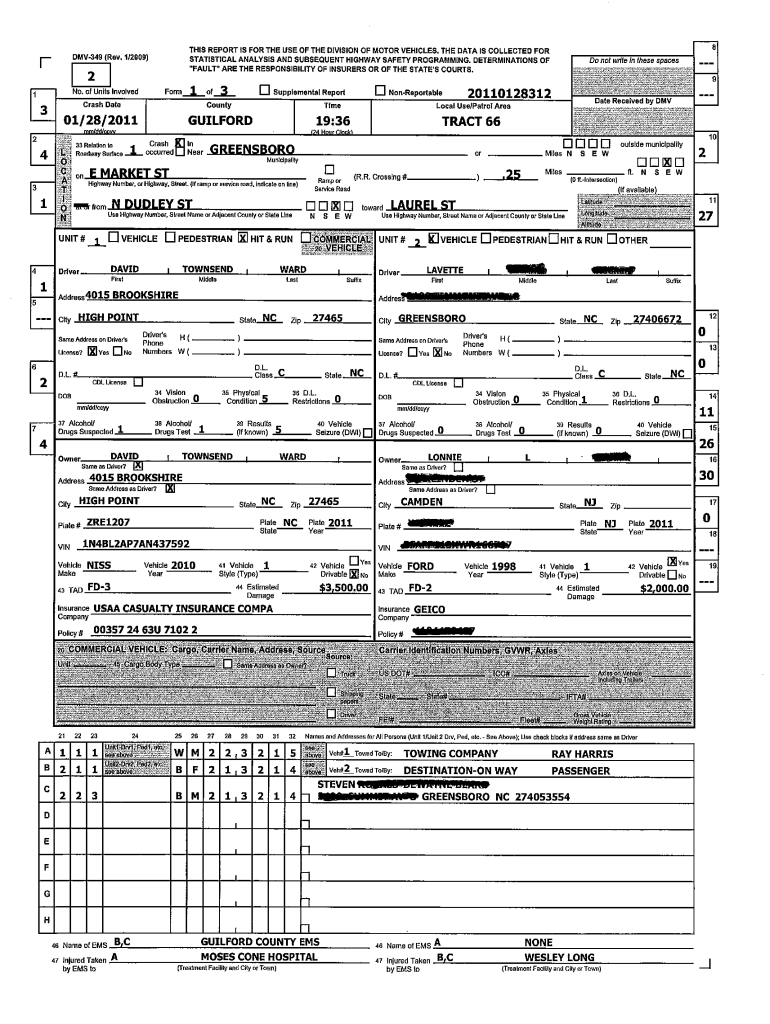
Click ‘Get Form’ to open the DMV-349 in our editor.
Begin by entering your personal information in the designated fields, including your name, address, and contact details. Ensure accuracy for effective processing.
Proceed to the vehicle information section. Fill in the make, model, year, and VIN of your vehicle. This data is crucial for identification purposes.
Next, complete the incident details section. Provide a clear description of the event that prompted this report, including dates and locations.
Review all entered information for completeness and correctness before submitting. Use our platform’s editing tools to make any necessary adjustments easily.
Start using our platform today to fill out your DMV forms online for free!
Fill out DMV-349 (Rev. 112005) THIS REPORT 15 FOR THE USE OF THE ... online It's free
Transfer of Vehicle Registered in Name of Deceased Person
This form should only be used if there is NO surviving spouse and NO surviving minor children: there is NO will to be offered for probate; and LettersRead more
Personal Information in Government Records: Protecting the
by G Barber 2006 Cited by 52 INTRODUCTION. Governmental agencies, including the courts, have a special obligation to protect the publics interest in individual privacy.Read more
Cookie consent notice
This site uses cookies to enhance site navigation and personalize your experience.
By using this site you agree to our use of cookies as described in our Privacy Notice.
You can modify your selections by visiting our Cookie and Advertising Notice.