ASHA CEU Participant Form - Speech and Language 2026

Get Form
ASHA CEU Participant Form - Speech and Language Preview on Page 1

Here's how it works

01. Edit your form online
Type text, add images, blackout confidential details, add comments, highlights and more.

02. Sign it in a few clicks
Draw your signature, type it, upload its image, or use your mobile device as a signature pad.

03. Share your form with others
Send it via email, link, or fax. You can also download it, export it or print it out.

How to use or fill out ASHA CEU Participant Form - Speech and Language with our platform

Form edit decoration
9.5
Ease of Setup
DocHub User Ratings on G2
9.0
Ease of Use
DocHub User Ratings on G2
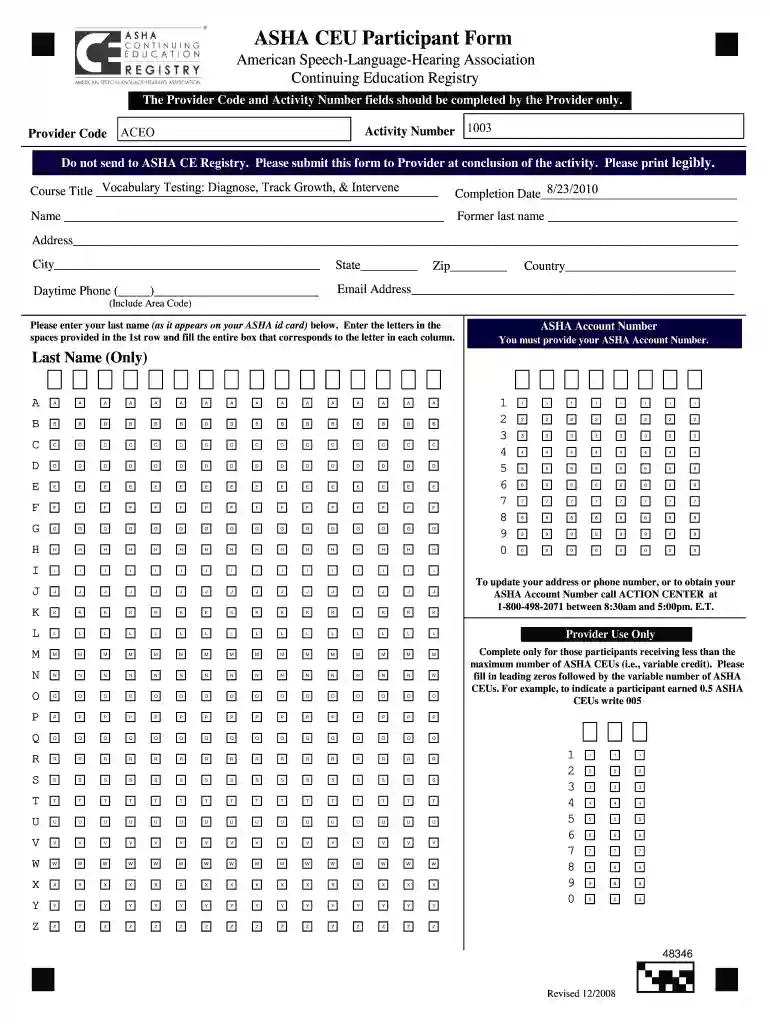
  1. Click ‘Get Form’ to open the ASHA CEU Participant Form in the editor.
  2. Begin by filling in the 'Course Title' field with the name of the course you attended. Ensure this is accurate for your records.
  3. Enter the 'Completion Date' in the designated field, using a clear format (MM/DD/YYYY) for consistency.
  4. Provide your full name in the 'Name' section, including any former last names if applicable.
  5. Fill out your address, city, state, zip code, and country. Make sure all information is legible and complete.
  6. Input your daytime phone number and email address for contact purposes.
  7. In the 'ASHA Account Number' section, enter your account number accurately as it appears on your ASHA ID card.
  8. Complete any additional fields as required by your provider before submitting the form at the conclusion of your activity.

Start using our platform today to easily fill out and manage your ASHA CEU Participant Form!

See more ASHA CEU Participant Form - Speech and Language versions

We've got more versions of the ASHA CEU Participant Form - Speech and Language form. Select the right ASHA CEU Participant Form - Speech and Language version from the list and start editing it straight away!
Versions Form popularity Fillable & printable
2011 4.8 Satisfied (44 Votes)
2008 4 Satisfied (25 Votes)
be ready to get more

Complete this form in 5 minutes or less

Get form

Got questions?

We have answers to the most popular questions from our customers. If you can't find an answer to your question, please contact us.
Contact us
The ASHA CE Registry is the only service that tracks the ASHA CEUs you earn. The annual Registry fee is $28 per year for ASHA members and $38 per year for nonmembers. If ASHA CEUs are requested at the time of course completion, the ASHA Approved CE Provider will report participation records to the ASHA CE Registry.
Calculating ASHA CEUs Sixty minutes or 1 clock hour is equal to 0.1 ASHA CEU. Ten clock hours equal one (1.0) ASHA CEU. Increments of less than an hour are rounded down to the nearest half-hour or hour when computing the total number of ASHA CEUs for a course.
Submit Online Login to the My Account section of the ASHA website. Under your account number, there is a section called Certification and Supervision. Select the certification maintenance interval link under that headinge.g., 20222024 Certification Maintenance Overview (Submit your Compliance Form).
Thirty hours or 3.0 ASHA CEUs in a 36-month cycle. Your start date for this requirement depends on the year you initially earned your CCC.
Individuals may view courses on their transcript including many course details like how many ASHA CEUs they have earned, and more, by going to: the ASHA CE Registry homepage, and selecting Whats on my ASHA CE Registry transcript, or.

People also ask

Log in to your CompTIA account. Click the Manage Certifications header. Click the Go to My Certifications button to access your certification account. Select the Continuing Education menu item. Click Add CEUs in the menu bar. Select the intent level by clicking the drop-down arrow.(If renewing multiple certifications)