




Here's how it works

01. Edit your alliance behavioral healthcare online
Type text, add images, blackout confidential details, add comments, highlights and more.

02. Sign it in a few clicks
Draw your signature, type it, upload its image, or use your mobile device as a signature pad.

03. Share your form with others
Send difference between credentialing and enrollment via email, link, or fax. You can also download it, export it or print it out.
How to use or fill out Credentialing and Enrollment - Alliance Behavioral Healthcare

- Click ‘Get Form’ to open it in the editor.
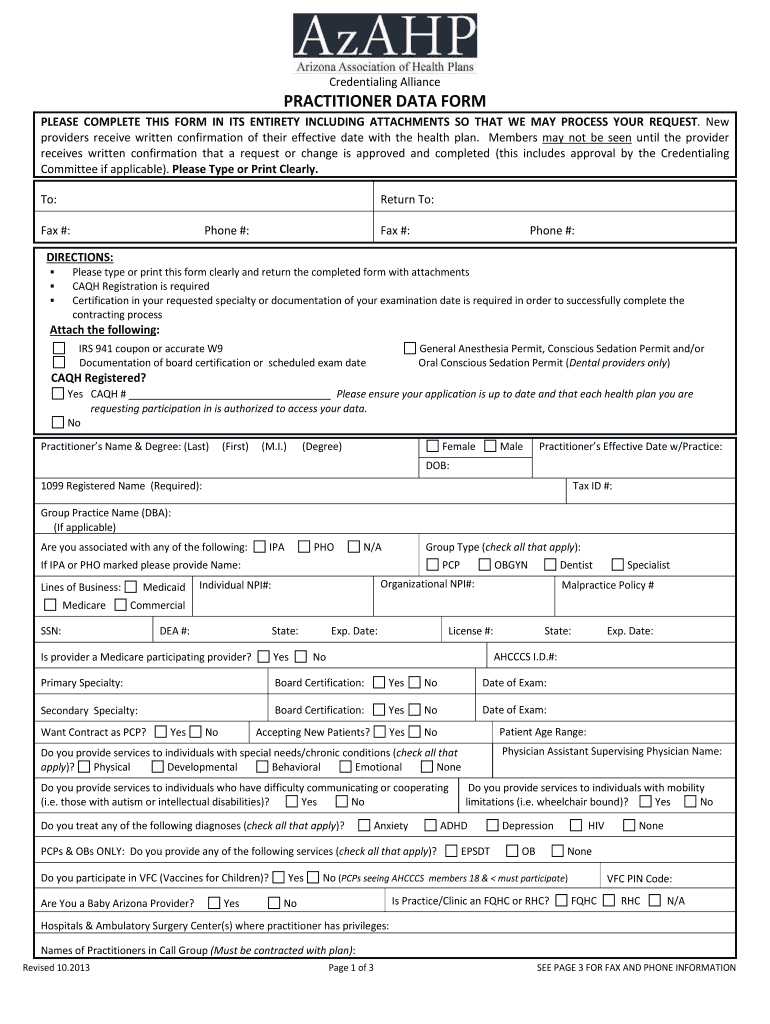
- Begin by filling out the Practitioner Data Form. Ensure you type or print clearly, as this is crucial for processing your request.
- Complete all required fields, including your name, degree, effective date with practice, and contact information. Make sure to provide accurate details for IRS documentation and board certification.
- Attach necessary documents such as the IRS 941 coupon or W9, and any relevant certifications. Use our platform's attachment feature to easily upload these files.
- Review each section carefully, especially the sections regarding specialties and services provided. This ensures that all information is up-to-date and accurately reflects your qualifications.
- Once completed, submit the form through our platform by following the instructions for sending it to the appropriate health plans listed at the end of the document.
Start using our platform today to streamline your credentialing process for free!
Fill out Credentialing and Enrollment - Alliance Behavioral Healthcare online
It's free
It's free
See more Credentialing and Enrollment - Alliance Behavioral Healthcare versions
We've got more versions of the Credentialing and Enrollment - Alliance Behavioral Healthcare form. Select the right Credentialing and Enrollment - Alliance Behavioral Healthcare version from the list and start editing it straight away!
Got questions?
We have answers to the most popular questions from our customers. If you can't find an answer to your question, please contact us.
Contact us
How do I contact the Health Alliance in Illinois?
To docHub Health Alliance Customer Service, please call (800) 322-7451.
What is the difference between enrollment and credentialing?
What is credentialing for mental health providers? Credentialing is the process of verifying a providers qualifications, licenses, education, training, and work history to ensure they meet the standards required by insurance networks and regulatory bodies.
What is the email format for Health Alliance?
The most common Health Alliance email format is [first]. [last] (ex. jane.doe@healthalliance.org), which is being used by 98.0% of Health Alliance work email addresses. Other common Health Alliance email patterns are [first]-[last] (ex.
What is the phone number for health Alliance provider credentialing?
The provider network may change at any time. Members will receive notice when necessary. For the most current directory please consult our electronic directory online or call Customer Service at (877) 917-8550.
What is credentialing for mental health providers?
Alliance Health is a managed health care company. That means we manage the costs, use and quality of your health care. We operate one of North Carolinas Behavioral Health and Intellectual/Developmental Disabilities (BH/IDD) Tailored Plans, and also serve NC Medicaid Direct beneficiaries in our region.
Security and compliance
At DocHub, your data security is our priority. We follow HIPAA, SOC2, GDPR, and other standards, so you can work on your documents with confidence.
Learn more




