






Definition & Meaning of the Cyber Security Incident Report Form
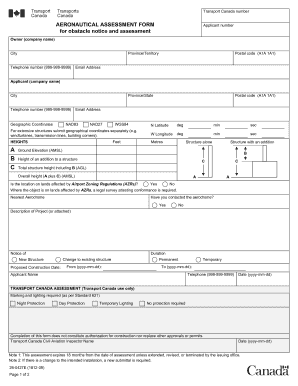
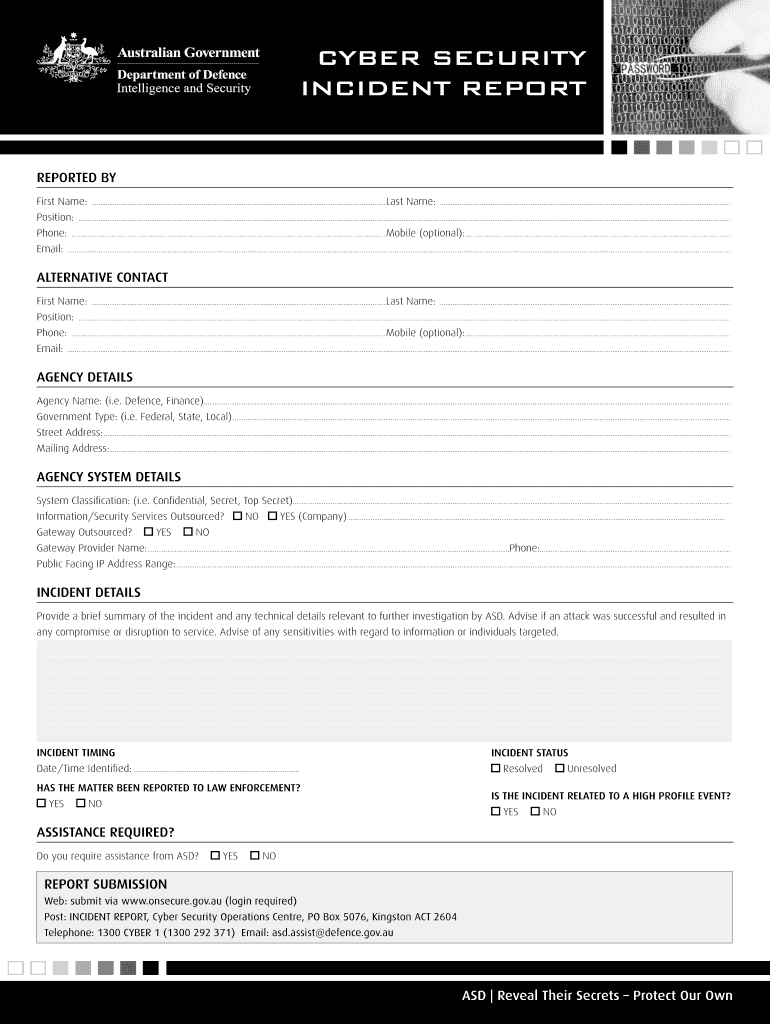
The Cyber Security Incident Report Form (PDF) - DSD serves as a crucial document for formally reporting incidents related to cybersecurity breaches. It is designed to capture detailed information regarding any security incidents that may threaten the integrity, confidentiality, or availability of data and systems within an organization.
This form includes multiple sections that specify:
- Personal and Agency Information: Collects data about the individual reporting the incident and their associated organization.
- Incident Details: Captures specifics about the nature of the incident, including the type of breach, the systems affected, and the time frame of the occurrence.
- Reporting Procedures: Outlines the steps taken to address the incident and any response actions initiated by the organization.
Filing this form is essential for understanding the impact of the cyber incident, facilitating communication with relevant authorities, and initiating the necessary response protocols.
How to Use the Cyber Security Incident Report Form (PDF) - DSD
Using the Cyber Security Incident Report Form (PDF) - DSD involves several straightforward steps. It is critical for organizations to ensure that all relevant information is documented accurately to assist in incident analysis and future prevention measures.
- Download the Form: Access the Cyber Security Incident Report Form (PDF) - DSD from a reliable source.
- Fill Out Personal and Agency Details: Include the reporter's full name, contact information, and the organization name.
- Detail the Incident: Describe the nature of the incident. Specify if it is a phishing attempt, data breach, or a ransomware attack, and provide details on what was compromised or affected.
- Document Response Actions: Indicate the actions that were taken in response to the incident, including immediate containment measures and any notifications made to stakeholders or customers.
- Submit the Form: Follow the designated procedure for submission, whether electronically or through traditional mail, ensuring it reaches the appropriate cybersecurity authority.
Successfully completing and submitting the incident report can help organizations effectively manage cybersecurity incidents and fulfill legal requirements for reporting breaches.
Steps to Complete the Cyber Security Incident Report Form (PDF) - DSD
Completing the Cyber Security Incident Report Form (PDF) - DSD requires attention to detail and adherence to the instructions provided within the form. Following these steps ensures comprehensive documentation of the incident.
- Identify the Incident: Before filling out the form, ensure you have a clear understanding of the incident's nature and scope, gathering any relevant documentation.
- Access the Form: Download the form from a trusted source, ensuring you have the latest version.
- Personal and Agency Information: Fill out all applicable fields with precise information. This includes names, titles, department, and contact information.
- Incident Description: Clearly articulate what occurred, including:
- Type of incident (e.g., data breach, unauthorized access).
- Affected systems and data.
- Date and time of the occurrence.
- Incident Impact Assessment: Evaluate and describe the potential impact of the incident on your organization, assets, and stakeholders.
- Response Actions Taken: Document any actions taken in response to the incident, such as forensic investigations or communications with law enforcement.
- Review and Submit: Proofread the completed form for accuracy and comprehensiveness before submission according to your organization’s protocol.
Completing these steps thoroughly helps ensure that all critical information is conveyed, aiding in both incident response and future risk management strategies.
Key Elements of the Cyber Security Incident Report Form (PDF) - DSD
The key elements of the Cyber Security Incident Report Form (PDF) - DSD provide a structured approach to documenting and analyzing cybersecurity incidents. Each section is designed to gather essential information effectively:
- Contact Information: Name and email address of the individual filling out the report, along with their role in the organization.
- Incident Summary: A concise description of what transpired, stating the specifics of the incident type and potential vulnerabilities exploited.
- Timeline of Events: Document the sequence of events leading to, during, and after the incident to establish a clear timeline for analysis.
- Systems Impacted: List all systems, applications, and networks that were affected, as this information is critical for assessing the overall impact on the organization.
- Response Strategy Implemented: Outline any remedial measures enacted to address the incident, including communications with affected parties.
These elements provide a comprehensive framework for effective reporting and can aid organizations in understanding the overall context of the incident.
Important Terms Related to Cyber Security Incident Report Form (PDF) - DSD
Understanding the terminology associated with the Cyber Security Incident Report Form (PDF) - DSD is vital for effective communication and reporting of cybersecurity incidents. Below is a list of essential terms:
- Incident: Any occurrence that compromises the confidentiality, integrity, or availability of information systems.
- Breach: An event in which unauthorized access to systems or data occurs, often leading to data theft or loss.
- Phishing: A type of cyber attack where attackers pose as legitimate entities to trick individuals into providing sensitive information.
- Ransomware: A malware variant that encrypts files and demands payment for their decryption.
- Forensics: The application of scientific methods and techniques to investigate and collect evidence following a security incident.
- Mitigation: Steps taken to reduce the impact or likelihood of further incidents once a breach has occurred.
Familiarity with these terms not only enhances clarity when filling out the form but also improves overall communication with stakeholders involved in incident response efforts.
Who Typically Uses the Cyber Security Incident Report Form (PDF) - DSD
The Cyber Security Incident Report Form (PDF) - DSD is primarily utilized by various professionals and stakeholders within organizations. Understanding the typical users can clarify the form's purpose and its importance in organizational security practices.
- IT Security Teams: Responsible for monitoring, detecting, and responding to cyber incidents, these teams utilize the form to report findings and actions taken.
- Compliance Officers: Individuals ensuring that the organization meets regulatory requirements use this form to document incidents, often necessary for audits.
- Data Protection Officers: Tasks include overseeing data governance and compliance with privacy regulations; they rely on the form to record breaches that may affect personal data.
- Management: Upper management may require insight into cybersecurity incidents to make informed decisions about risk strategies and resource allocation.
By ensuring that these stakeholders understand how to effectively use the Cyber Security Incident Report Form, organizations can bolster their cybersecurity incident response efforts.