Type text, add images, blackout confidential details, add comments, highlights and more.
02. Sign it in a few clicks
Draw your signature, type it, upload its image, or use your mobile device as a signature pad.
03. Share your form with others
Send form 1417 australia via email, link, or fax. You can also download it, export it or print it out.
How to use or fill out form 1417 with our platform
Ease of Setup
DocHub User Ratings on G2
Ease of Use
DocHub User Ratings on G2
Click ‘Get Form’ to open it in the editor.
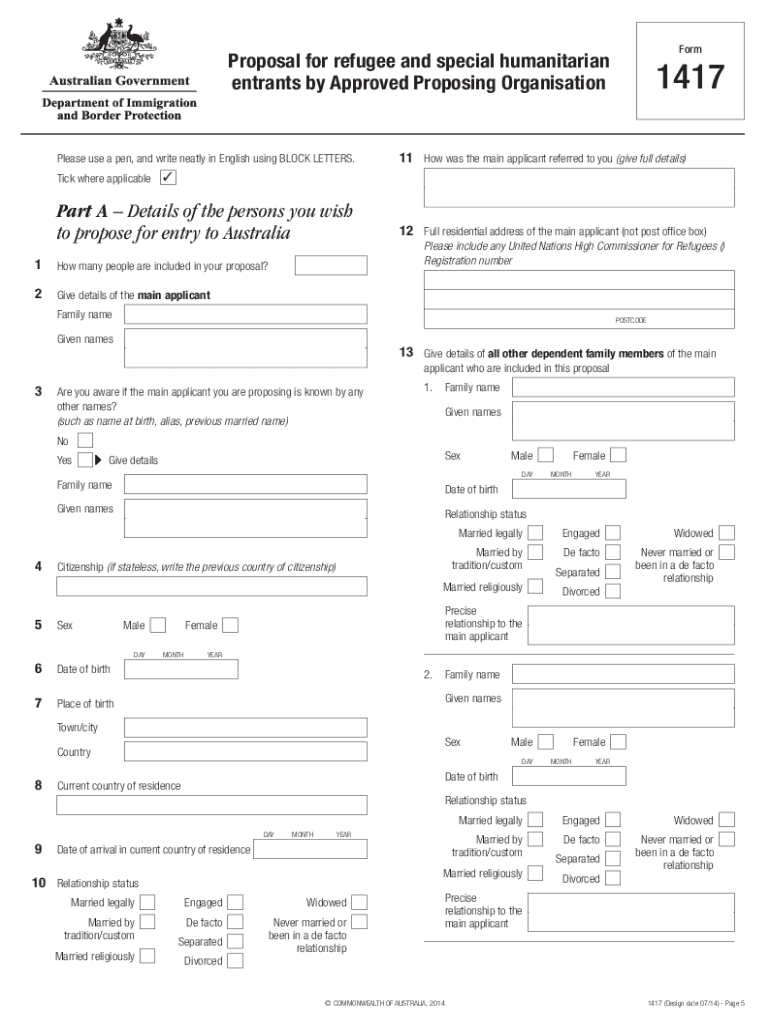
Begin with Part A, where you will provide details of the persons you wish to propose for entry. Fill in the number of people included and complete the main applicant's information, ensuring all fields are filled accurately.
In Part B, enter your organization's details, including the name and Australian Business Number (ABN). Make sure to include contact information for the person authorized to sign on behalf of your organization.
Proceed to Part C if you have a Supporting Community Organisation. Provide their details and experience in assisting humanitarian entrants.
Complete Part D by outlining your plan for settlement assistance, detailing how you will support the entrants upon their arrival.
Finally, review all sections for accuracy before signing at Part H and submitting your completed application along with form 842.
Start using our platform today to streamline your form completion process for free!
Standard Form 1417, Presolicitation Notice and Response
Sep 1, 2004 A request to review and approve an extension of a currently approved information collection requirement concerning Standard Form 1417, Presolicitation NoticeRead more
Cookie consent notice
This site uses cookies to enhance site navigation and personalize your experience.
By using this site you agree to our use of cookies as described in our Privacy Notice.
You can modify your selections by visiting our Cookie and Advertising Notice.