




Here's how it works



How to use or fill out school monitoring format pdf with our platform

- Click ‘Get Form’ to open the school monitoring format PDF in the editor.
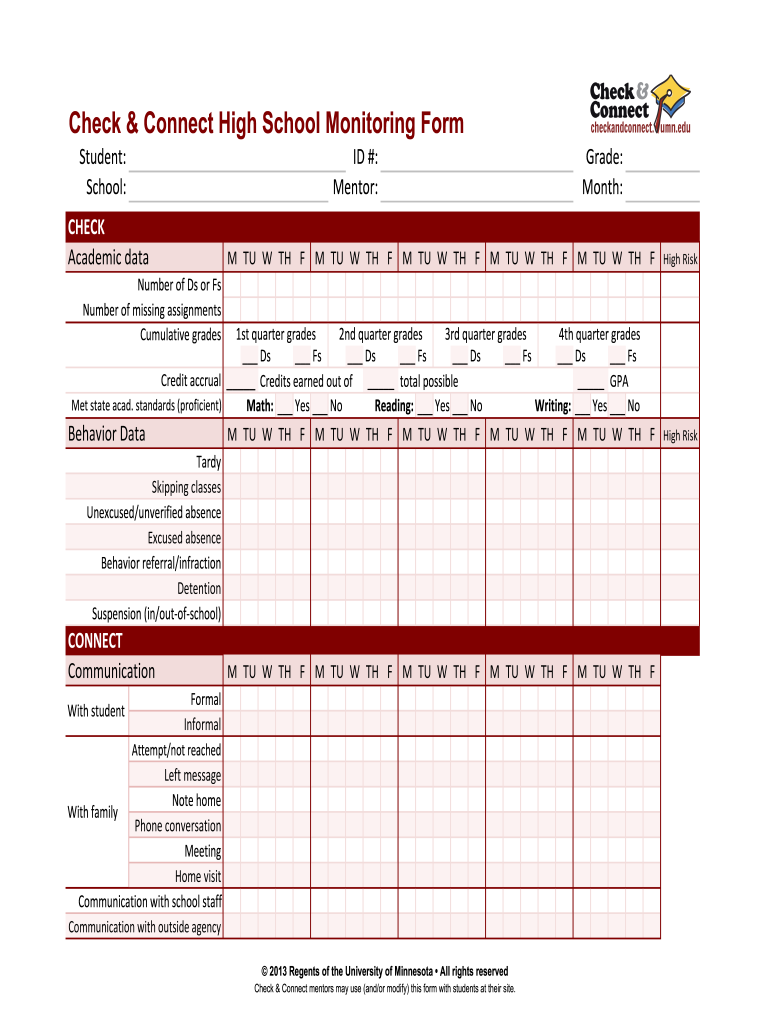
- Begin by entering the student's name and ID number at the top of the form. This information is crucial for tracking academic progress.
- In the 'Academic Data' section, fill in the cumulative grades and any missing assignments. Use checkboxes to indicate high-risk indicators such as Ds or Fs.
- Proceed to the 'Behavior Data' section, where you will log attendance issues like tardiness and absences. Mark each day accordingly using the provided checkboxes.
- In the 'Communication' section, document interactions with students and families. Note whether attempts were successful or if messages were left.
- Finally, summarize case notes in the designated area, ensuring to capture goals and observations for future reference.
Start using our platform today for free to streamline your document editing and enhance your workflow!
It's free
Got questions?
How do I sign my school monitoring report on iOS?
With DocHub, you can easily sign your school monitoring report or any other paperwork on iOS, even without setting up extra applications. You can access your DocHub account from any web-connected browser and complete and sign your document in any preferred method with just a couple of clicks.
How do you complete school monitoring form online?
You may complete and sign your school monitoring form online, even on a tight deadline. All you need to access high quality editing tools on any device is a DocHub account, that you can register in a few moments. When you register, upload your file or find what you are searching for in our catalog, complete it utilizing the editing tools you need, and place your electronic signature on it at the end.
How can teachers monitor their own classroom teaching?
What is school monitoring evaluation and assessment?
What does monitoring mean in school?
Security and compliance
At DocHub, your data security is our priority. We follow HIPAA, SOC2, GDPR, and other standards, so you can work on your documents with confidence.
Learn more




