




Here's how it works

01. Edit your tntech express portal online
Type text, add images, blackout confidential details, add comments, highlights and more.

02. Sign it in a few clicks
Draw your signature, type it, upload its image, or use your mobile device as a signature pad.

03. Share your form with others
Send tntechexpress via email, link, or fax. You can also download it, export it or print it out.
How to use or fill out readmission after suspension with our platform

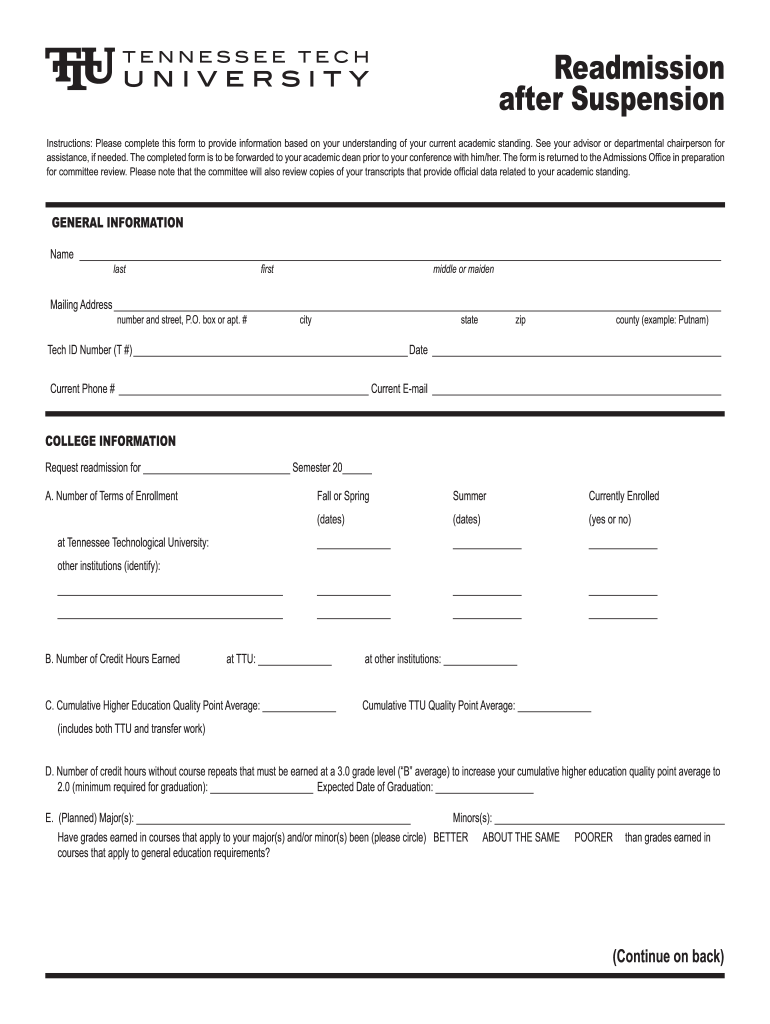
- Click ‘Get Form’ to open the readmission after suspension form in the editor.
- Begin by filling out the General Information section. Enter your full name, mailing address, Tech ID number, date, current phone number, and email address.
- In the College Information section, specify the semester for which you are requesting readmission and provide details about your enrollment history at Tennessee Technological University and any other institutions.
- Complete the academic performance metrics by entering your credit hours earned and cumulative GPAs for both TTU and other institutions.
- Provide a brief statement explaining why you wish to continue your studies and outline any factors that contributed to past performance issues.
- Finally, detail your plans for addressing these factors to ensure satisfactory academic performance moving forward.
Start using our platform today to easily complete your readmission after suspension form for free!
Fill out readmission after suspension online
It's free
It's free
See more readmission after suspension versions
We've got more versions of the readmission after suspension form. Select the right readmission after suspension version from the list and start editing it straight away!
| Versions | Form popularity | Fillable & printable |
|---|---|---|
| 2010 | 4.8 Satisfied (192 Votes) |
Security and compliance
At DocHub, your data security is our priority. We follow HIPAA, SOC2, GDPR, and other standards, so you can work on your documents with confidence.
Learn more


