Nevada certified payroll 2026

Get Form
nevada certified payroll forms Preview on Page 1

Here's how it works

01. Edit your nevada certified payroll forms online
Type text, add images, blackout confidential details, add comments, highlights and more.
02. Sign it in a few clicks
Draw your signature, type it, upload its image, or use your mobile device as a signature pad.
03. Share your form with others
Send certified payroll forms via email, link, or fax. You can also download it, export it or print it out.

How to use or fill out Nevada Certified Payroll with our platform

Form edit decoration
9.5
Ease of Setup
DocHub User Ratings on G2
9.0
Ease of Use
DocHub User Ratings on G2
  1. Click ‘Get Form’ to open the Nevada Certified Payroll document in the editor.
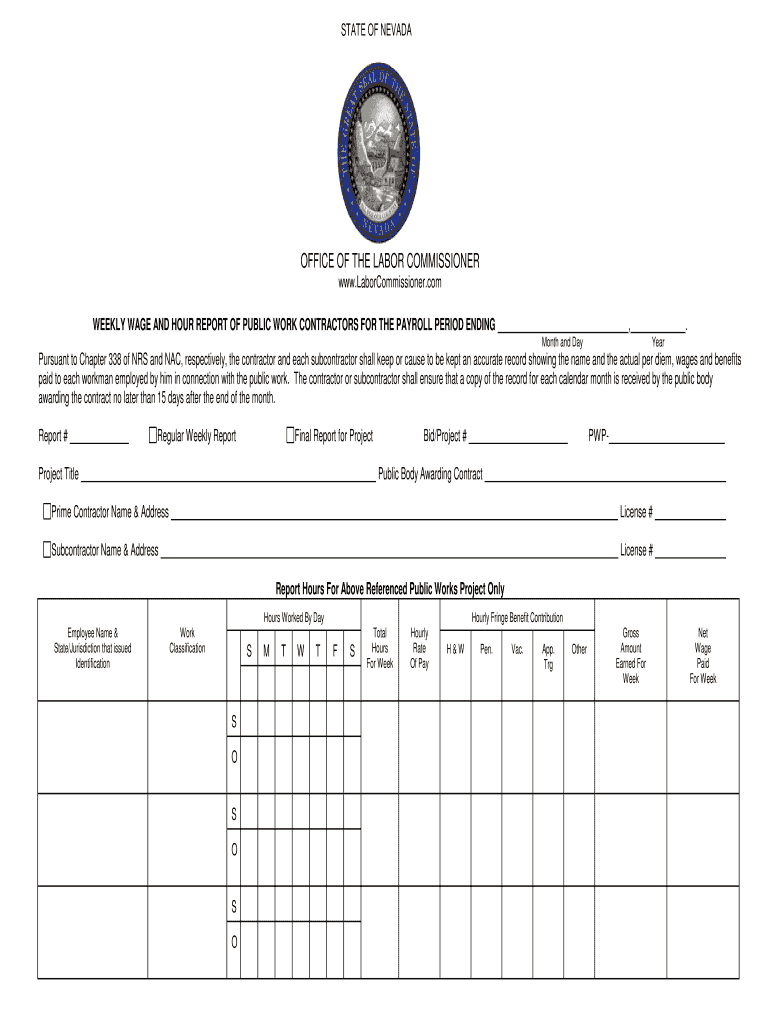
  2. Begin by entering the payroll period details, including the month, day, and year at the top of the form. This sets the timeframe for your report.
  3. Fill in the report number and indicate whether this is a regular weekly report or a final report for the project. Include project title and bid/project number.
  4. Provide information about the public body awarding the contract, along with your name and address as the prime contractor. If applicable, include subcontractor details.
  5. In the 'Hours Worked By Day' section, list each employee's name, work classification, and hours worked for each day of the week. Ensure accuracy in reporting hours.
  6. Complete fields for hourly rate of pay, fringe benefits contributions, gross amount earned for the week, and net wage paid for each employee listed.
  7. Finally, certify compliance by signing and dating at the bottom of the form. Ensure all required checks are marked regarding wage payments and apprenticeship registrations.

Start using our platform today to streamline your Nevada Certified Payroll submissions effortlessly!

be ready to get more

Complete this form in 5 minutes or less

Get form

Security and compliance

At DocHub, your data security is our priority. We follow HIPAA, SOC2, GDPR, and other standards, so you can work on your documents with confidence.

Learn more
ccpa2
pci-dss
gdpr-compliance
hipaa
soc-compliance